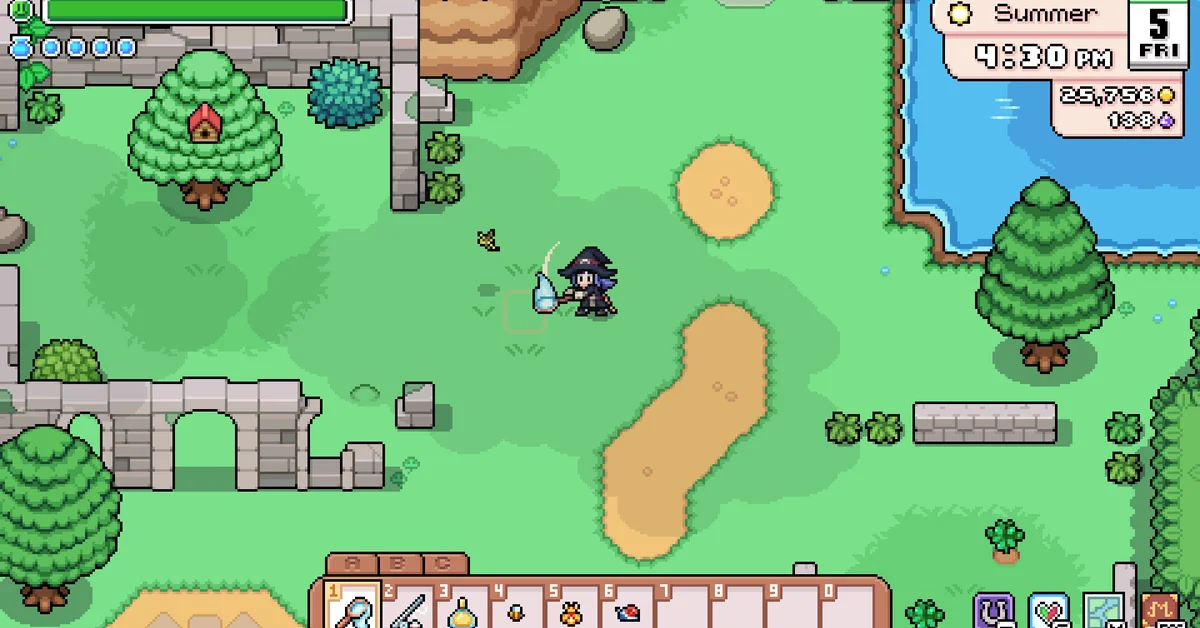
To drop an item in Fields of Mistria, close your inventory, select the item on your toolbar, and press G on the keyboard or the right trigger on a controller. Your character throws it onto the ground, far enough that it does not snap straight back into your bag, and it stays there until you pick it up. If you want an item gone for good instead, drag it onto the trash can in your inventory screen. Below we cover both methods, where dropped items go if you forget them, and a few situations where the same button does something else.
This reflects the 1.0 release of Fields of Mistria on PC. The drop button is listed as “Throw Item” in the game’s control settings, which is why players searching for a “drop” option often miss it.
How to Drop an Item
- Close the inventory menu. The throw key acts on the item you are holding, not on the menu.
- Select the item on your toolbar with the number keys 1 to 0 or the mouse wheel. On a controller, LB and RB cycle the toolbar. If the item is not on your toolbar, move it into a toolbar slot first.
- Step away from villagers (more on this below).
- Press the Throw Item button. That is G on keyboard by default, or the right trigger on a controller. Your character tosses the held item onto the ground in front of them.
| Action | Keyboard and mouse | Controller |
|---|---|---|
| Throw (drop) held item | G | Right trigger |
| Select toolbar slot | 1 to 0, or mouse wheel | LB and RB |
| Open inventory | Esc | Menu (Start) button |
Throw Item can be rebound like every other input, under Settings in the Controls section. Walk back over the item whenever you want it again.
How to Delete Items Permanently
Fields of Mistria also has a trash can. Open your inventory and you will see its icon; drag an item onto it and the item is destroyed. There is no undo, so keep this for true junk. Per player reports on the Steam forums, holding Shift while you drag an item to the trash can deletes the whole stack at once rather than one at a time.
Before trashing anything, consider whether it has a better home. The shipping bin beside your farmhouse turns sellable items into tesserae overnight, which beats deleting them for nothing.
Where Dropped Items Go
Outside the Mines, dropped items are not cleaned up quickly. Player reports say items left on the ground have stayed put for days, which makes dropping a handy emergency storage trick when your bag is full.
The Mines are the exception. Items you drop on a Mines floor are not there when you come back, so never park anything valuable underground. Carry it out, or drop it on the farm before you head down.
Later in the game, the Lost and Found box tidies up for you. It unlocks through the “Lost and Found” quest at Copper town rank, and it works like this:
- Every Monday, items left on the ground around Mistria are collected into the Lost and Found chest near Balor’s Wagon.
- Since the v0.15.2 patch, that sweep includes your own farm, but not the inside of barns, coops or greenhouses.
- The chest holds up to 54 stacks. Anything that does not fit stays where it was dropped.
- Each week the chest also gets a random piece of the Dingy furniture set, which cannot be obtained any other way.
If you want more room so you are not constantly dropping things, our guide to increasing your inventory covers both bag upgrades.
When the Drop Button Does Something Else
Next to a villager, G gives a gift. When you stand beside someone while holding a giftable item, the prompt changes to offer it as a gift, and the same key hands it over. That is great when you mean it and painful when you just wanted to put down your only Diamond. Each villager takes one gift per day, so an accidental gift also uses up that day’s chance with them, which matters if you are courting someone, as our marriage guide explains.
Near a mimic, it feeds the mimic. Throwing an item near a waiting mimic in the Mines feeds it and lets you avoid the fight, and the item is consumed. With the Gift Exchange combat perk, a resting mimic drops two items instead of one when you throw something in.
Near chests and the shipping bin. Player-shared clips show G tossing an item straight into a chest or the shipping bin without opening its menu, which is a fast way to unload a single stack.
Dropping is also different from putting furniture down. A table or lamp you select and click is placed, not dropped; to pick placed furniture back up you need the pickaxe, as covered in our guide on how to move furniture.
Frequently Asked Questions
What button drops items in Fields of Mistria? G on keyboard or the right trigger on a controller, with the item selected on your toolbar. The action is called Throw Item in the control settings.
Do dropped items disappear? Not in normal areas, where player reports say they stay for days. Items dropped in the Mines are gone when you return, and once the Lost and Found is unlocked, ground items around town and your farm get collected into it every Monday.
How do you delete items? Drag them onto the trash can icon in your inventory. This destroys them permanently.
Why did my item go to a villager instead of dropping? You were standing next to someone, so the throw key gave it as a gift. Step away from villagers before dropping.
Why isn’t the drop button doing anything? Make sure the inventory menu is closed and the item is selected on your toolbar. The throw key only acts on the item you are holding.