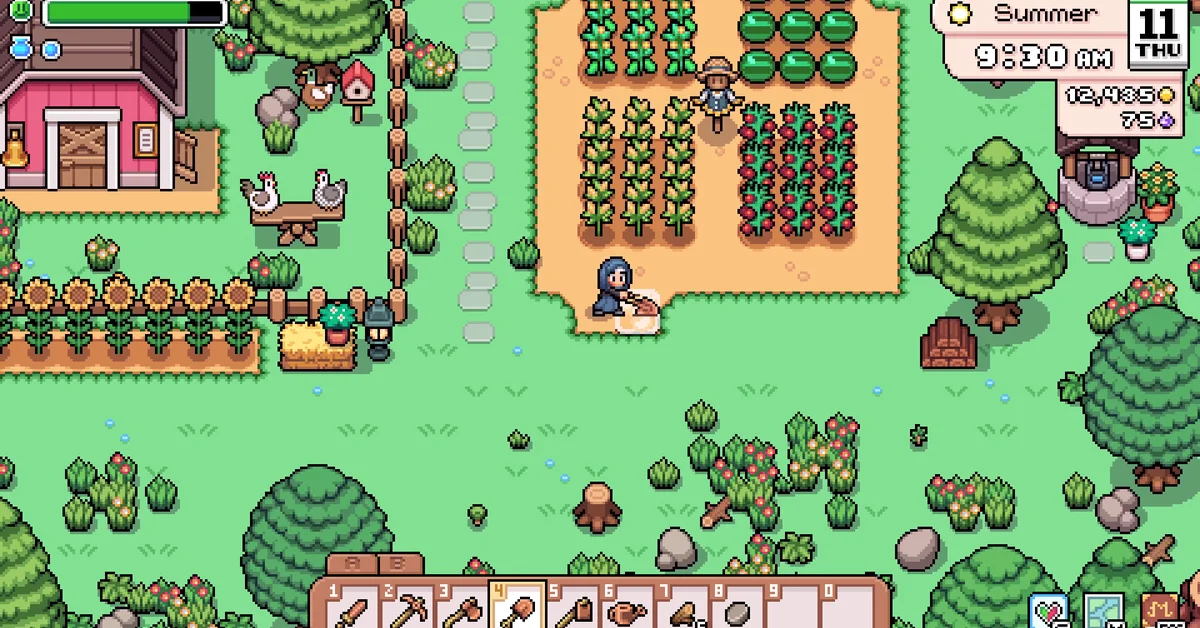
You increase your inventory in Fields of Mistria by buying two upgrades from the General Store in town: the Basic Pouch for 1,000 tesserae, available from the start, and the Bag Upgrade for 2,000 tesserae, which appears after you complete the “Repair the General Store” town project. Each adds 10 slots, taking your bag from 10 to 20 and then to 30, the maximum in the current version. Below we cover where to buy them, how to use them, the quest chain behind the second one, and how to cope with a full bag until then.
This reflects the 1.0 release of Fields of Mistria on PC, which did not add a third bag. As of the September 2026 patches, 30 slots is still the ceiling without mods.
Upgrade 1: The Basic Pouch (20 Slots)
The General Store sits in the middle of town, near the Request Board. Nora and Holt run it, with Celine working there part-time.
- Save up 1,000 tesserae. Shipping a round of crops early on usually covers it.
- Keep at least one inventory slot free. Early guides from outlets that covered the launch note that the purchase needs an open slot to land in.
- Talk to whoever is at the counter and open the tools section of the stock. The Basic Pouch is listed there next to the starter tools.
- Buy it, then use it. Launch-era guides describe selecting the pouch and holding the Interact button (hold E or hold right click) until a fill bar completes. The pouch is consumed and your bag grows to 20 slots.
The toolbar at the bottom of the screen grows with it. Instead of one row of ten, you get an extra toolbar tab, which is what the small A, B and C labels above the bar are. Per the community wiki’s controls table, the Tab key cycles toolbar tabs by default (pressing the right stick on a controller), and the number keys 1 to 0 pick a slot within the tab.
Upgrade 2: The Bag Upgrade (30 Slots)
The Bag Upgrade costs 2,000 tesserae and is sold at the same counter, but it only appears in the General Store’s stock once the store itself has been repaired. That repair is the fifth step in the town improvement chain run by Adeline, Mistria’s acting leader, which starts with a letter on Spring 3 of your first year. Per the community wiki’s quest tables:
| Town project | What it asks for |
|---|---|
| Repair the Bridge | 60 Wood and 60 Stone in the donation box |
| Restocking Mistria’s Food Reserves | Sell 10 crops |
| The Mill Restoration Project | 150 Wood, 200 Stone, 2 Copper Ingots, then 1,000t to Adeline |
| Beautification Project | Meet Adeline in front of the Manor House |
| Repair the General Store | 500 Stone, 300 Wood, 5 Copper Ingots, 5 Iron Ingots, then 3,000t to Adeline |
Each step arrives by letter after the previous one, and The Mill Restoration Project waits three days after the food reserves quest. The ingots are the real gate: you need to be mining regularly, which opens at Stone town rank, to have copper and iron to spare. Finishing the General Store repair also expands the store’s seed stock, so it is worth doing for more than the bag.
Once the Bag Upgrade is in stock, buy it and use it the same way as the pouch. Your bag and toolbar reach 30 slots.
Managing a Full Bag Before Then
Ten slots fill up in minutes, so a few habits make the early game less painful.
- Build chests. Storage chests are a woodcrafting recipe, and a cluster by your farmhouse door becomes your real inventory. Each barn and coop also comes with its own storage chest.
- Use auto-deposit. Since the third major update, storage menus have a button that sends every item already stored in that chest out of your bag in one press.
- Split and sort stacks. Right click picks up a single item in the inventory, and since the fourth major update Ctrl plus right click splits a stack on keyboard and mouse.
- Park items on the ground. Pressing G (the right trigger on a controller) throws the held item to the ground, where it waits for you to come back.
- Sell as you go. The shipping bin next to your farmhouse clears crops, fish and forage every night.
The inventory screen also has a trash can icon. Items dragged onto it are destroyed permanently, so use it only for true junk. Fishing is the fastest way to fill a small bag, so if you have just picked up your first fishing rod, buy the pouch before you settle in to fish for an afternoon. And if you are working toward a wedding, the Engagement Ring’s ingredients from our marriage guide are one more stack of ingots and gems competing for slots.
What About Inventory Mods
Mods that enlarge the bag exist on PC, and NPC Studio’s v1.0.5 patch notes (September 2026) specifically fixed a crash caused by modded inventory sizes. Two cautions apply. The game moved to a new engine before 1.0, and the developer said mods built for the old engine are not compatible, so use one made for the current version. Also back up your save before installing anything.
Frequently Asked Questions
How many inventory slots do you start with in Fields of Mistria? Ten. The Basic Pouch raises it to 20 and the Bag Upgrade to 30.
Where do you buy the backpack upgrade? At the General Store in town, from the tools section of the counter stock. The Basic Pouch costs 1,000 tesserae and the Bag Upgrade costs 2,000.
Why isn’t the Bag Upgrade in the shop? It only appears after you complete “Repair the General Store”, the fifth town project in Adeline’s chain, which needs copper and iron ingots from the Mines.
What is the maximum inventory size? Thirty slots as of version 1.0, not counting mods.
How do you use the pouch after buying it? Select it and hold the Interact button (E or right click) until the bar fills.
Are there backpacks that are only cosmetic? Yes. Backpack accessories are cosmetic items and do not add any slots.