
The best Fields of Mistria mods start with Mods of Mistria Installer (MOMI), the free installer that almost every mod on Nexus Mods is built for, then add the quality-of-life picks that change daily play the most: The Perfect Gift, Advanced Time Controls, Item Insights, Quick Stack and the Cheats Menu. Beyond those come farm and mining tweaks, cozy furniture sets, house and barn makeovers, extra colors for every outfit, new hairstyles, and seasonal outfits for the villagers.
Fields of Mistria is NPC Studio’s farming and life sim, and every mod below is free. NPC Studio moved the game to its own engine in July 2026, and mods last updated before then no longer work, so unless its entry says otherwise, each one here has been updated since. Install steps are below the list.
Essential Fields of Mistria Mods and Frameworks
1. Mods of Mistria Installer (MOMI)
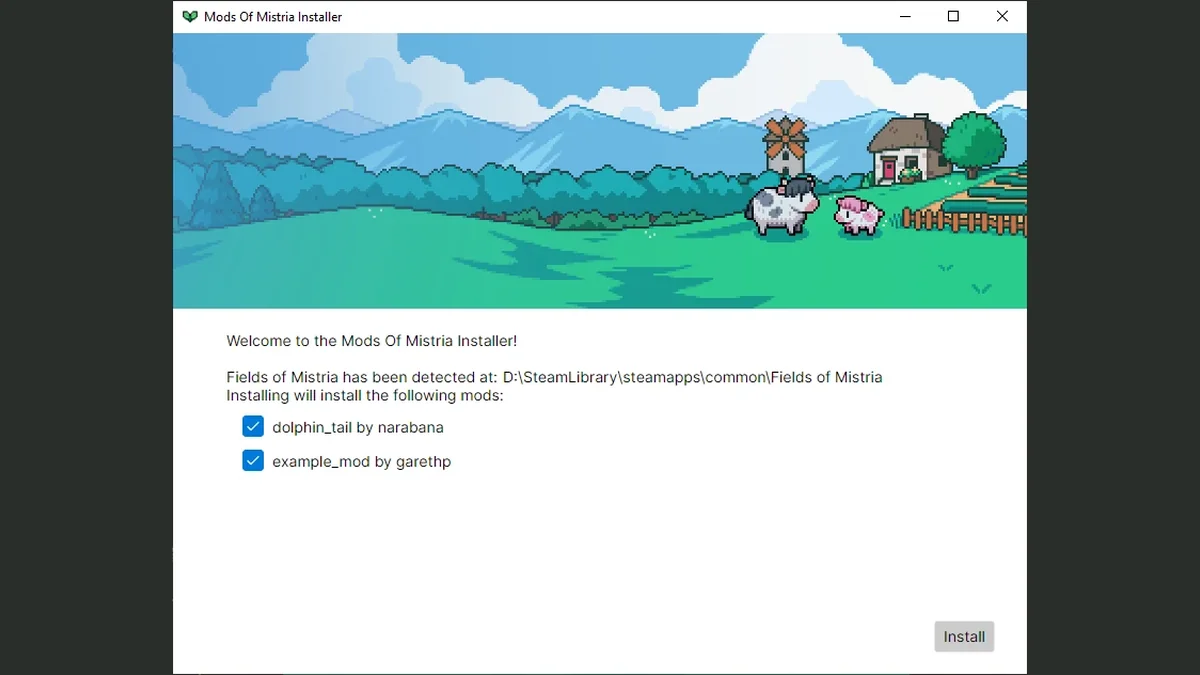
MOMI is the loader nearly everything on this list is built for. You drop extracted mods into a mods folder next to FieldsOfMistria.exe, run the installer, and click Install, and it patches them into the game. It also installs MMAPI, the scripting framework that every code mod here runs on. It is open source, with builds for Windows and for Steam Deck and Linux (where a mistria-mods folder in your home directory also works), and its October 2026 release, v0.17.0, says MMAPI supports game version 1.0.8. Run it again after every game update to reinstall your mods. Its page notes that some antivirus tools flag a couple of the tools it uses by mistake, and that all of its code is public to read. Creator: Garethp. Download: Mods of Mistria Installer on Nexus Mods, or the latest release from its GitHub page.
2. MMAPI Mod Configs
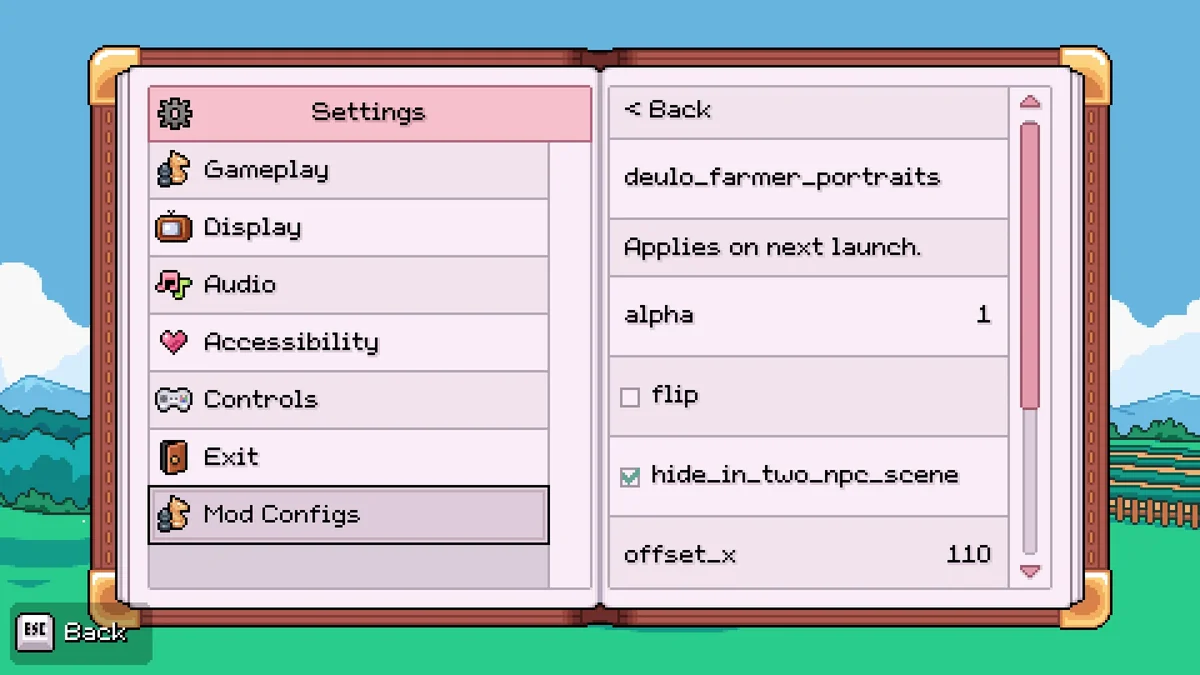
Many MMAPI mods keep their settings in config files outside the game folder. MMAPI Mod Configs reads those files and lets you change them inside Fields of Mistria, under a Mod Configs tab in Settings, so you never have to hunt for your save folder to change a keybind. Its page says a restart is required after editing any config before the change takes effect. Several picks below use it for their options, including Auto Reel, Quest Tracking, the Wiki and Animated Museum Insects. Creator: DeUlo. Needs: MOMI. Download: MMAPI Mod Configs on Nexus Mods.
3. Dynamic Object Sprites
Dynamic Object Sprites is a framework, not a mod you will notice on its own. Object mods (custom furniture or crops) use it to tell the game when to draw their custom sprites, and it includes no art of its own. Install it when a decor or crop mod lists it as a requirement. Its page says it needs MOMI 0.16.4 or newer. Creator: Anna Nomoly. Needs: MOMI. Download: Dynamic Object Sprites on Nexus Mods.
Quality of Life
4. Just Jane’s QoL Options
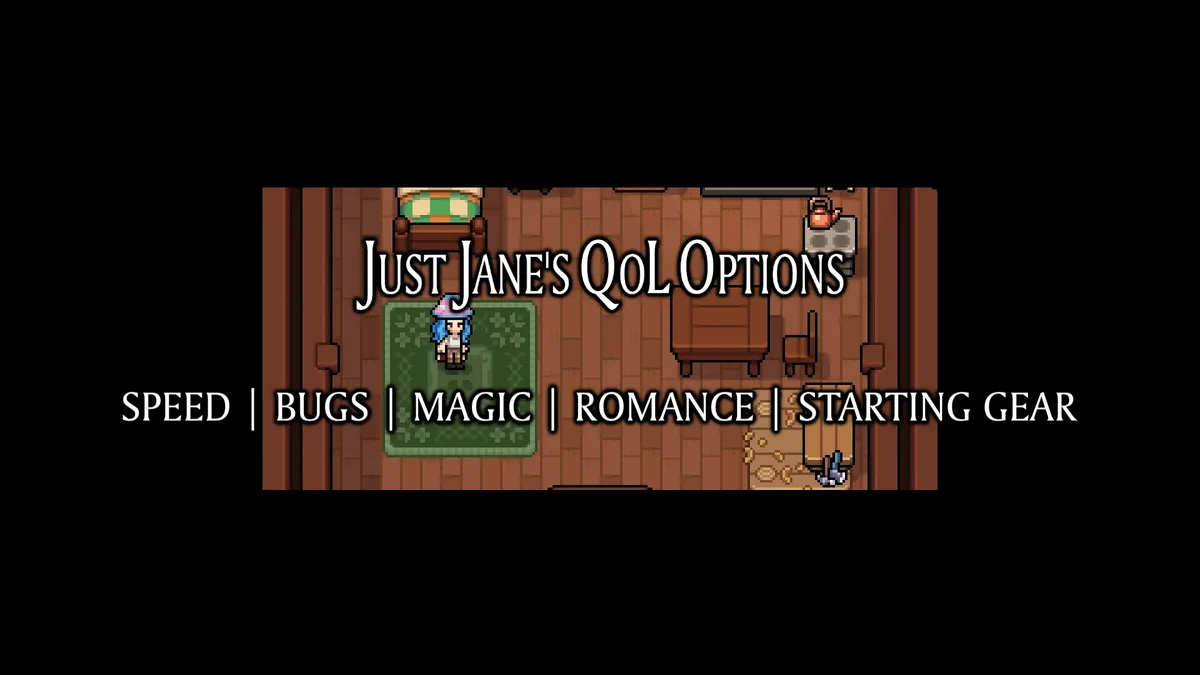
One page, five small fixes: movement speed options, magic cost options, bug spawn options, quick relationships and a starting gear loadout, which arrives by mail. Each comes in several strengths, and its page asks you to install only one file of each type. The jump speed option is marked experimental. It is the best single download for making Mistria feel a little faster without turning it into a cheat. It was last updated in July 2026, after the engine change and before 1.0. Creator: Just Jane. Needs: MOMI. Download: Just Jane’s QoL Options on Nexus Mods.
5. Advanced Time Controls
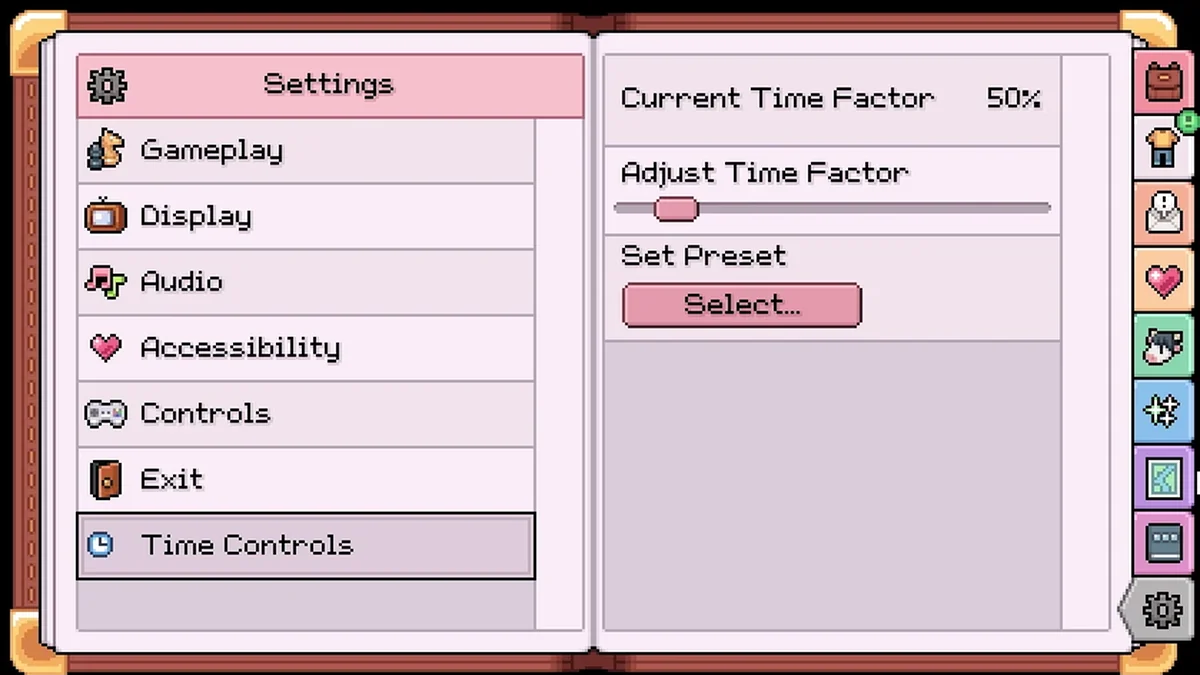
If the days fly by too fast, this is the fix. Advanced Time Controls lets you freeze time, slow it down or speed it up, using a slider for an exact rate or a preset for convenience, and it remembers your setting in a config file. Unlike most of its creator’s mods, it has its own in-game settings menu, so you do not need to edit anything by hand. It is the working replacement for Time of Mistria, the older time mod that predates the new engine. Creator: Anna Nomoly. Needs: MOMI. Download: Advanced Time Controls on Nexus Mods.
6. Effe’s Longer Days
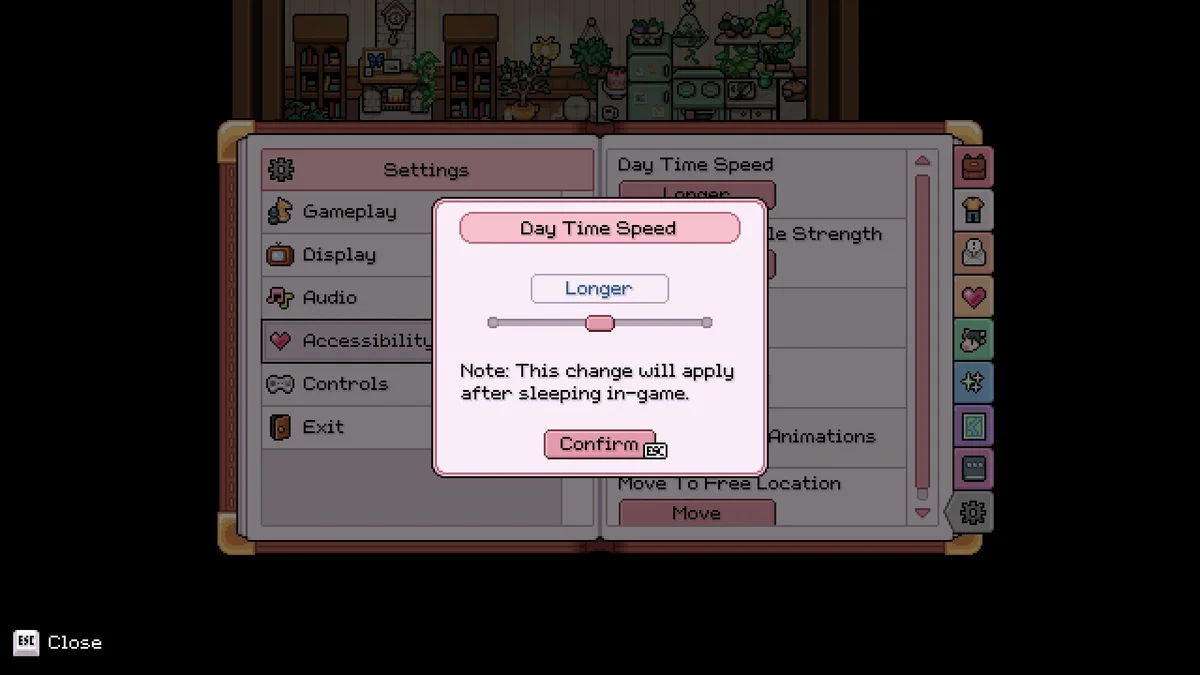
Effe’s Longer Days takes a lighter touch than a time mod. It stretches the game’s own Longer and Longest day length settings in the Accessibility options: per its page, Longer becomes about 15 minutes and Longest about 20, while the Longest Days version pushes them to about 20 and 30. Its page says it works on Steam Deck. Pick this or Advanced Time Controls, not both. Creator: EffeDraws. Needs: MOMI. Download: Effe’s Longer Days on Nexus Mods.
7. Save Anywhere
Fields of Mistria only saves when you go to bed. Save Anywhere adds a save on the Home key: it writes to the bed save (autosave) file, and when you load, you start back where you saved instead of in bed. It is a lifesaver for short sessions and for anyone who needs to stop mid-day. Creator: Anna Nomoly. Needs: MOMI. Download: Save Anywhere on Nexus Mods.
8. Polarity
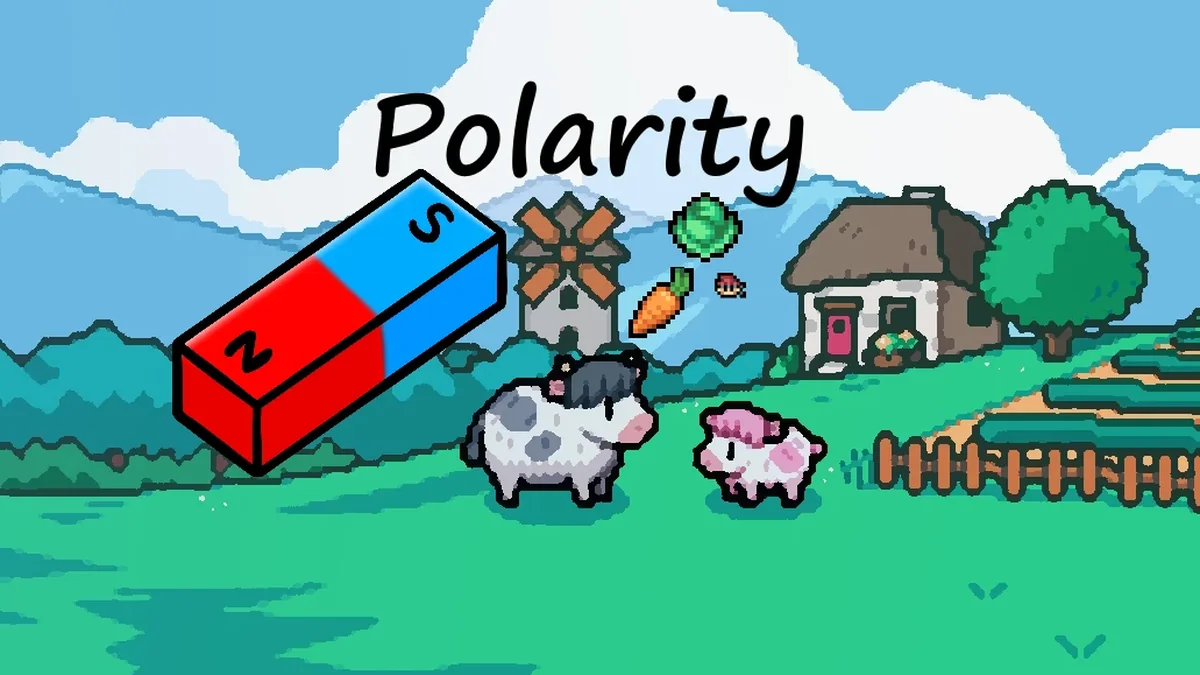
Polarity boosts your magnetism, the range at which dropped items fly to you, so you stop chasing every stone and branch around the farm. It is configurable with a multiplier from 1 to 10, with 2 as the default. Creator: Anna Nomoly. Needs: MOMI. Download: Polarity on Nexus Mods.

9. Auto Reel and Fishing QoL
Fishing in Mistria is a lot of waiting and button timing. This mod reels in automatically when you get a bite (toggle it on F7), greatly cuts the wait for a bite (F8), and can make you invulnerable while fishing. Its settings work with MMAPI Mod Configs, and its page says it needs MOMI 0.15.10 or newer. If you are just starting out, our guides cover how to get a fishing rod and how to fish without mods. Creator: Erzthis. Needs: MOMI. Download: Auto Reel and Fishing QoL on Nexus Mods.
10. Auto Animal Door
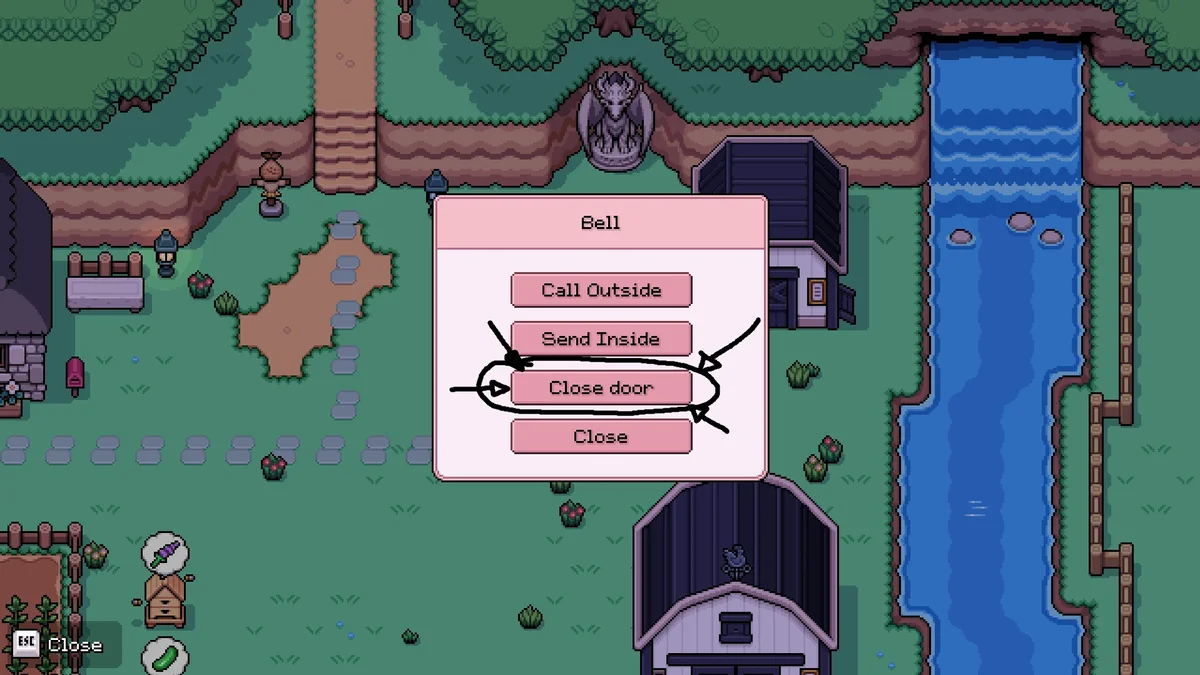
Auto Animal Door adds an “Open door” option to the barn and coop bells. Leave the door open and your animals walk out every morning and put themselves away at night, so you no longer ring the bell twice a day, and they stay in when it rains or snows. Its page lists Fields of Mistria 1.0 or later and MOMI 0.15.0 or later. For rearranging animals by hand, see how to move animals. Creator: 3rJoselu. Needs: MOMI. Download: Auto Animal Door on Nexus Mods.

11. Walk Through Fiber
That’s the whole mod: you walk through the fiber growing on your farm instead of getting stuck on it. It is tiny and does exactly one thing, and once it is installed you will not want to go back. It was last updated in July 2026, after the engine change. Creator: ChrisMzz. Needs: MOMI. Download: Walk Through Fiber on Nexus Mods.
Interface, Maps and Trackers
12. The Perfect Gift
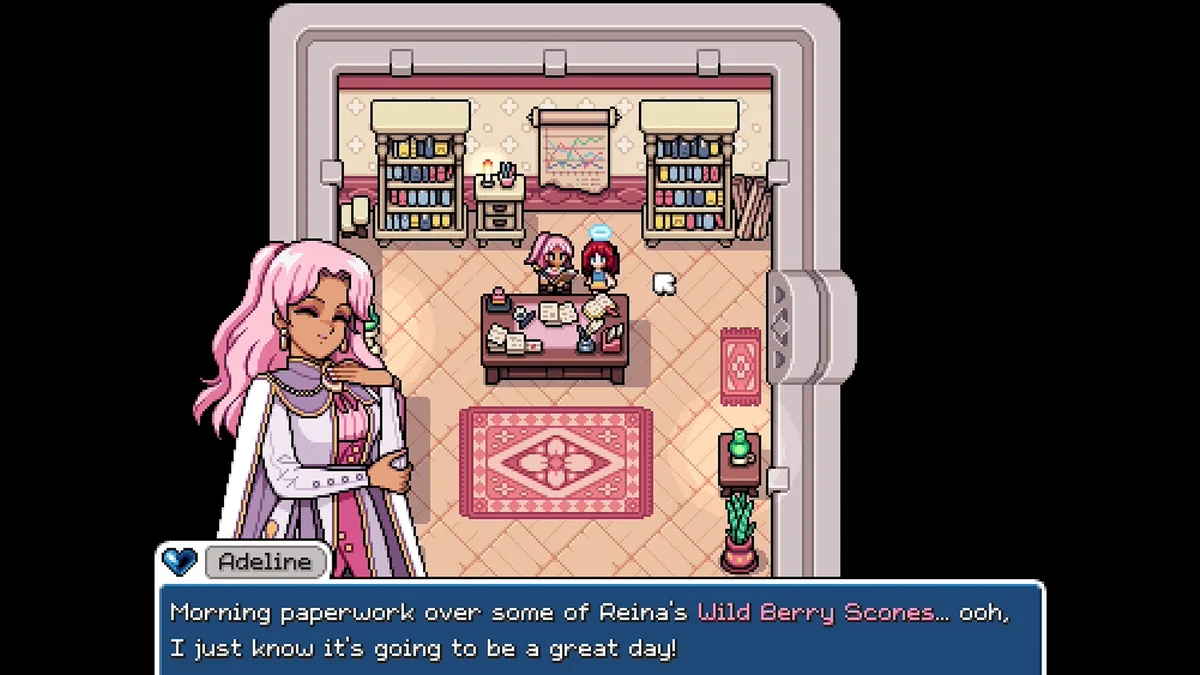
The Perfect Gift fills in the gift preferences in your journal from what villagers say in dialogue, and shows which villagers like or love an item right in its tooltip. It also has optional settings that remove the daily talk and gift limits. For anyone courting a villager, it takes the guesswork out of gifting, and our guide to how to marry in Fields of Mistria covers the rest of the romance steps. Its page says it needs MOMI 0.15.7 or newer. Creator: Anna Nomoly. Needs: MOMI. Download: The Perfect Gift on Nexus Mods.

13. Effe’s Dig Site Marker
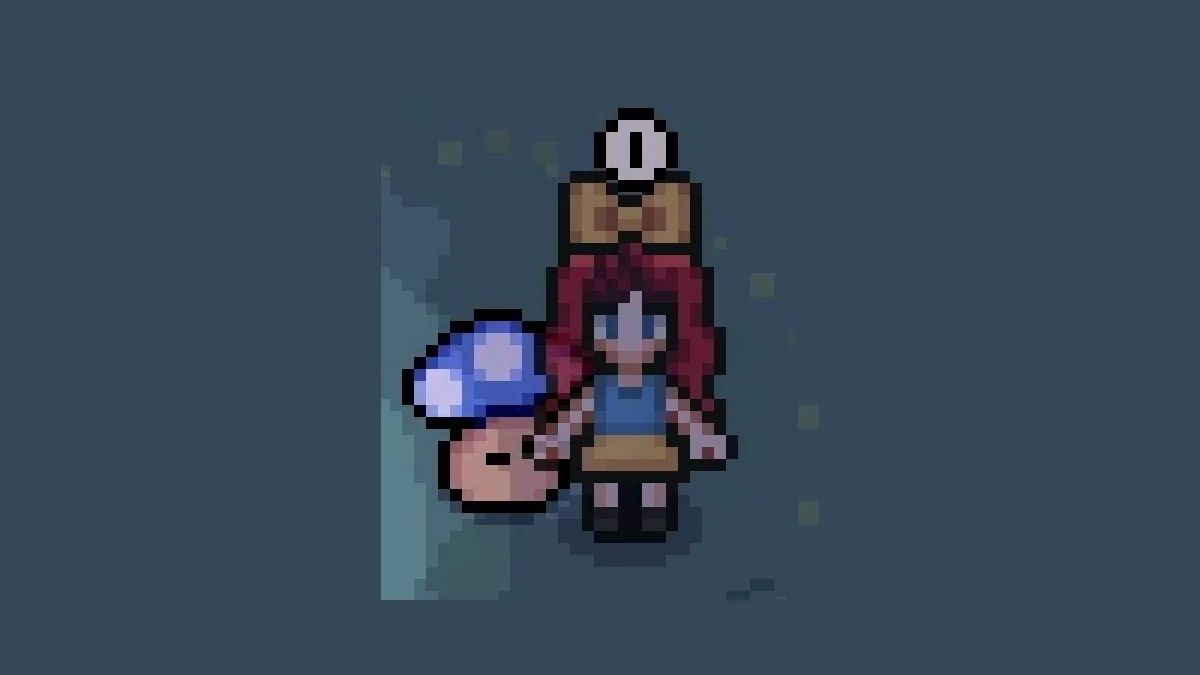
Dig sites are easy to walk past. This mod puts a pink exclamation point above every undug dig spot, and now above dive spots too, so artifacts and forageables are much easier to find. A colorblind-friendly version is included. Creator: EffeDraws. Needs: MOMI. Download: Effe’s Dig Site Marker on Nexus Mods.
14. Fish for Cooking
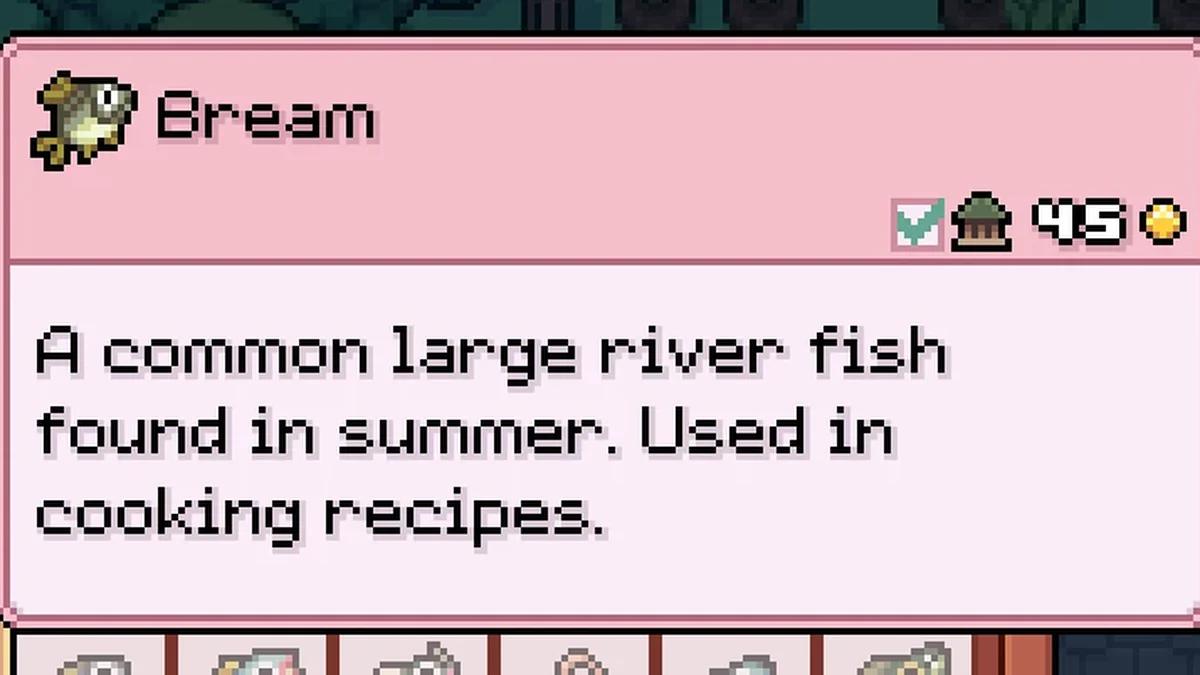
Fish for Cooking edits fish descriptions to say whether each fish is used in a cooking recipe, so you can stop hoarding every fish just in case. It was last updated in July 2026, after the engine change. Creator: Crys234. Needs: MOMI. Download: Fish for Cooking on Nexus Mods.
15. Item Insights
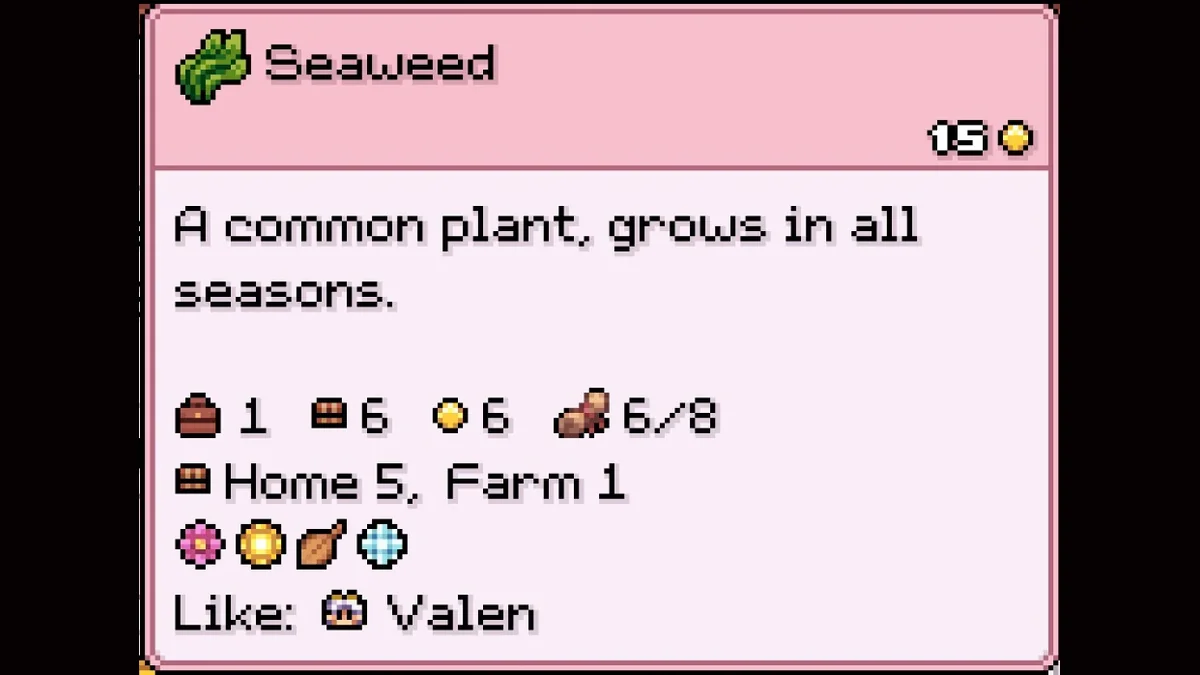
Item Insights turns every tooltip into a reference card. Hover over an item to see how many you own and where they are stored, how many you have sold, which quests need it, how many recipes use it, and which villagers like or dislike it, plus the seasons and hours for fish and bugs. It answers most “should I keep this?” questions without leaving the game. Creator: Morthy. Needs: MOMI. Download: Item Insights on Nexus Mods.
16. Map NPC Labels
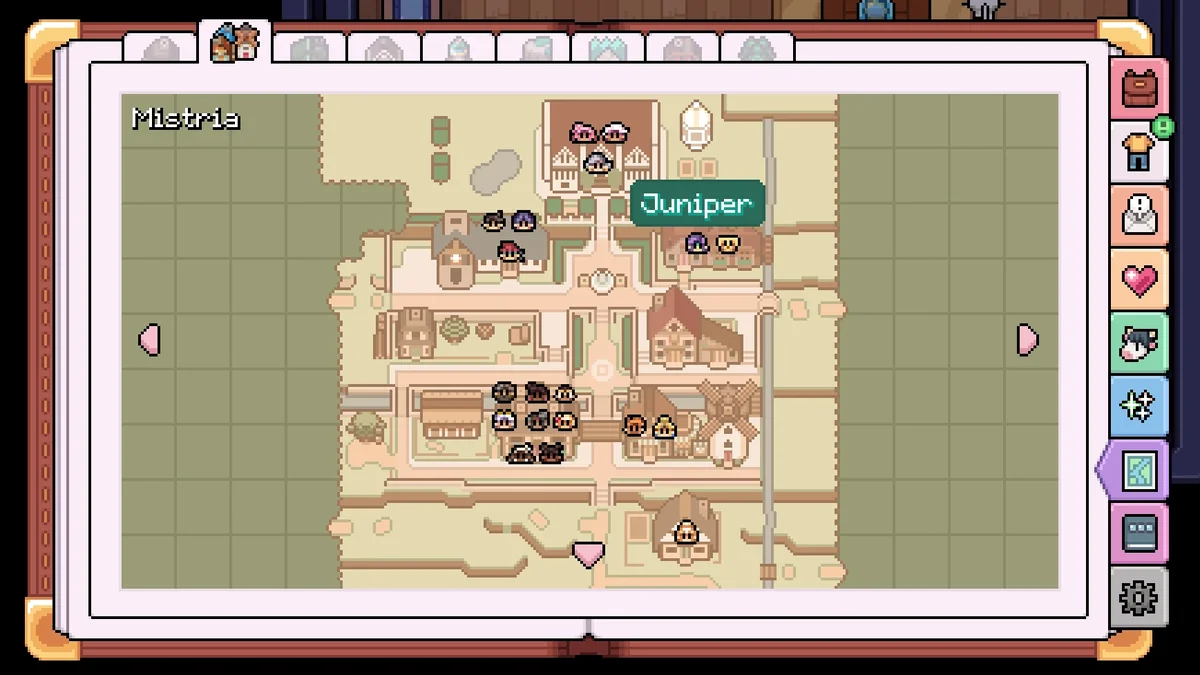
The map shows villagers as small portrait icons, which are hard to tell apart early on. Map NPC Labels adds a name label above an NPC’s icon when you hover over it, which makes finding someone for a quest or a gift much quicker. Creator: MorthyJD. Needs: MOMI. Download: Map NPC Labels on Nexus Mods.
17. What’s This
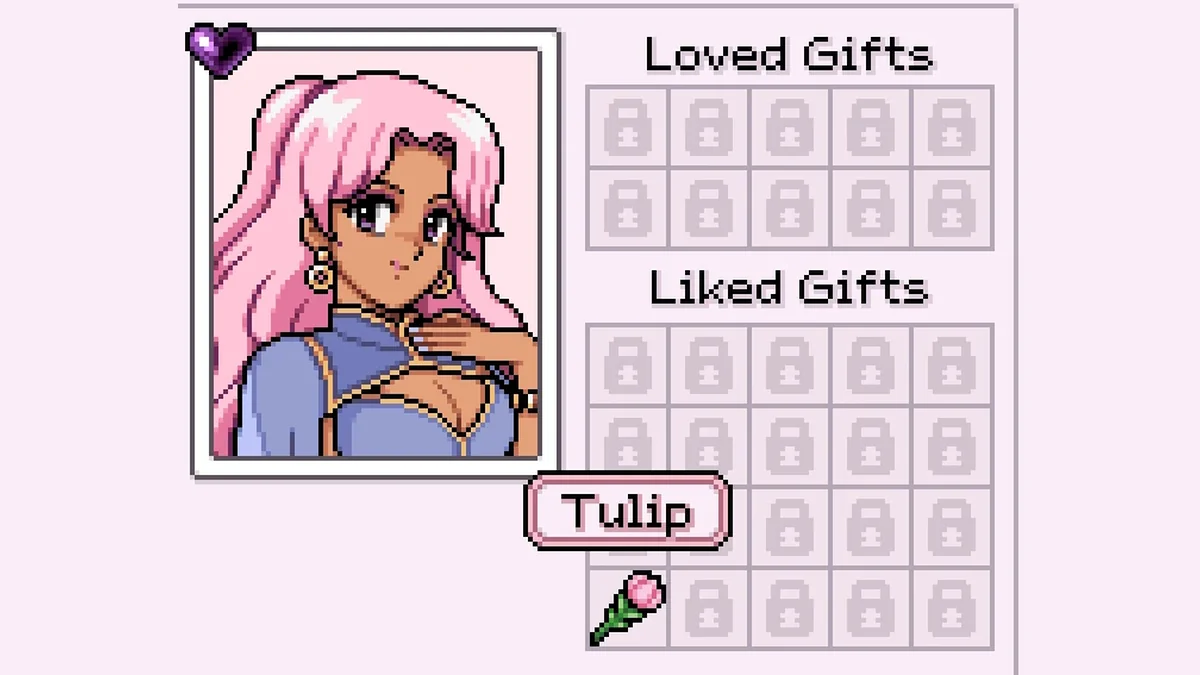
What’s This adds name labels to item icons in places that only show a picture, such as the villager likes and loves panel, the museum lists and the almanac. Hold Shift to peek at the names of items you have not discovered yet. It pairs well with Item Insights from the same creator. Creator: Morthy. Needs: MOMI. Download: What’s This on Nexus Mods.
18. Friday Night Reminder
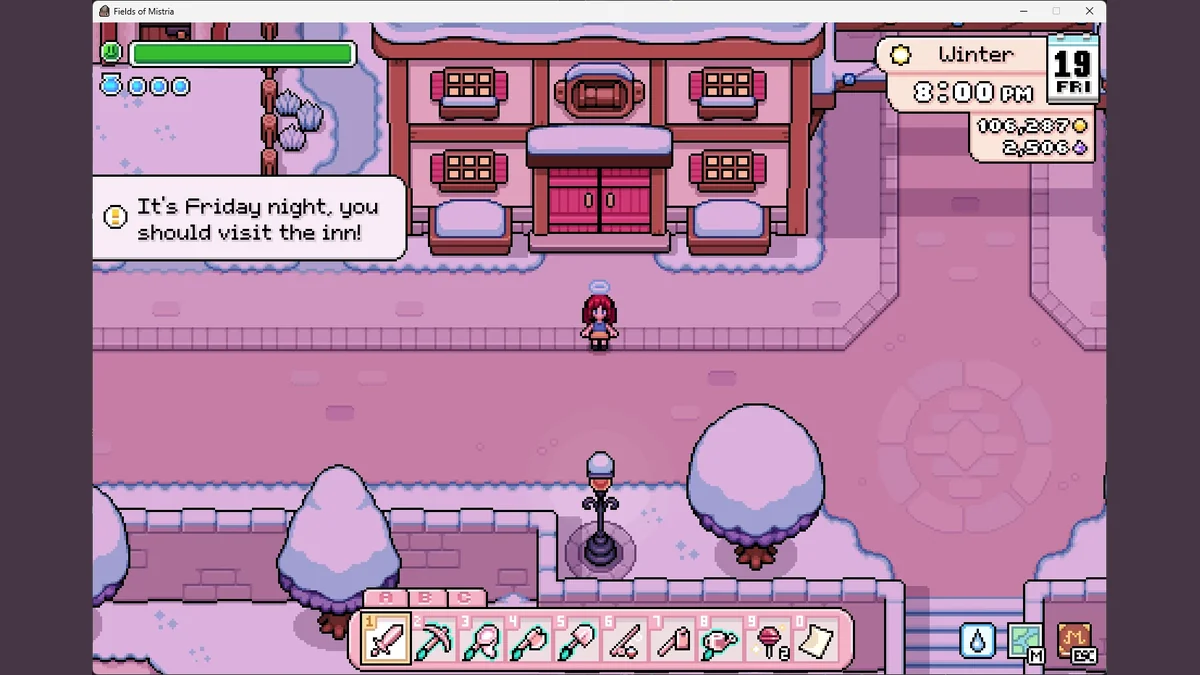
Friday Nights at the Inn are some of the best chances to see the whole town in one place, and they are easy to forget. This mod shows an in-game notification at 8 PM every Friday reminding you to head to the inn. It was last updated in July 2026, after the engine change. Creator: Anna Nomoly. Needs: MOMI. Download: Friday Night Reminder on Nexus Mods.

19. Donate It
Donate It adds a purple highlight to anything you have not donated to the museum yet, in menus, on the toolbar and out in the world. It makes filling the museum far easier than checking its lists every time you pick something up. Creator: Anna Nomoly. Needs: MOMI. Download: Donate It on Nexus Mods.
20. Fish and Bug Collection Helper
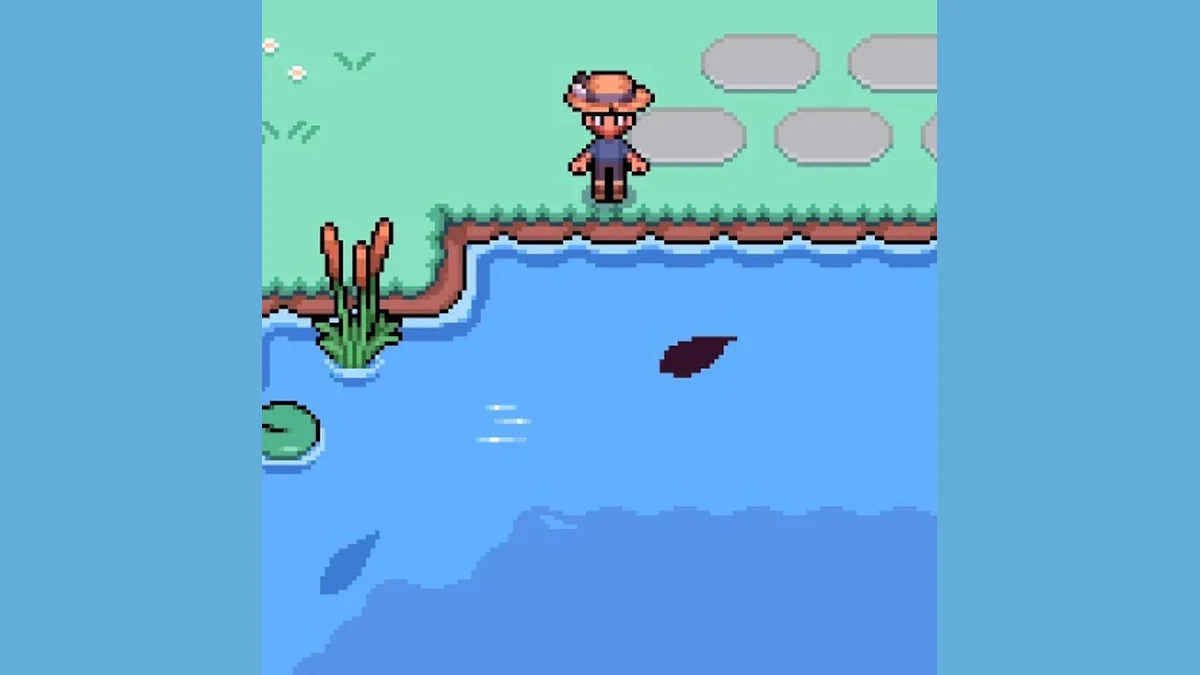
This mod helps you fill out the Almanac by recoloring the fish and bugs you have not registered yet, so a new catch stands out as soon as you see it. An optional highlight (F5 on an Almanac entry) marks a fish you have already caught. Creator: Erzthis. Needs: MOMI. Download: Fish and Bug Collection Helper on Nexus Mods.
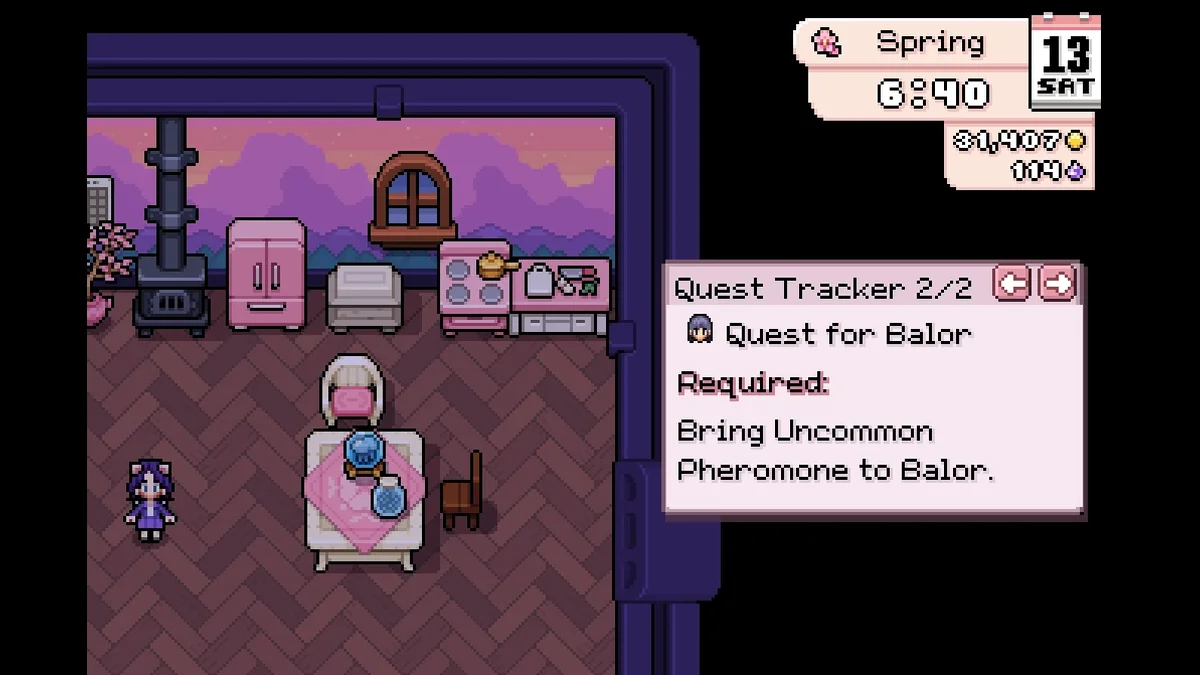
21. Quest Tracking
Quest Tracking lets you pin up to five quests from the Active Quests menu to a compact on-screen tracker with live counts of the items each one needs. It uses the game’s own previous and next controls, and its keybinds can be changed through MMAPI Mod Configs. Creator: guilIotine. Needs: MOMI. Download: Quest Tracking on Nexus Mods.
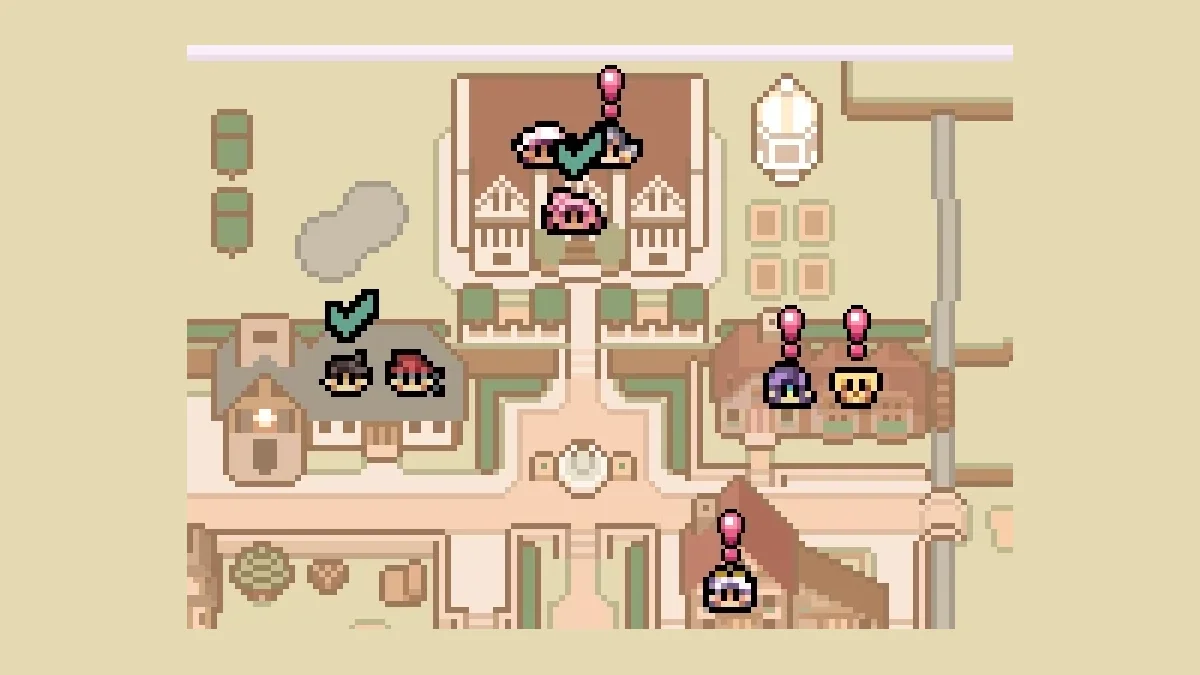
22. Quest Helper
Quest Helper puts quest information where you need it. An exclamation mark over a villager’s head means you have an active quest for them that is not ready yet, and a check mark means you can hand it in now. It adds map markers, quest log indicators and markers on required items too, without adding or changing any game content. Creator: MiNistria. Needs: MOMI. Download: Quest Helper on Nexus Mods.
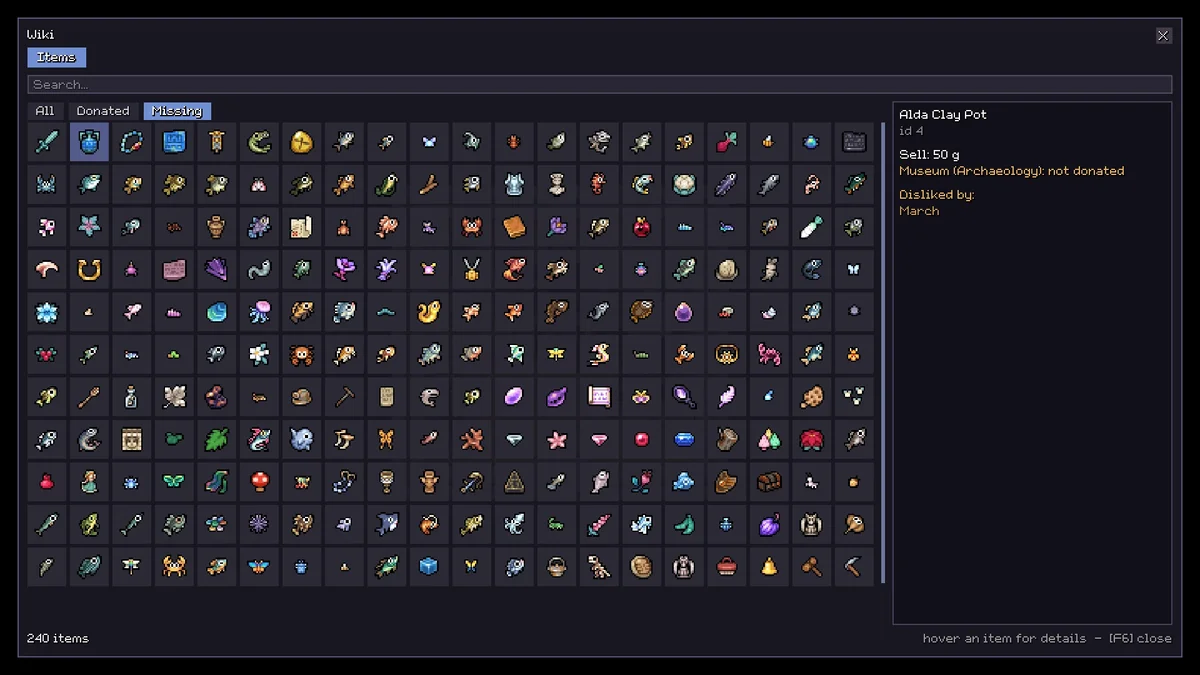
23. Wiki
Wiki is an in-game reference book that opens on F6 (configurable). It shows everything you have yet to donate, where to craft things, and more, and its creator plans to add villager, quest and event information. It saves alt-tabbing out of the game every few minutes. Creator: DeUlo. Needs: MOMI. Download: Wiki on Nexus Mods.
Storage and Inventory
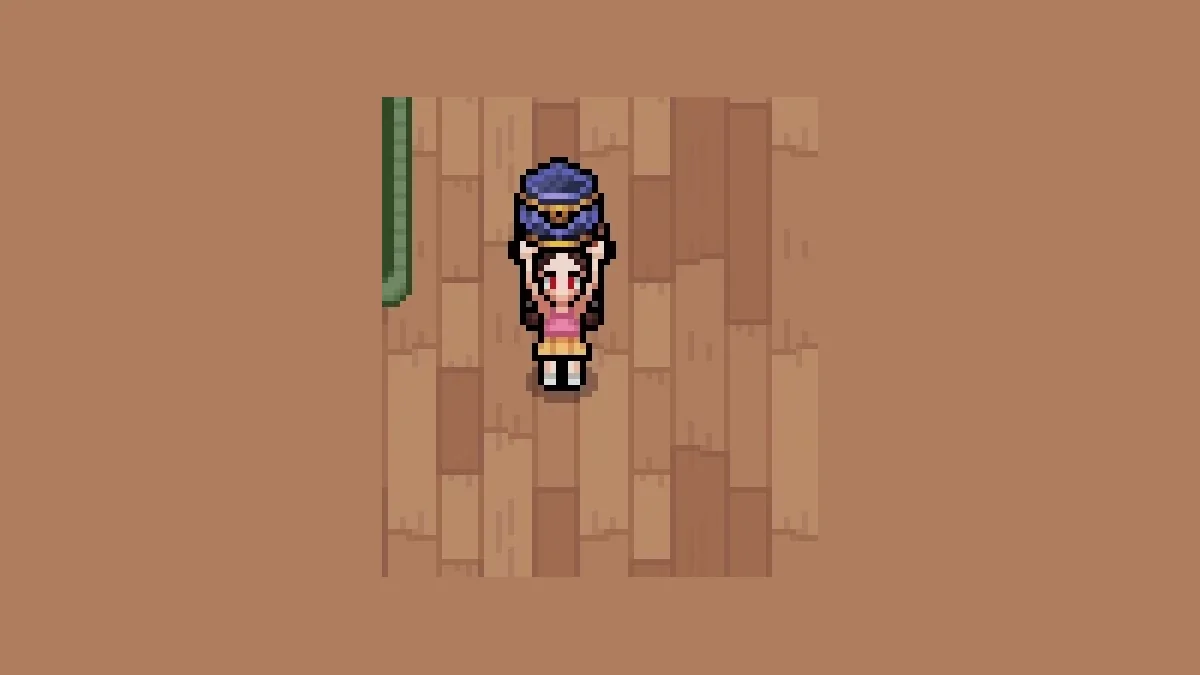
24. Chest Relocate
Moving a full chest normally means emptying it first. With Chest Relocate, you hit a full chest with your pickaxe to pick it up with everything inside, then carry it anywhere, even between rooms, floors, your house and the farm. Our guide to how to move furniture covers the rest of the house. Creator: MiNistria. Needs: MOMI. Download: Chest Relocate on Nexus Mods.
25. Quick Stack
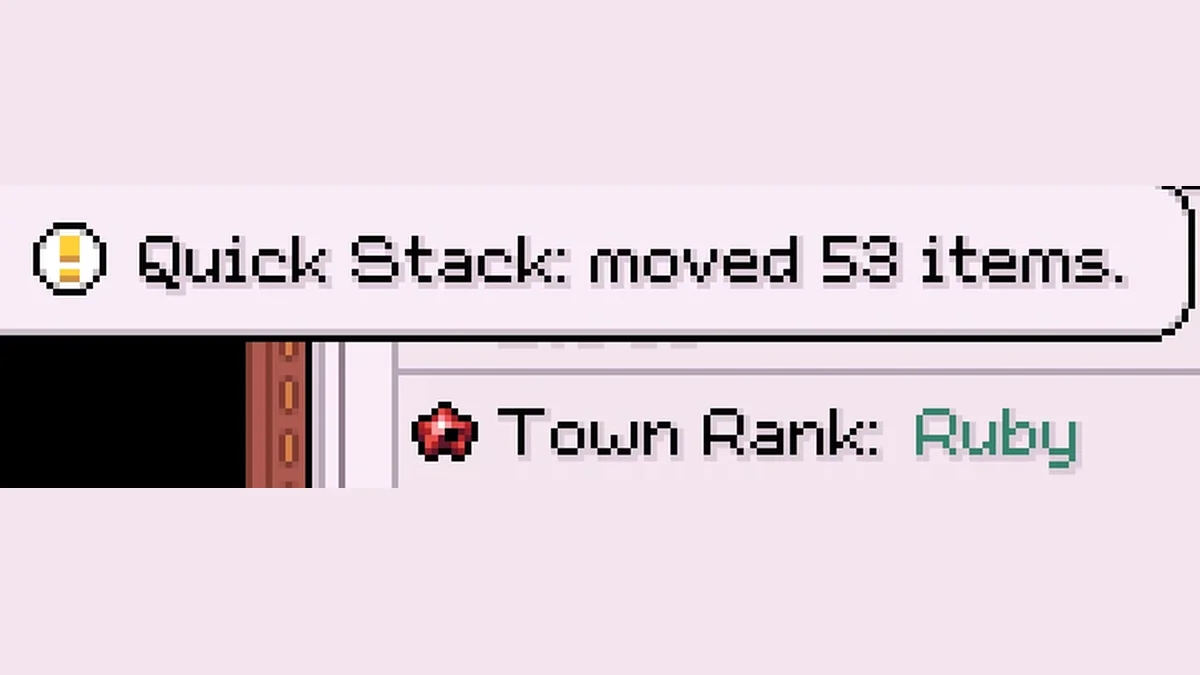
Quick Stack adds a Quick Stack button to the inventory page that looks like part of the game. Press it and your items go into matching stacks in the chests on your current map. It works on the C key or LT, ZL or L2 on a controller (F7 as a fallback), and each chest gets a checkbox to leave it out. For clearing out junk instead of storing it, see how to drop items. Creator: Goose. Needs: MOMI. Download: Quick Stack on Nexus Mods.
26. Better Storage
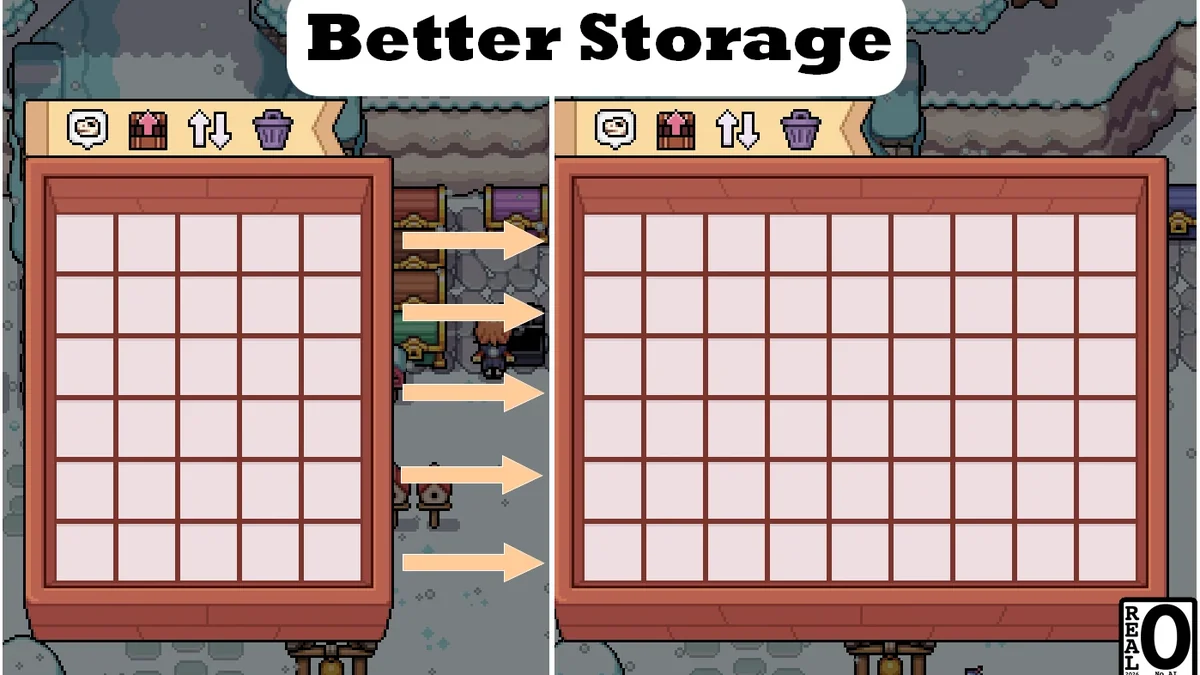
Better Storage raises every storage chest to 54 slots. Read its warning first: its page says it cannot be easily removed and may stop your save from loading after a game update, and that you should remove all your chests before uninstalling. Its creator points save-cautious players to a safer alternative, Early Vanilla 54 Slots Chest. Its page title lists game version 1.0.6. For the vanilla ways to carry more, see how to increase inventory. Creator: Nizy. Needs: MOMI. Download: Better Storage on Nexus Mods.

27. Quest Items From Chests
Quest Items From Chests lets the game use items in your own storage chests for quests, Donation Boxes, building prep boxes, seals, offerings and house upgrades, with combined counts, so you no longer fetch materials from storage before every turn-in. Its page says it does not change your save format. Creator: SpaCapi. Needs: MOMI. Download: Quest Items From Chests on Nexus Mods.
28. Access Chests Anywhere
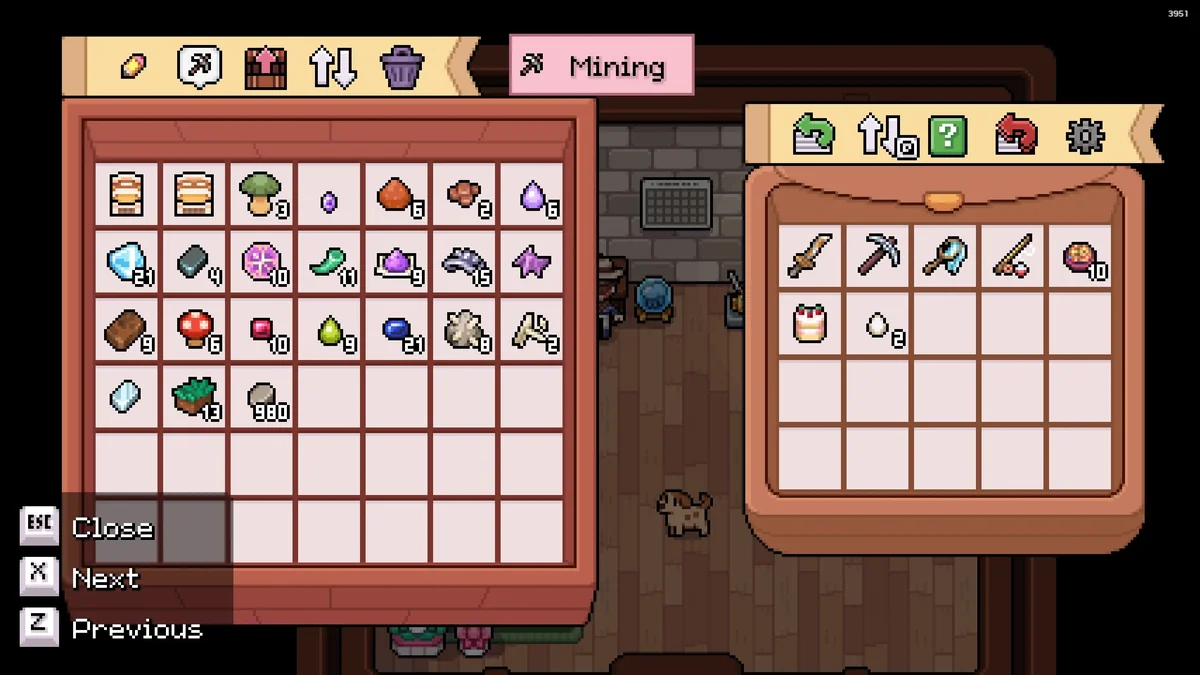
Access Chests Anywhere lets you browse, open and stash into chests remotely. Press V (Y on an Xbox controller, Triangle on PlayStation) to open the last chest you used, then swap to any other chest in range from a menu. You can rename chests and stash every matching item in your bag into your chests with one button. Creator: Blake1412. Needs: MOMI. Download: Access Chests Anywhere on Nexus Mods.
Farming, Crops and Animals
29. Perennial Crops for Animals
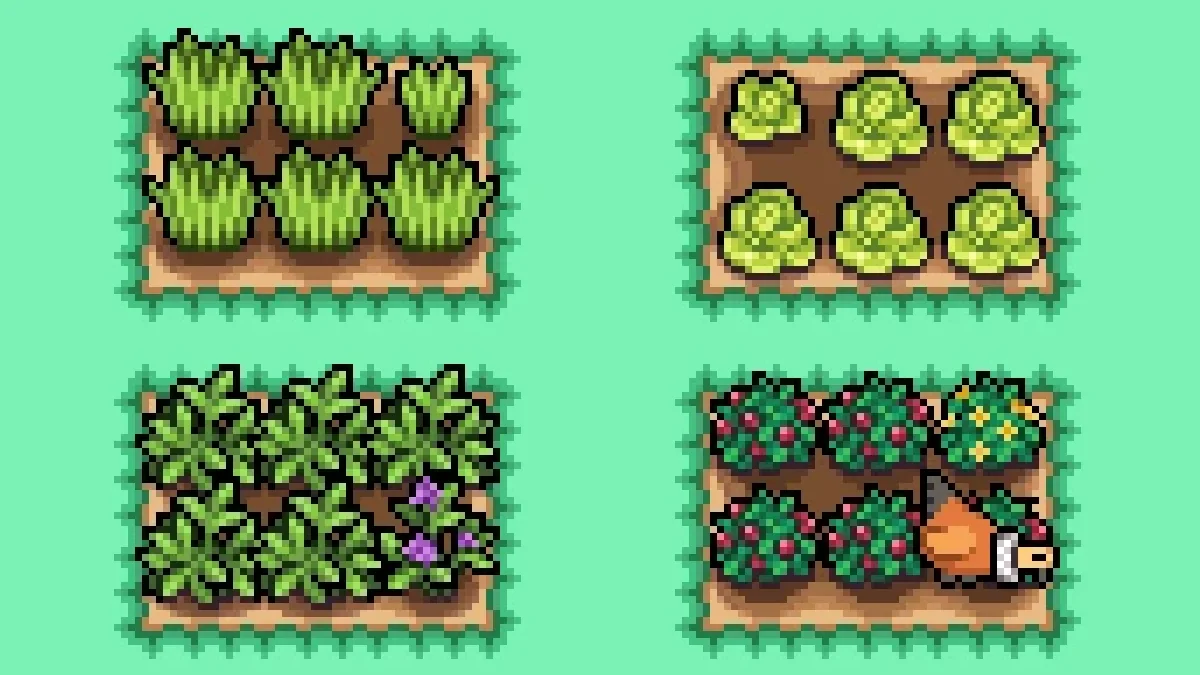
Perennial Crops for Animals adds custom crops grown just to feed your livestock all year: Ryegrass, Lucerne, Lettuce and Petite Berries. Per its page, they grow in three days, regrow in one and never wither, so your chickens no longer eat your onions. Creator: Crys234. Needs: MOMI. Download: Perennial Crops for Animals on Nexus Mods.
30. Animal Friends
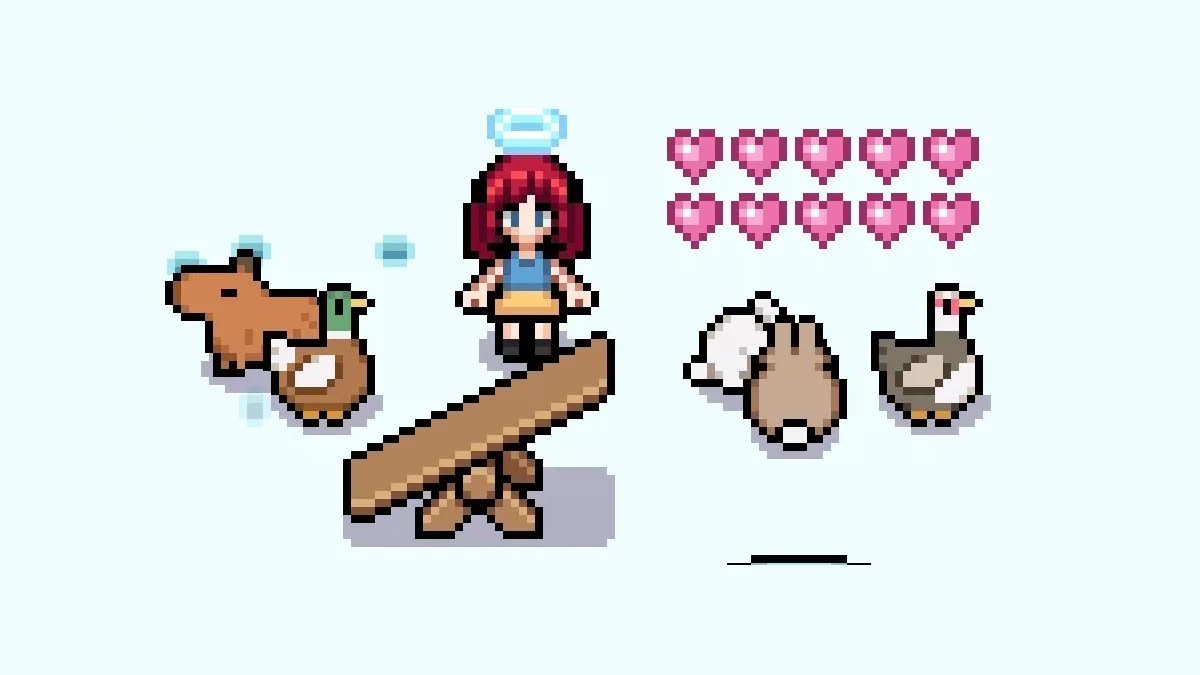
Animal Friends is the barn chore mod. It can raise the heart points your animals get from petting, feeding and other care, stop hearts from dropping, and pet, feed and ring the bell for you automatically. Every part is optional. If you are growing your herd, see how to breed animals. Creator: Anna Nomoly. Needs: MOMI. Download: Animal Friends on Nexus Mods.
31. Effe’s Sprinkler Overhaul
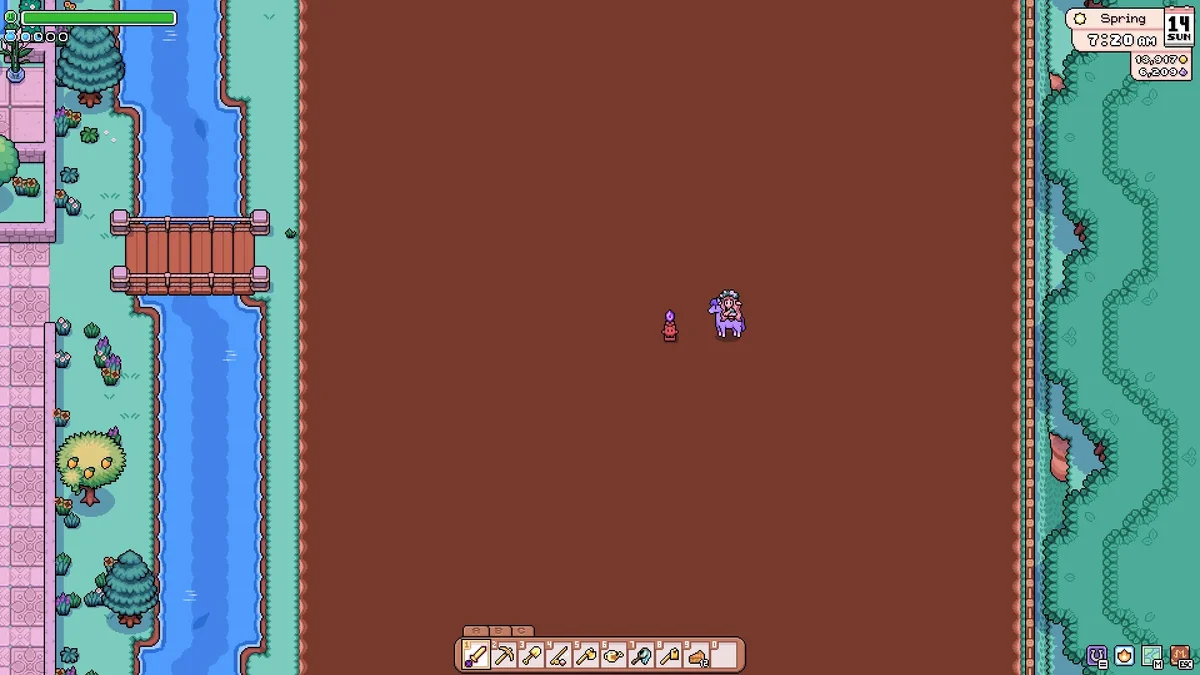
Water sprite statues are Mistria’s sprinklers, and this mod makes them far more useful. It extends their range (the small statue’s radius goes from 2 tiles to 4 or 6, depending on the version), removes their collision so you can run or ride through them, and takes the rare mine forageables out of the recipe. Creator: EffeDraws. Needs: MOMI. Download: Effe’s Sprinkler Overhaul on Nexus Mods.

32. Effe’s Speedy Mill
Effe’s Speedy Mill makes every mill recipe finish instantly. An optional version also makes animal feed cheaper to make. Creator: EffeDraws. Needs: MOMI. Download: Effe’s Speedy Mill on Nexus Mods.
33. Better Crop and Forageable Yield
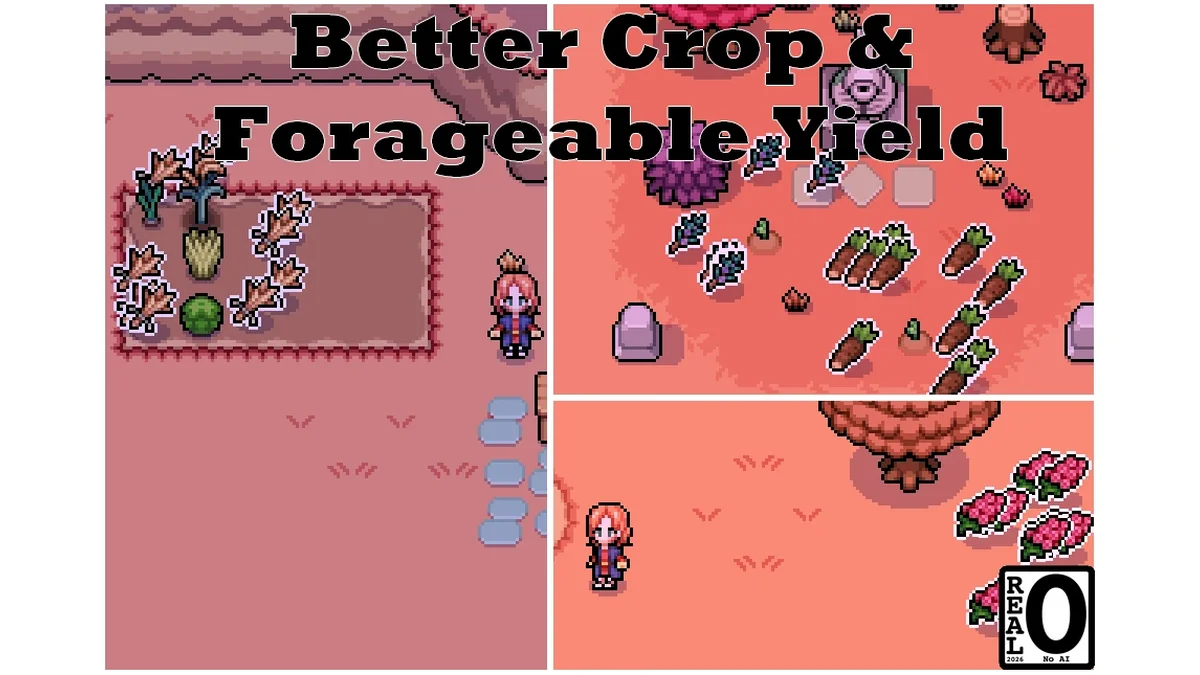
This mod lets you harvest several crops or forageables from a single plant instead of one, with versions for two, three, five or ten times the vanilla yield. Its page title lists game version 1.0.6. Creator: Nizy. Needs: MOMI. Download: Better Crop and Forageable Yield on Nexus Mods.
34. More Animal Products
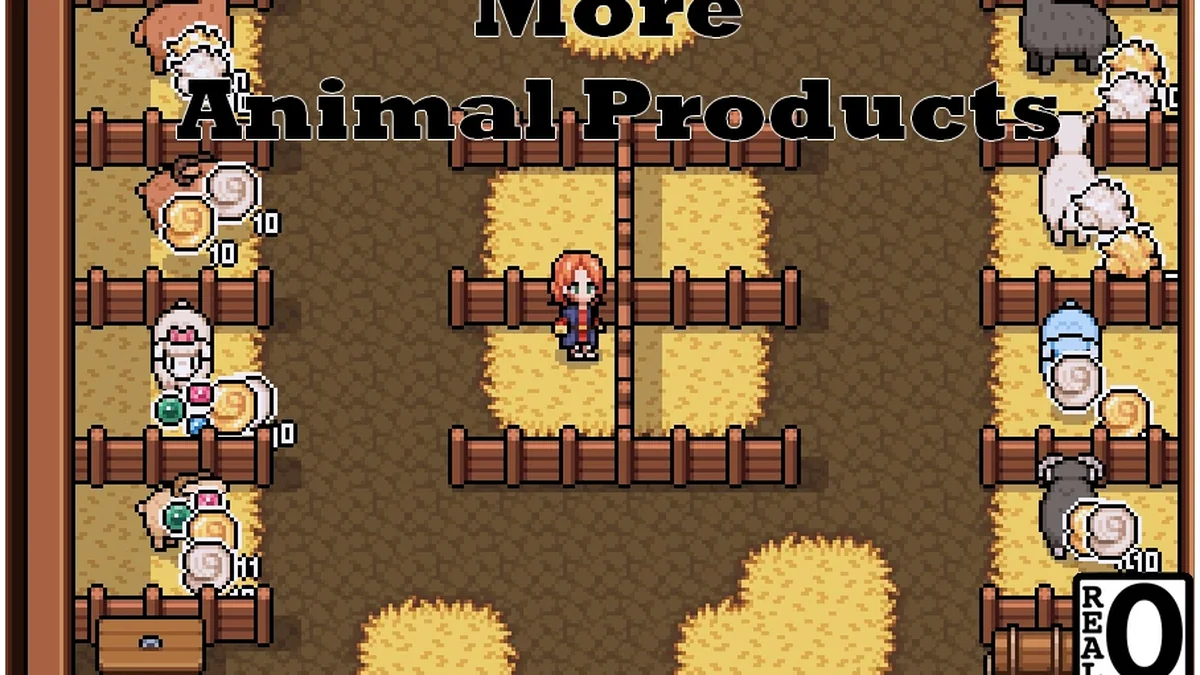
More Animal Products raises how many products your animals make, and lets animals at max level keep producing their normal products on top of their golden ones. Its page title lists game version 1.0.6. Creator: Nizy. Needs: MOMI. Download: More Animal Products on Nexus Mods.
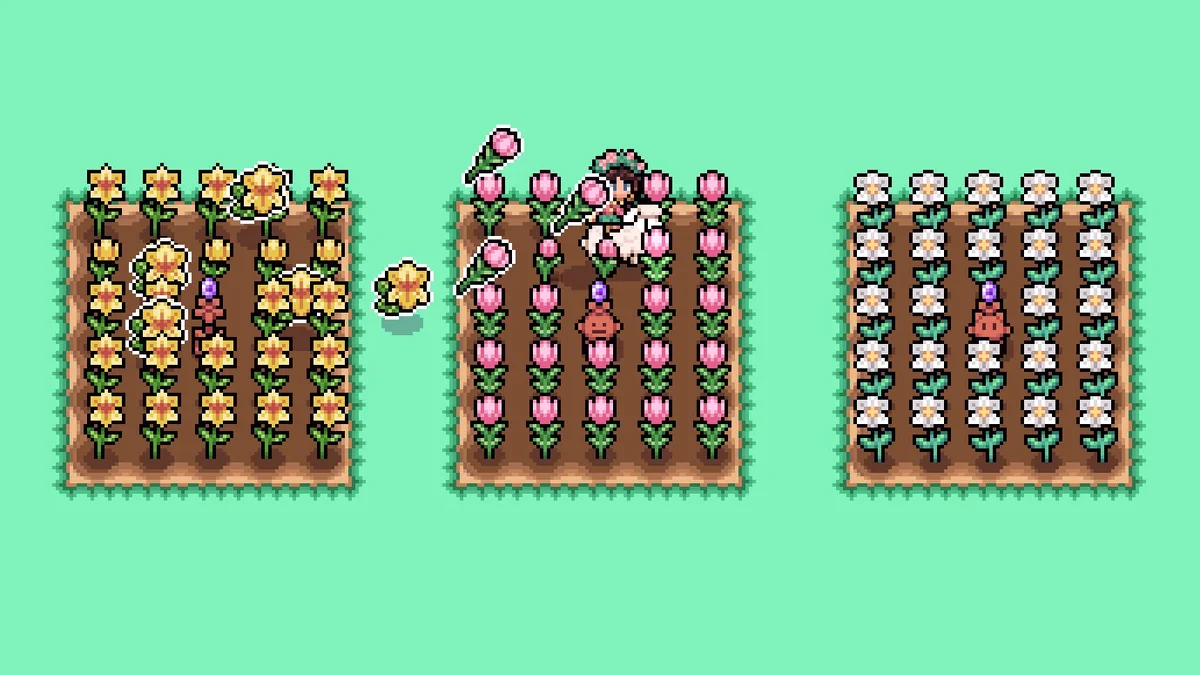
35. Regrowable Flowers
Regrowable Flowers makes every flower in the game regrow after you pick it, so you can plant seasonal gardens without worrying about pulling one up by accident. It comes in one-day and three-day regrow versions. It was last updated in July 2026, after the engine change. Creator: Crys234. Needs: MOMI. Download: Regrowable Flowers on Nexus Mods.
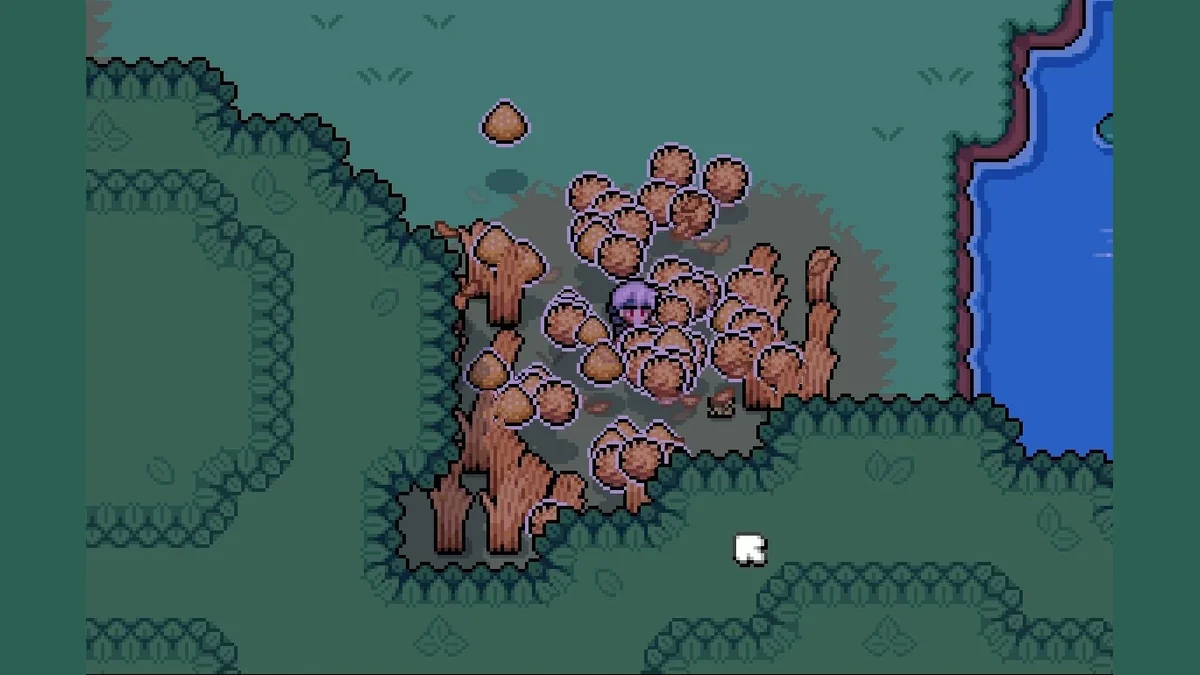
36. Always Fiber, Hay and Grass Seed Drops (Updated)
This mod raises the drop rates for hay, grass seed and fiber when you cut grass, with a 100 percent version and a gentler 50 percent version. It is an updated take on an earlier mod by cabagbe that predates the new engine. Creator: Cr0wfused. Needs: MOMI. Download: Always Fiber Hay and Grass Seed Drops on Nexus Mods.

37. Cross-Season Crops
Cross-Season Crops lets you plant, grow and harvest any crop in any season, and crops survive the change of season. It also covers the forageable seeds from the Prepared Picker skill, though the forageables themselves still only appear in their own seasons. Its page warns that removing the mod while a crop is growing out of season makes the plant disappear. Its last update was in September 2024, before the new engine, and MOMI’s page says mods that old won’t work, so it will not run on the current game until its creator updates it. It is still one of the most loved farming mods for the game, which is why it stays here. Creator: butt0ns. Needs: MOMI. Download: Cross-Season Crops on Nexus Mods.
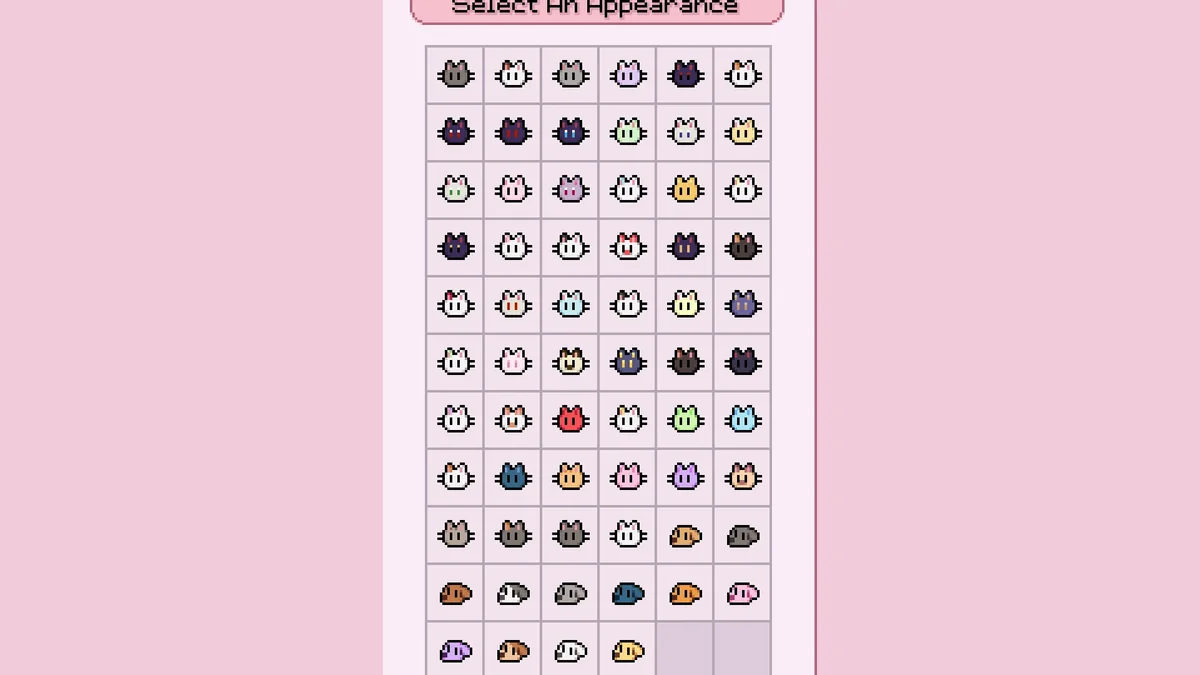
38. Cats – More Colors
Cats – More Colors adds new cat colors in themed sets (39, by its description’s count): colors inspired by Sailor Moon and Cardcaptor Sakura, black cats with different eye colors, white cats with pastel patches, calico, Siamese and tuxedo variants, and a few specials. Its page says it was updated for version 0.16.3 and later. Creator: Lauryyn. Needs: MOMI. Download: Cats – More Colors on Nexus Mods.
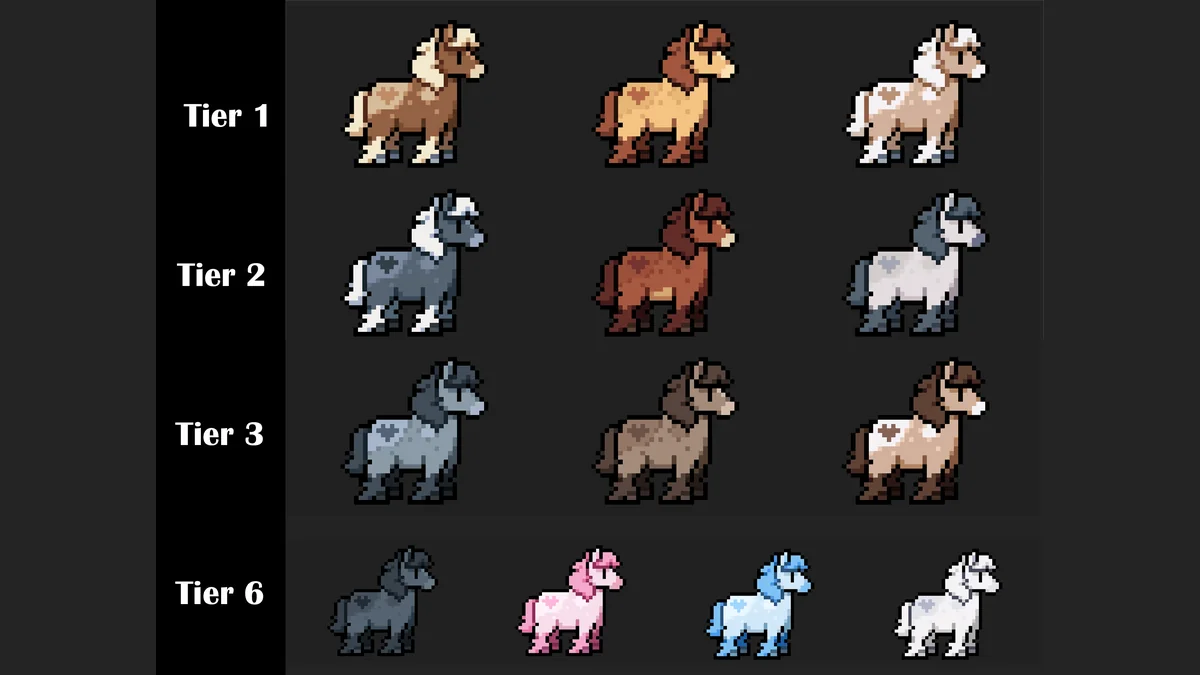
39. Fluffy Horses Complete Overhaul
Fluffy Horses makes every horse in the game fluffier, with more natural colors and slightly reworked patterns. Several versions are available, and its creator says it was made without AI. Creator: Toffeecat13. Needs: MOMI. Download: Fluffy Horses Complete Overhaul on Nexus Mods.
Mining, Combat and Resources
40. Miner’s Mega Pack
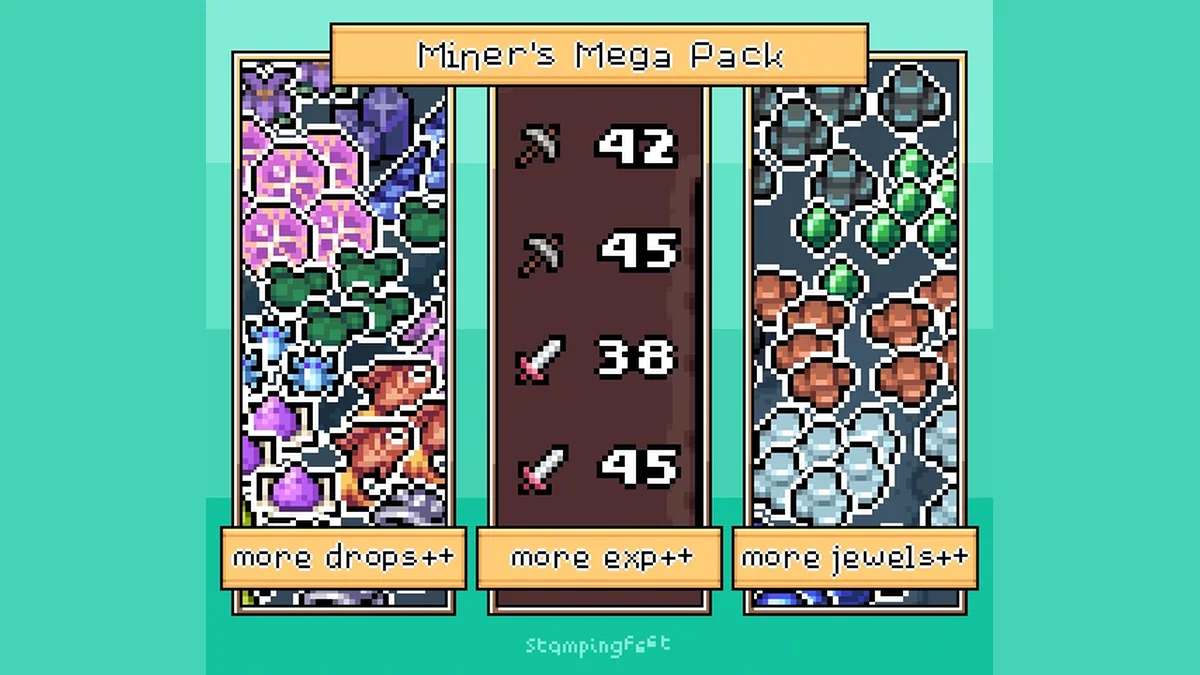
Miner’s Mega Pack is the mines overhaul. It increases monster and jewel drops, combat and mining experience, peat, clay and sod drops, crystal, obsidian and coral drops, and forageables, fish and bugs. Turning monsters off and adding mine lights are separate optional downloads on the same page. Creator: stampingfeet. Needs: MOMI. Download: Miner’s Mega Pack on Nexus Mods.
41. More Wood From Trees and Stumps
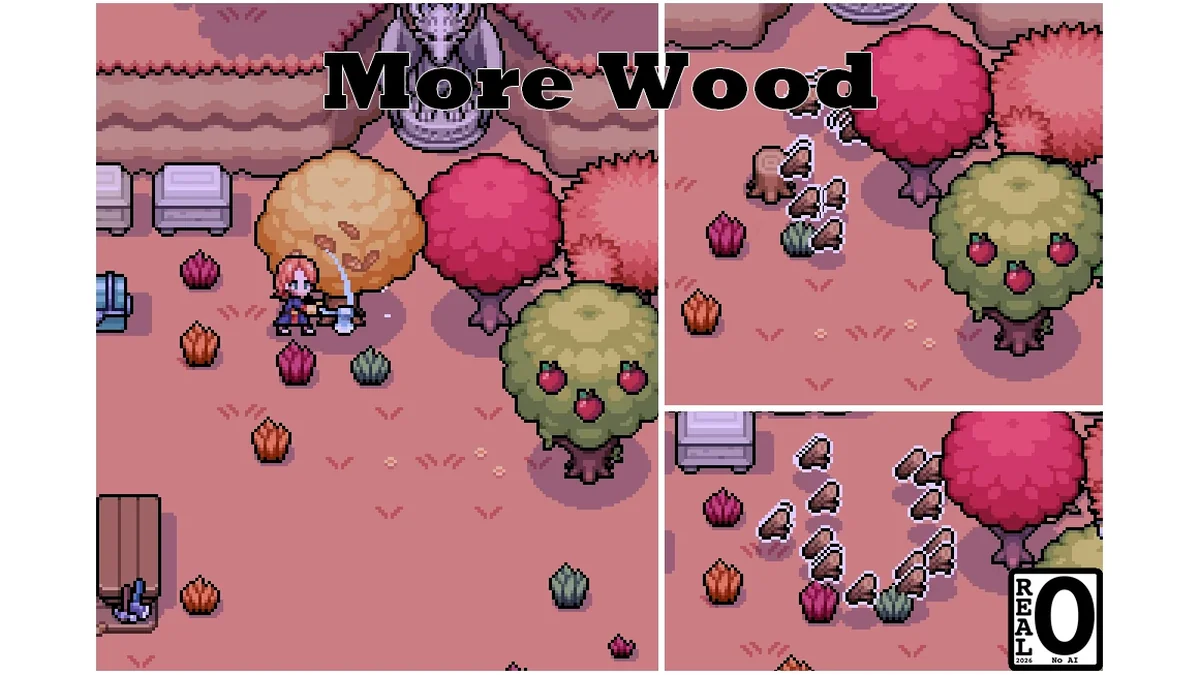
Wood goes fast once you start building, and this mod raises the most wood you can get from trees and stumps. It comes in a Range version and a Static version. Its page title lists game version 1.0.6. Creator: Nizy. Needs: MOMI. Download: More Wood From Trees and Stumps on Nexus Mods.
42. Better Mine Ladder Spawn
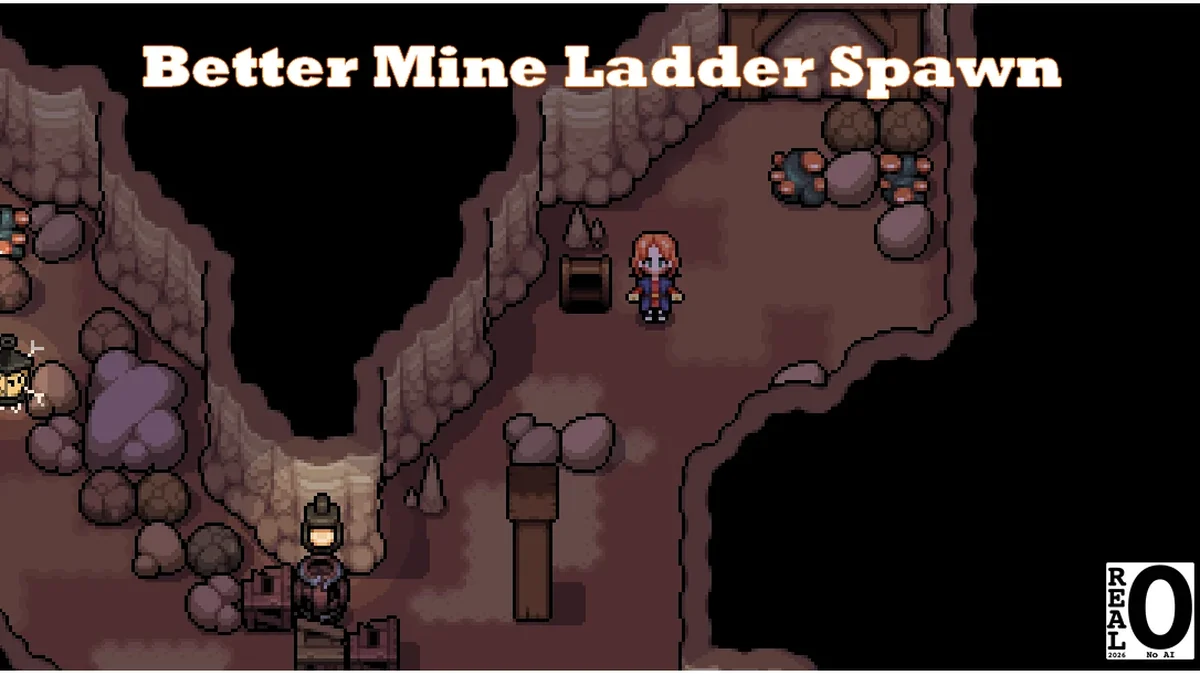
Better Mine Ladder Spawn makes ladders turn up more often in the mines, so you get through floors faster. Medium sits between vanilla and High, with ladders appearing about 30 to 35 percent faster per its page, High is much faster, and a Cheat version is included. Its page suggests backing up your save first, and its title lists game version 1.0.6. Creator: Nizy. Needs: MOMI. Download: Better Mine Ladder Spawn on Nexus Mods.
43. Effe’s Monster Masher
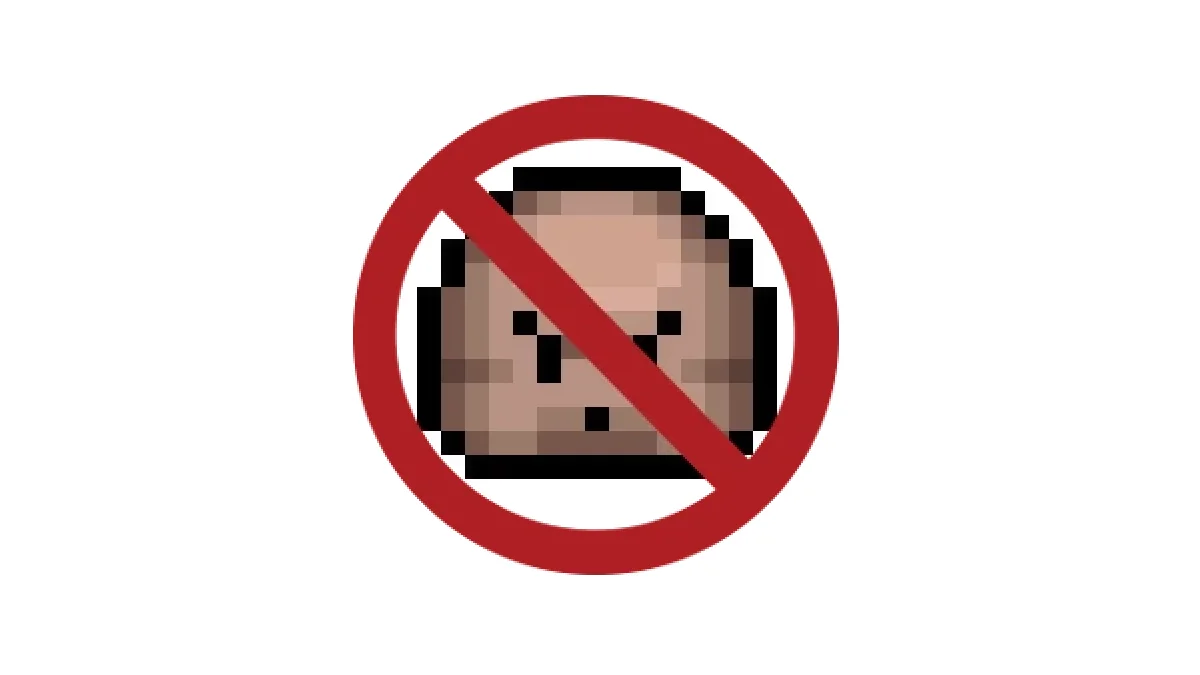
Clods, the rock monsters in the mines, take a lot of swings. Effe’s Monster Masher sets every clod to 1 HP and 1 damage, so they go down in one hit and barely hurt. Its page says it was updated for the lava floors. Creator: EffeDraws. Needs: MOMI. Download: Effe’s Monster Masher on Nexus Mods.

44. Magic Rejuvenating Fountains
Magic Rejuvenating Fountains makes the Rejuvenating Fountains restore mana instead, so a day of spellcasting does not end when your magic runs dry. Creator: Crys234. Needs: MOMI. Download: Magic Rejuvenating Fountains on Nexus Mods.
Cheats and Unlocks
45. Cheats Menu
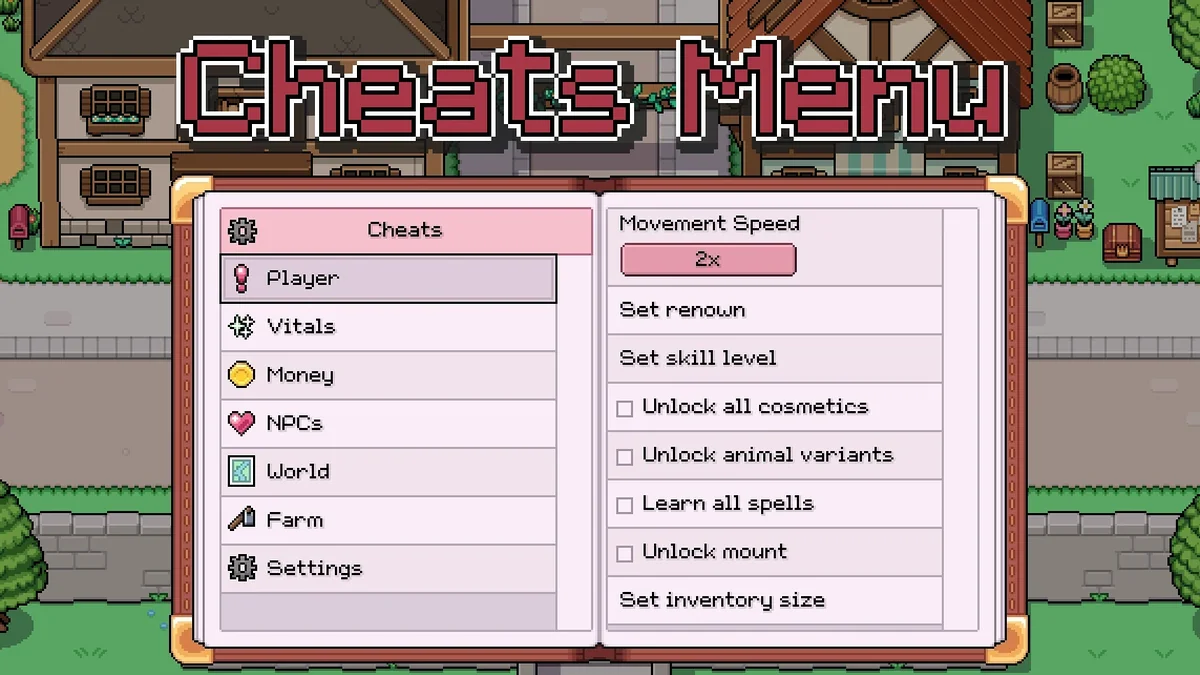
The Cheats Menu is the most endorsed gameplay mod for the game. It opens on F7 (or LB and LT on a controller) and gives easy access to the debugger functions NPC Studio built into the game, plus a few cheats of its own: movement speed, infinite health, stamina and mana, unlocks, tesserae, heart levels, weather, date and time, warping, farm chores, house upgrades, noclip, and a screenshot mode that zooms out for a full view of your farm. Its page asks you to back up your saves before using it. Creator: caterpixie. Needs: MOMI. Download: Cheats Menu on Nexus Mods.
46. Spawn Any Item
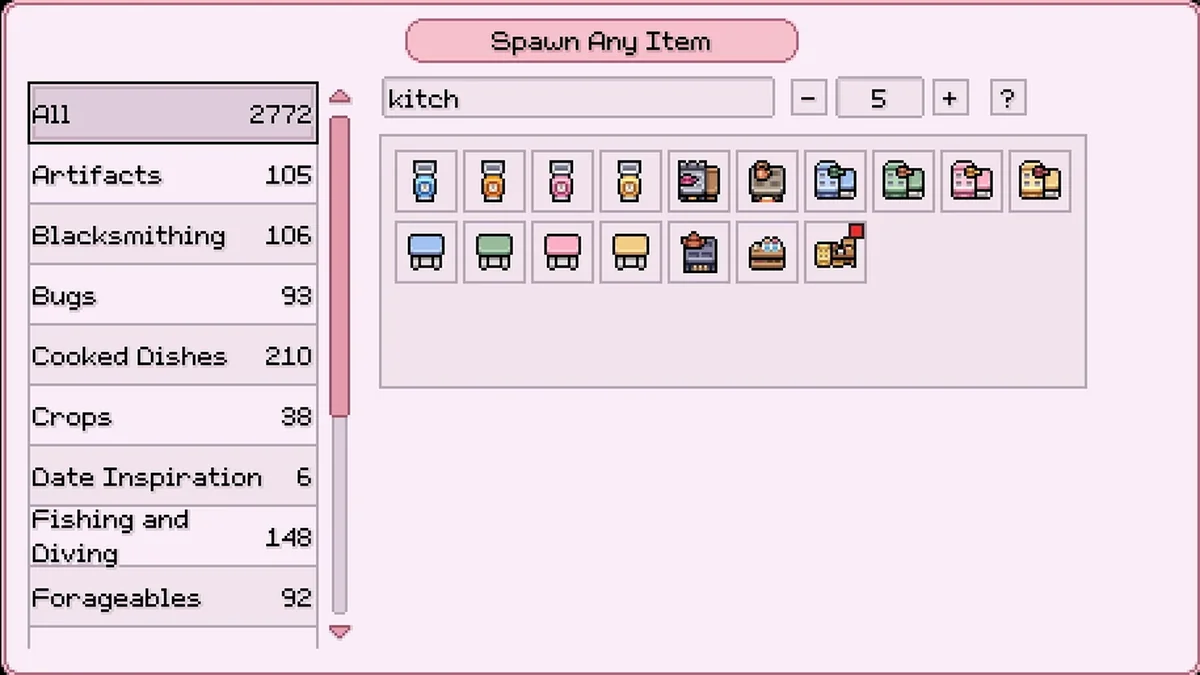
Spawn Any Item lets you spawn almost any item in the game on demand. Press F11, choose the item and, if it stacks, a quantity. Its page says it needs MOMI 0.15.2 or newer. Creator: Anna Nomoly. Needs: MOMI. Download: Spawn Any Item on Nexus Mods.
47. Infinite Health
Infinite Health changes the game so nothing can lower your HP, which takes the stress out of the mines. Its page says it was updated for the new engine and needs MOMI 0.14.0 or newer. Creator: Anna Nomoly. Needs: MOMI. Download: Infinite Health on Nexus Mods.
48. Mega Cooking and Furniture Recipe Unlocks
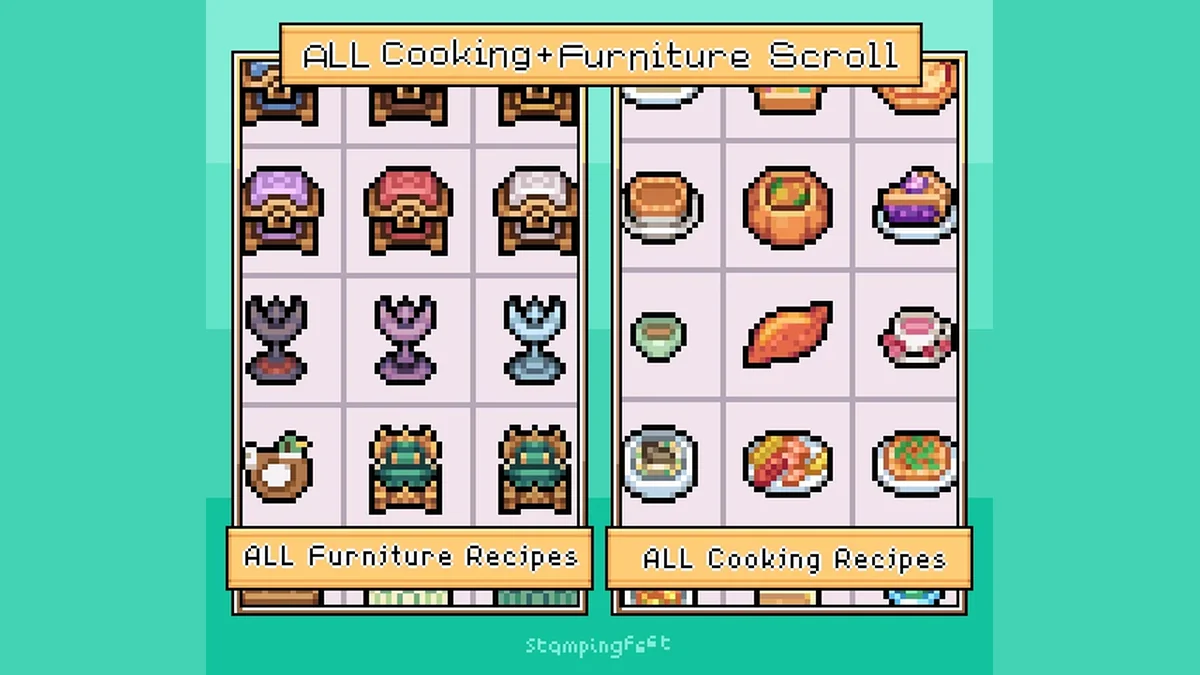
This mod adds a scroll to Balor’s store that unlocks every current furniture and cooking recipe in the game at once. It suits a decorating save or a second playthrough. Creator: stampingfeet. Needs: MOMI. Download: Mega Cooking and Furniture Recipe Unlocks on Nexus Mods.
49. All Cosmetics Unlocked (Revamp)
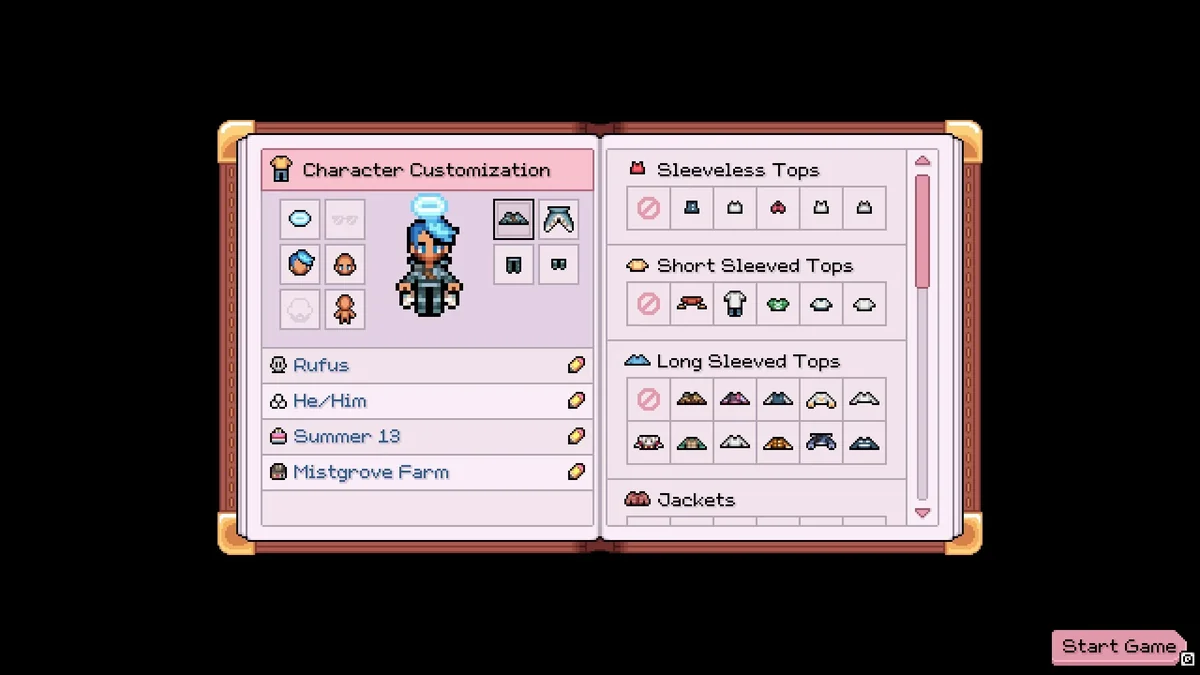
All Cosmetics Unlocked unlocks every base-game hairstyle, clothing item and accessory, for players who want to dress their farmer from day one. It is a community-maintained revival of an older butt0ns mod, and its page says you must start a new save for the cosmetics to unlock. Its version number matches the game version it supports. Creator: RufusTheBlueWolf. Needs: MOMI. Download: All Cosmetics Unlocked (Revamp) on Nexus Mods.
Furniture and Decor
50. Effe’s Decor – Kitchen
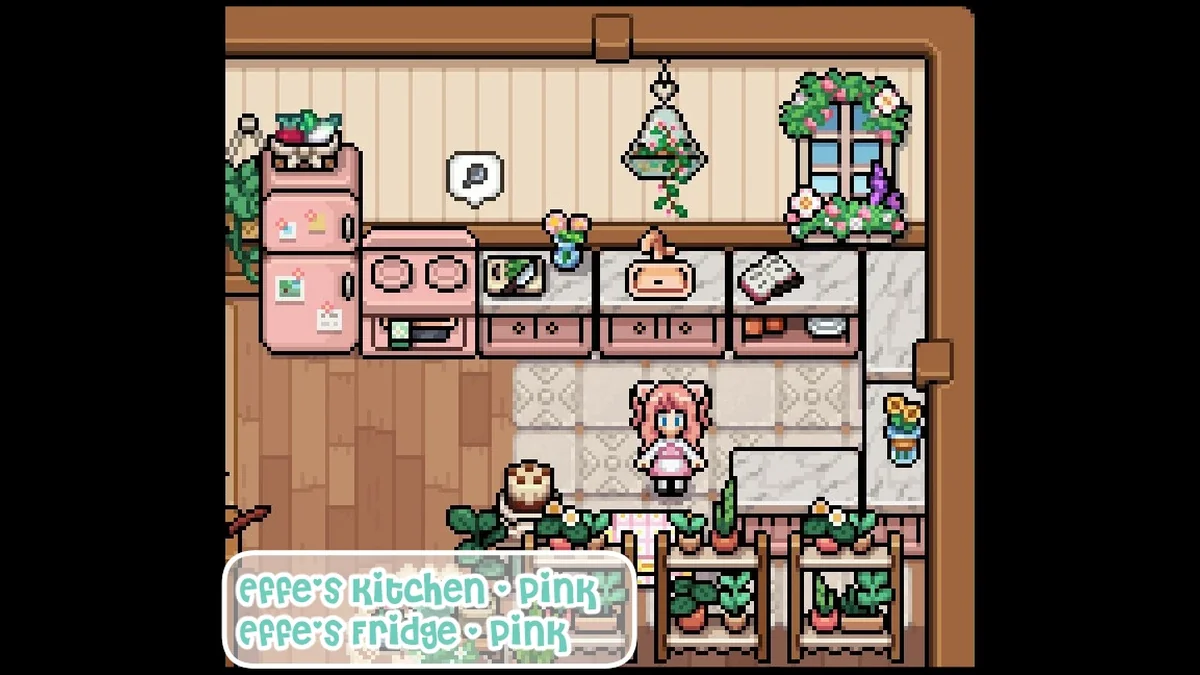
Effe’s Decor – Kitchen adds marble-top kitchen counters that snap together seamlessly, plus a matching oven that replaces the kitchen crafting table and still works for cooking, in 20 colors. It turns one of the wooden chests into an animated cupboard counter with storage, and the Inn Counter into rotatable counters. Creator: EffeDraws. Needs: MOMI. Download: Effe’s Decor – Kitchen on Nexus Mods.
51. Effe’s Decor – Fabulous Fridge
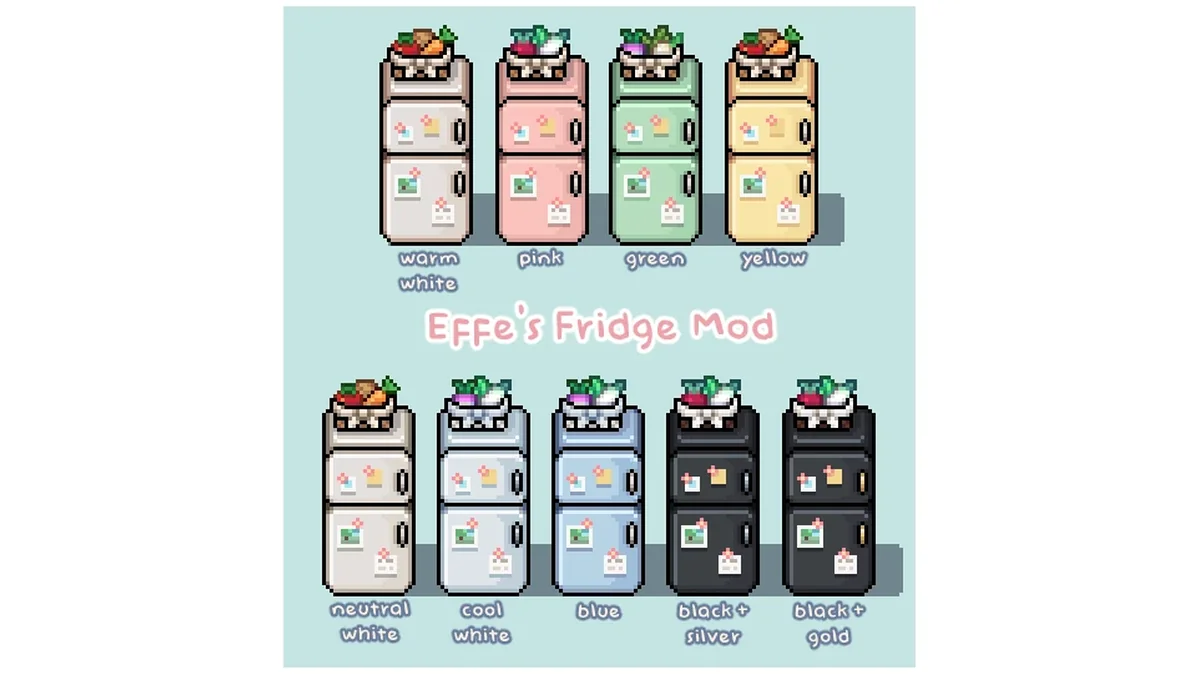
Fabulous Fridge replaces a vanilla chest with an animated fridge that stores your ingredients in style. It comes in nine colors and two versions: a stone chest replacer with 42 slots or a deluxe icebox replacer with 54. Pick one color from inside the folder and install only that. Creator: EffeDraws. Needs: MOMI. Download: Effe’s Decor – Fabulous Fridge on Nexus Mods.
52. Effe’s Fireplaces
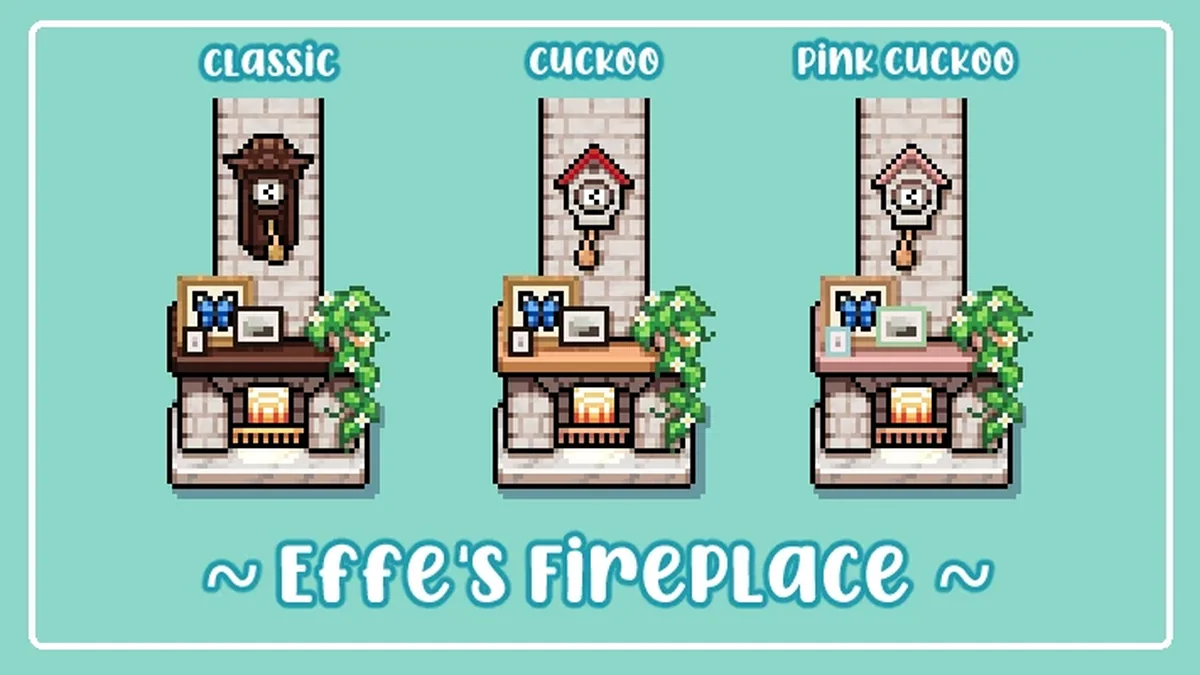
Effe’s Fireplaces replaces the Worn Fireplace with a cute decorated fireplace topped by a swinging pendulum clock, in Classic, Cuckoo or Pink Cuckoo styles. Creator: EffeDraws. Needs: MOMI. Download: Effe’s Fireplaces on Nexus Mods.
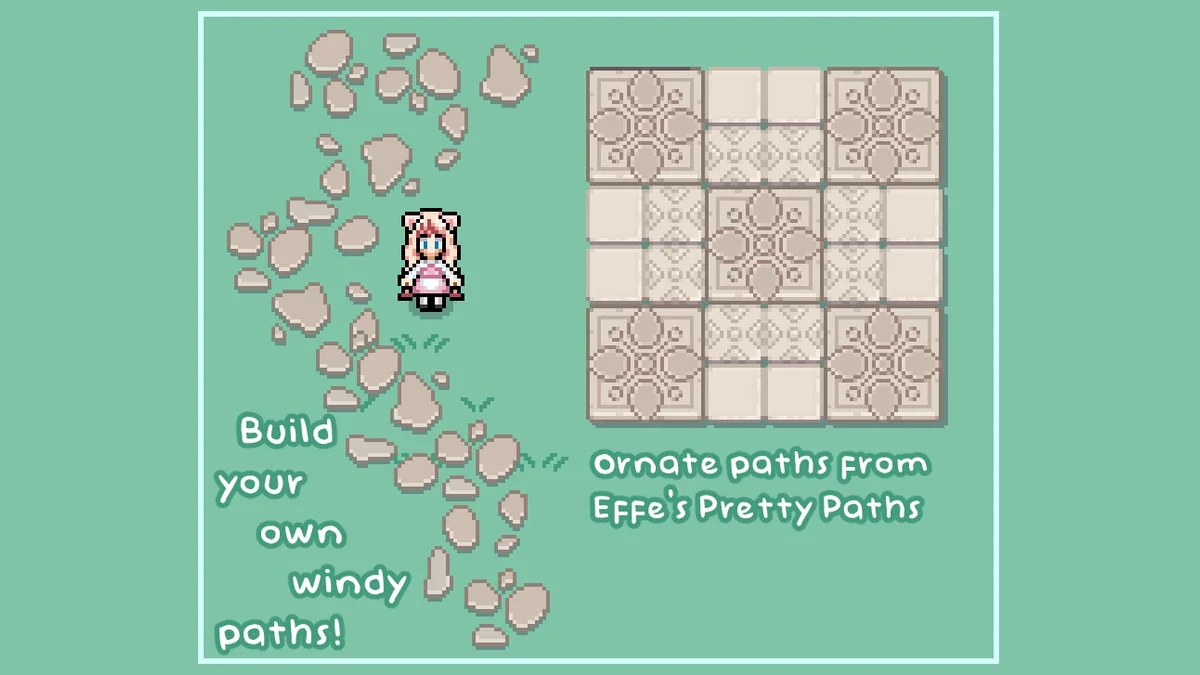
53. Effe’s Prettier Paths
Effe’s Prettier Paths adds seven new stone tiles for laying out paths and also removes the vanilla gap between large paving stones. The recipe scroll comes from Balor’s Wagon. Creator: EffeDraws. Needs: MOMI. Download: Effe’s Prettier Paths on Nexus Mods.
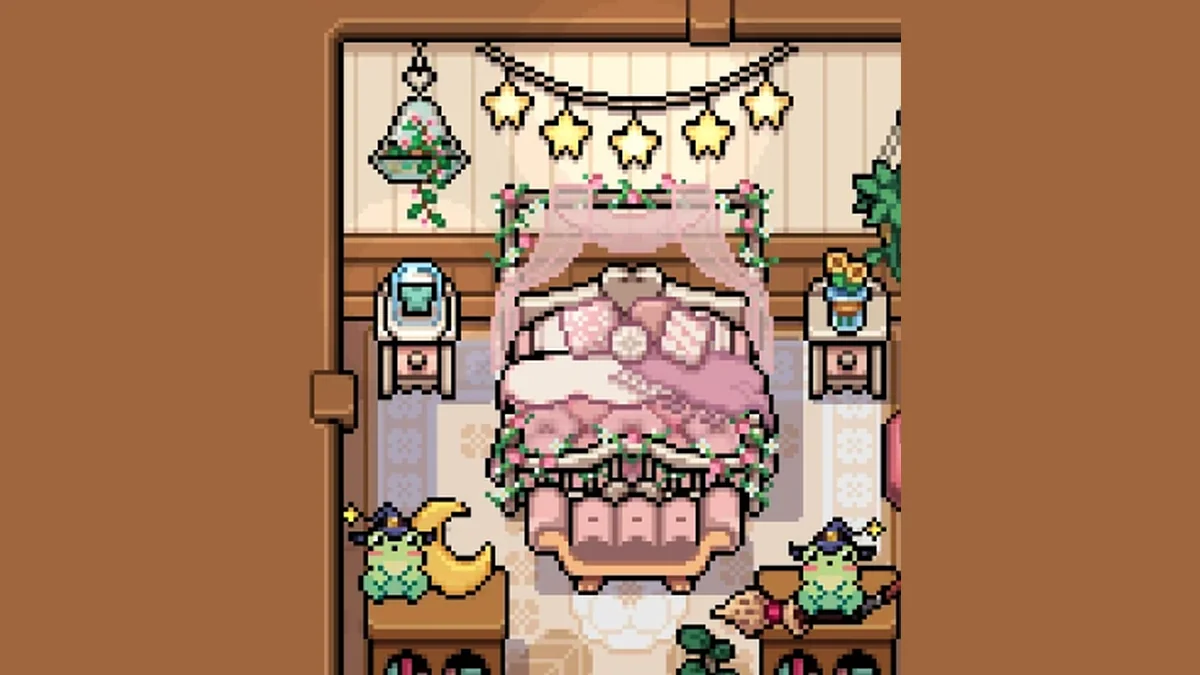
54. Effe’s Princess Bed
The fluffiest bed in Mistria. Effe’s Princess Bed replaces the dark Haunted Attic Double Bed with a soft, frilly princess bed. Creator: EffeDraws. Needs: MOMI. Download: Effe’s Princess Bed on Nexus Mods.

55. Layerable Rugs
Layerable Rugs lets you place rugs anywhere, even on top of each other, with one-tile placement that makes them easy to center. Its page says it includes the dragon rugs added in 1.0. Creator: Crys234. Needs: MOMI. Download: Layerable Rugs on Nexus Mods.
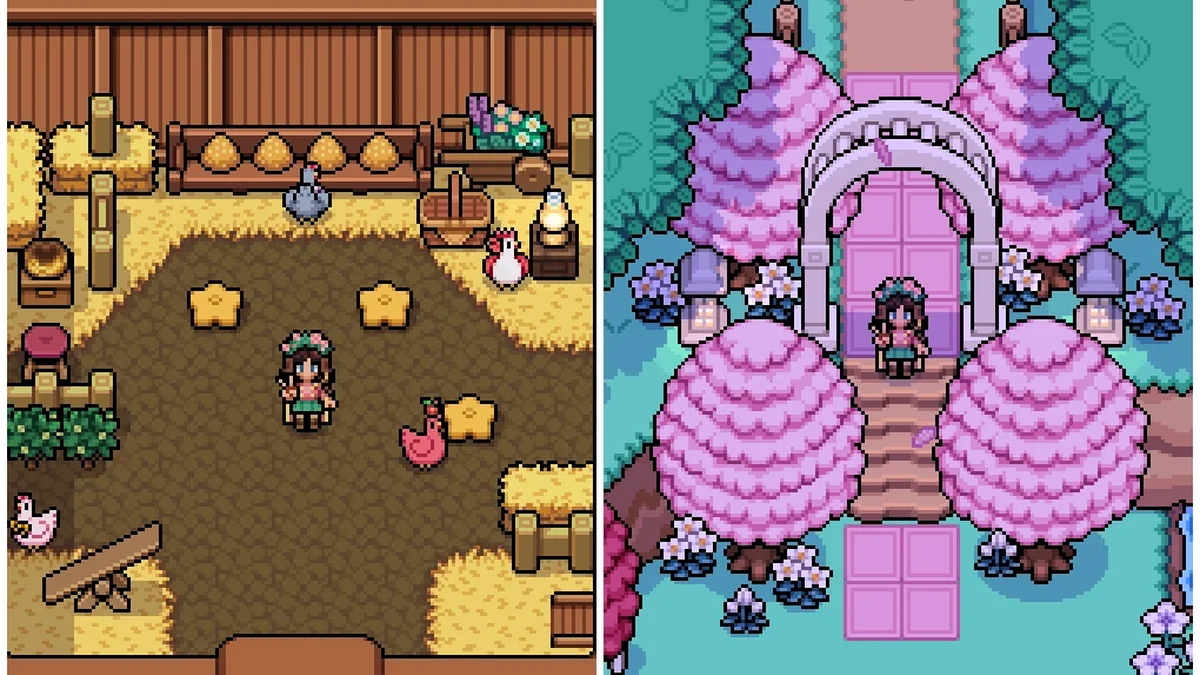
56. Place Furniture Anywhere
Place Furniture Anywhere loosens the placement rules on all furniture, coops and barns included, so you can decorate out of bounds and in spots the game normally blocks. Its page warns not to block the paths villagers walk. Creator: Crys234. Needs: MOMI. Download: Place Furniture Anywhere on Nexus Mods.
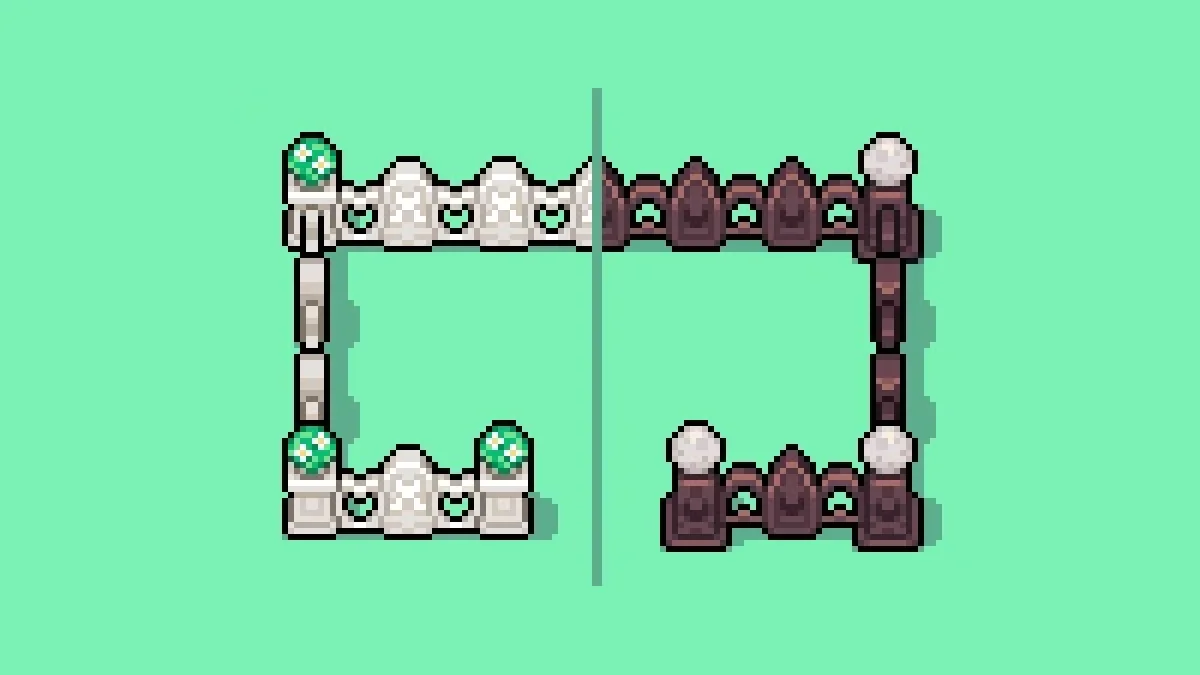
57. Crys’s Cottage and Witchy Fences
Two custom fence styles, one cottage and one witchy, for whimsical or spooky farms. Their recipe scrolls are sold at Balor’s Wagon. Creator: Crys234. Needs: MOMI. Download: Crys’s Cottage and Witchy Fences on Nexus Mods.
58. Twin Lamps Carpentry
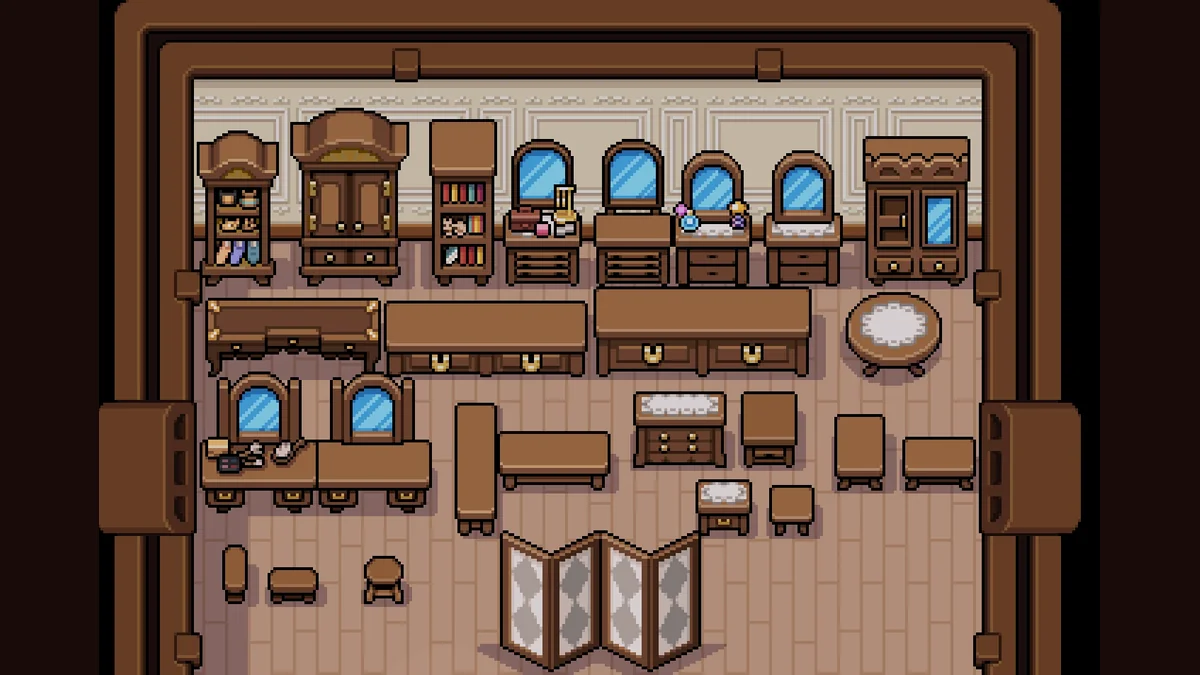
Twin Lamps Carpentry fills your home with furniture based on pieces from the villagers’ homes that players normally cannot get, with eleven Elegant Options to mix in and Ryis’ rocker among the newer additions. The recipe scroll comes from Balor’s Wagon. Its page warns that version 1.7 of the mod added storage to several pieces, so pick those up from your house and save before updating. Creator: TwinLampsESO. Needs: MOMI. Download: Twin Lamps Carpentry on Nexus Mods.
59. Heirloom Blue Furniture
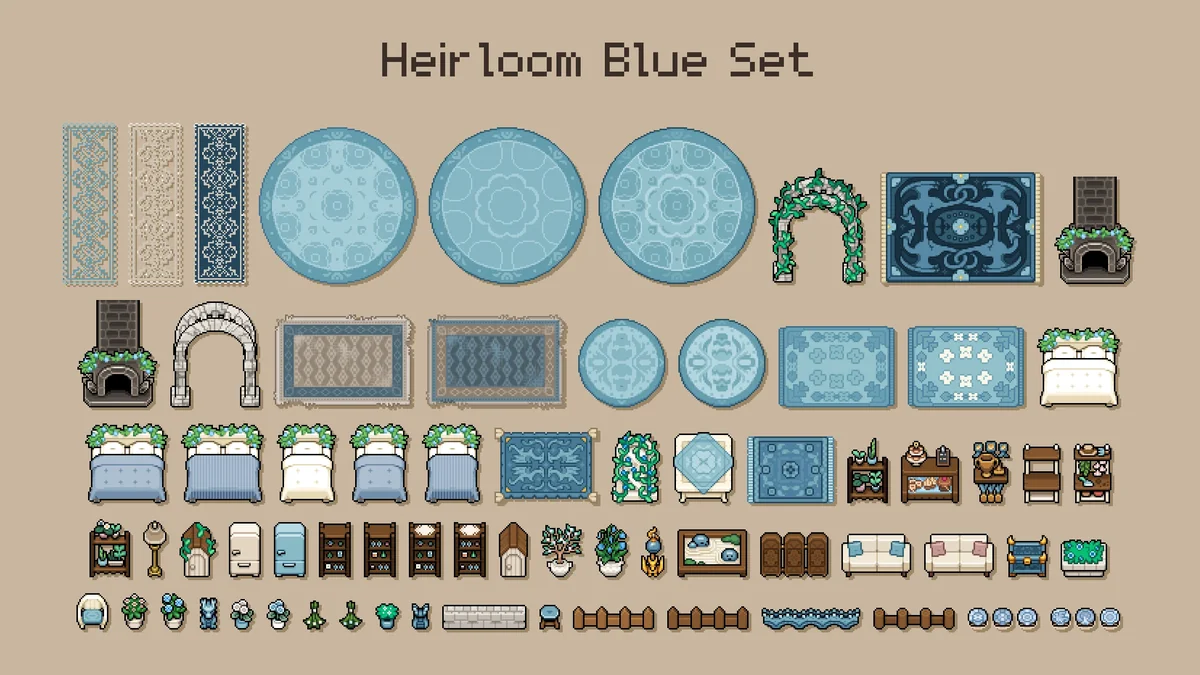
Heirloom Blue Furniture is a blue, white and brown furniture set of 37 craftable pieces: mostly vanilla furniture recolored, some reworked with new features, and some brand new. None of them replace vanilla items. Creator: bigsquishy0. Needs: MOMI. Download: Heirloom Blue Furniture on Nexus Mods.
60. Farm Animal Plushes
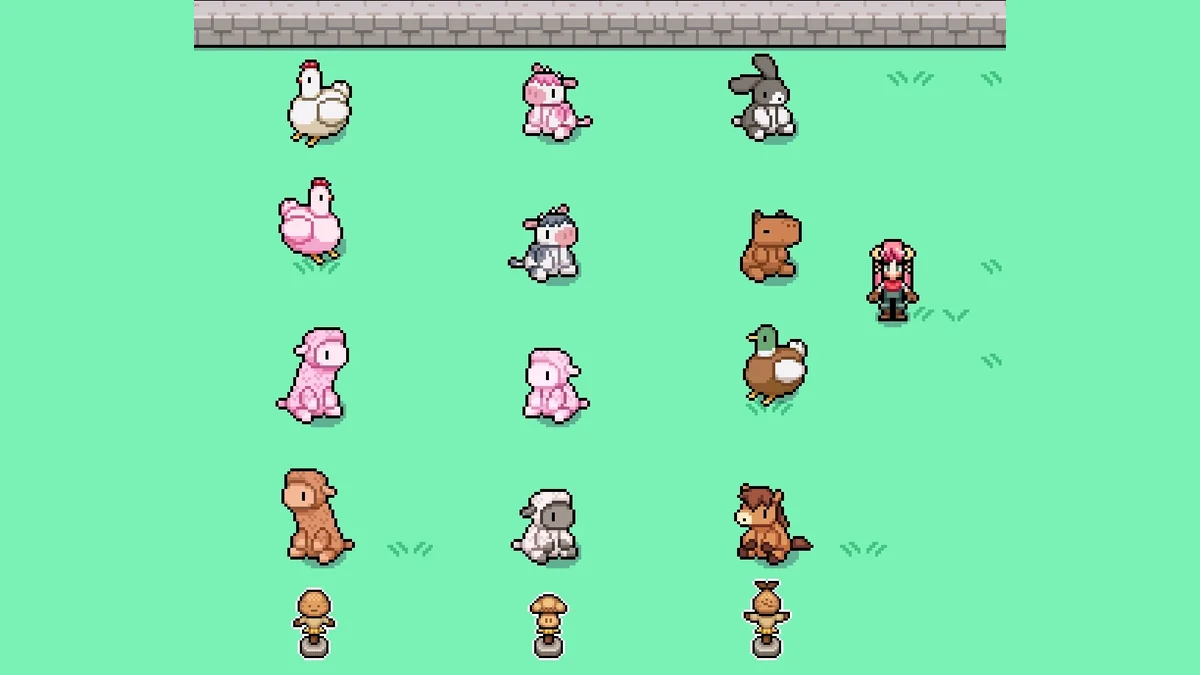
Farm Animal Plushes turns the Training Dummy decor into big, huggable plushes of the farm animals. Its page says it was updated for version 0.16.2 and later, and its creator notes it was made without AI. Creator: Shugar. Needs: MOMI. Download: Farm Animal Plushes on Nexus Mods.
61. Forgotten Farm
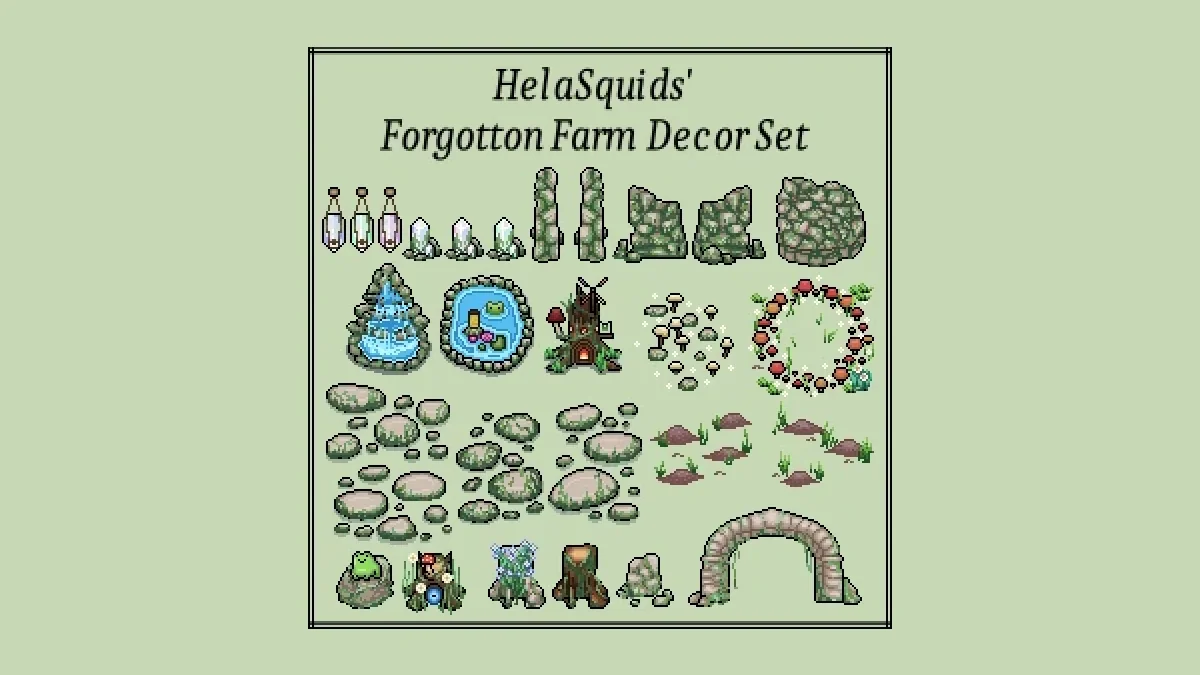
Forgotten Farm adds a furniture set inspired by the Welsh countryside, with its recipe at the General Store. It was originally made by HelaSquids and is now maintained by ShugarBomb, who updated it for version 1.0.5 and later. Creator: HelaSquids, maintained by ShugarBomb. Needs: MOMI. Download: Forgotten Farm on Nexus Mods.
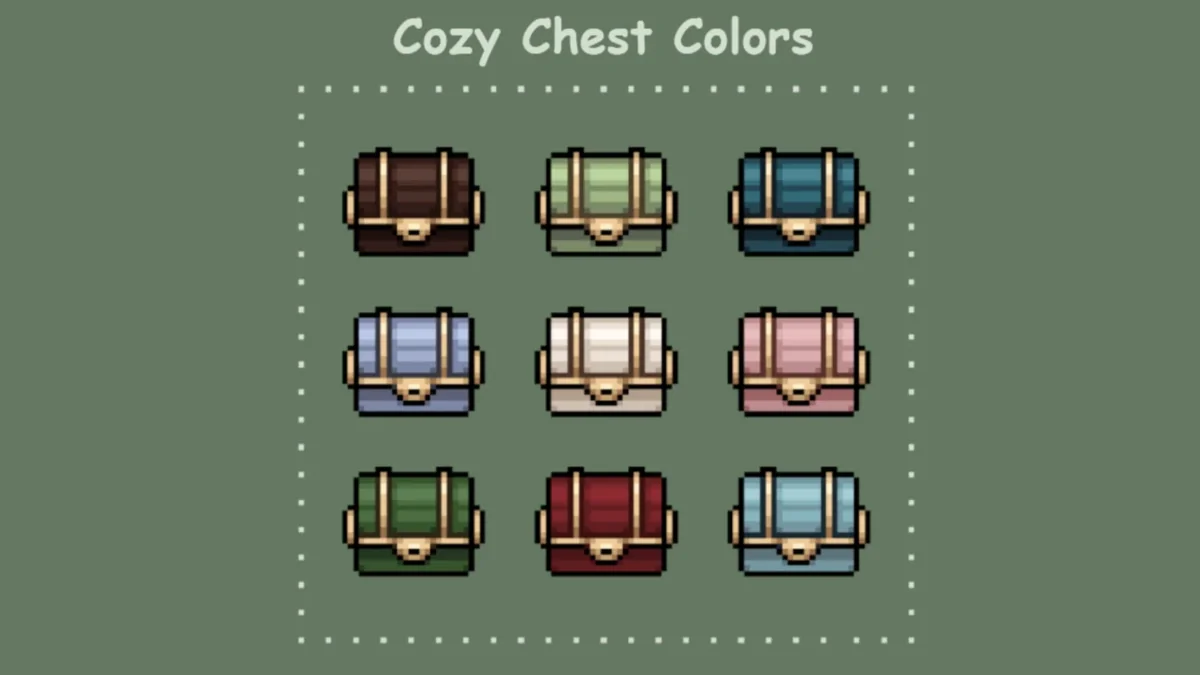
62. Cozy Chest Colors
Cozy Chest Colors recolors the basic wood chest variations in softer, cozier tones, so a wall of storage looks like part of the room. It was last updated in July 2026, after the engine change. Creator: Angie. Needs: MOMI. Download: Cozy Chest Colors on Nexus Mods.
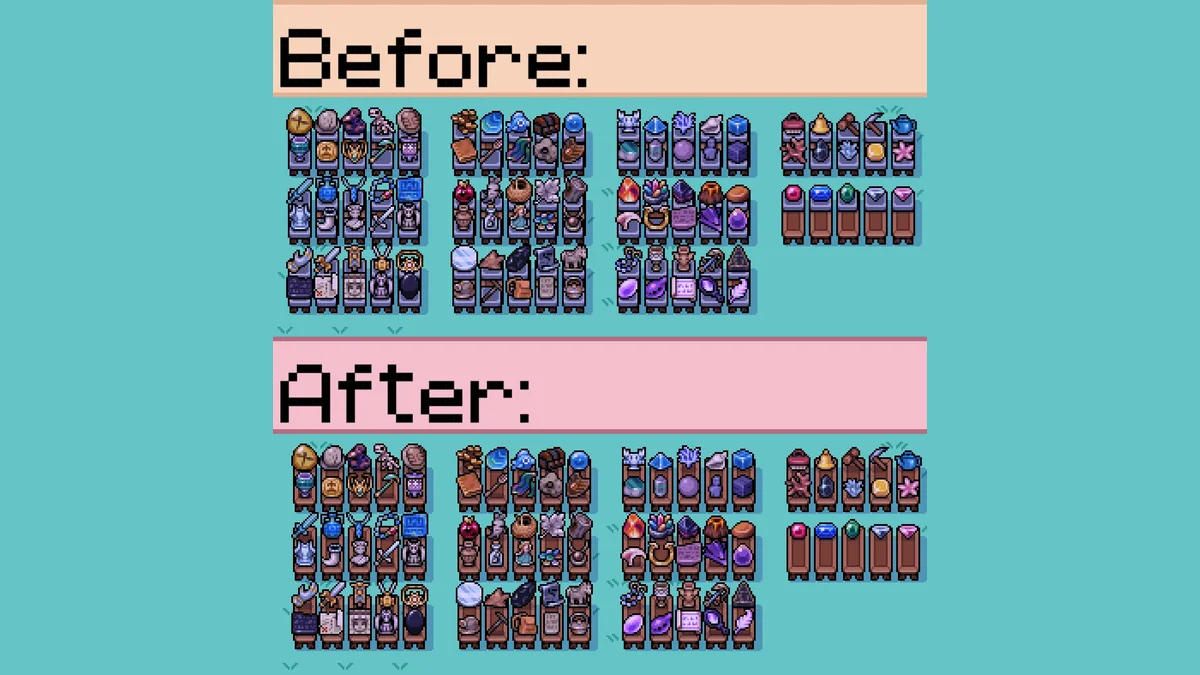
63. Remove Replica Artifact Bases
This mod removes the bases from every artifact so they look nicer on shelves, and lets you rotate them too. Creator: Vodkabot. Needs: MOMI. Download: Remove Replica Artifact Bases on Nexus Mods.
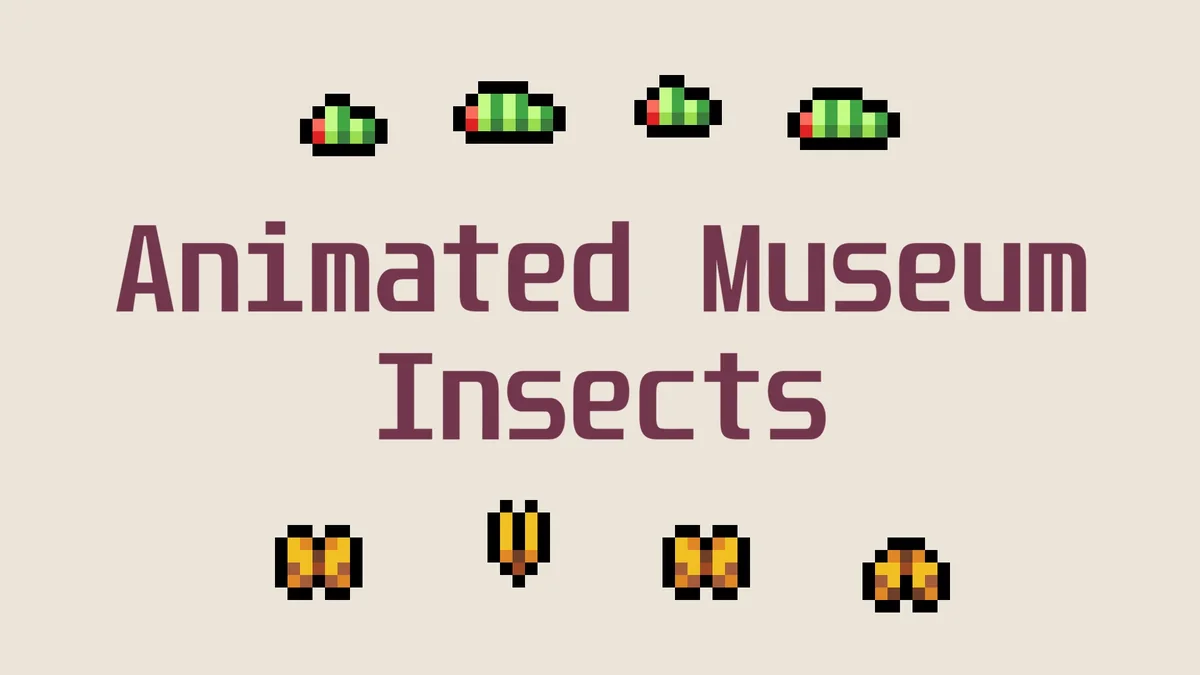
64. Animated Museum Insects
Animated Museum Insects brings the bugs in the museum displays to life with animation. Its page lists MMAPI Mod Configs as a requirement and Different Museum Displays as optional, and it needs MOMI 0.15 or newer. Creator: isuckatsdv. Needs: MOMI, MMAPI Mod Configs. Download: Animated Museum Insects on Nexus Mods.
Houses, Barns and the Outdoors
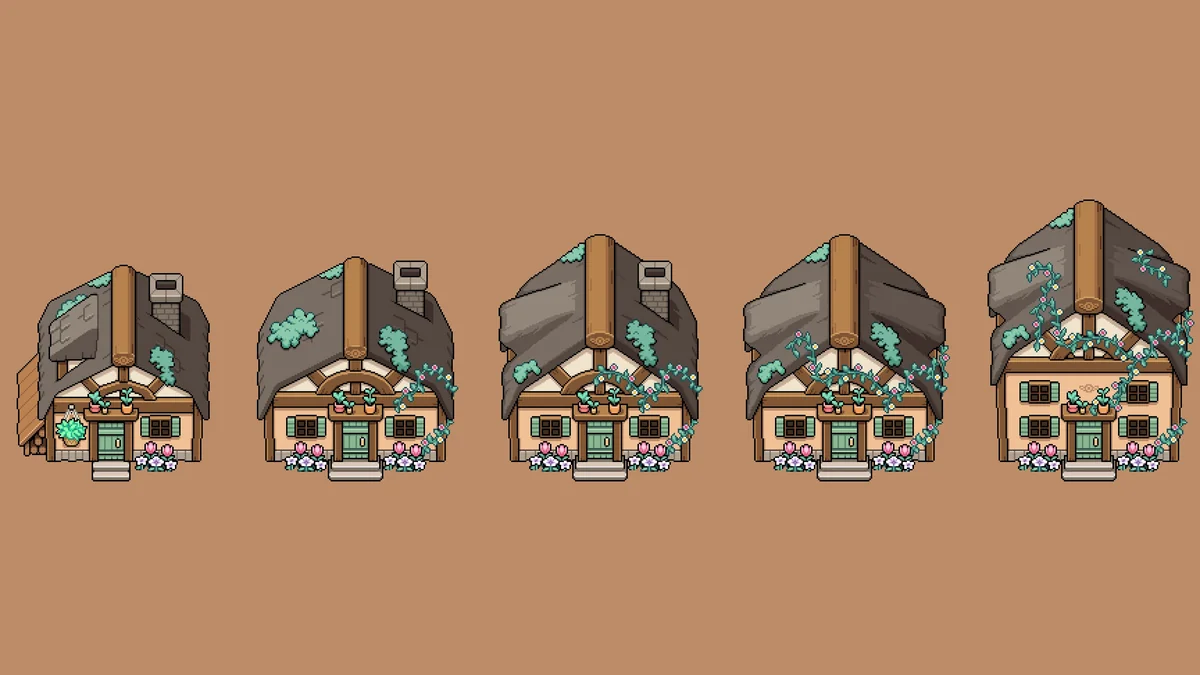
65. Cottagecore Player House
Cottagecore Player House replaces your house with a cottage heavily inspired by Celine’s, which changes with each upgrade and grows seasonal flowers. Its page says it was updated for version 0.16.2 and later. Creator: Lauryyn and Vaedran. Needs: MOMI. Download: Cottagecore Player House on Nexus Mods.
66. Outdoor Recolor
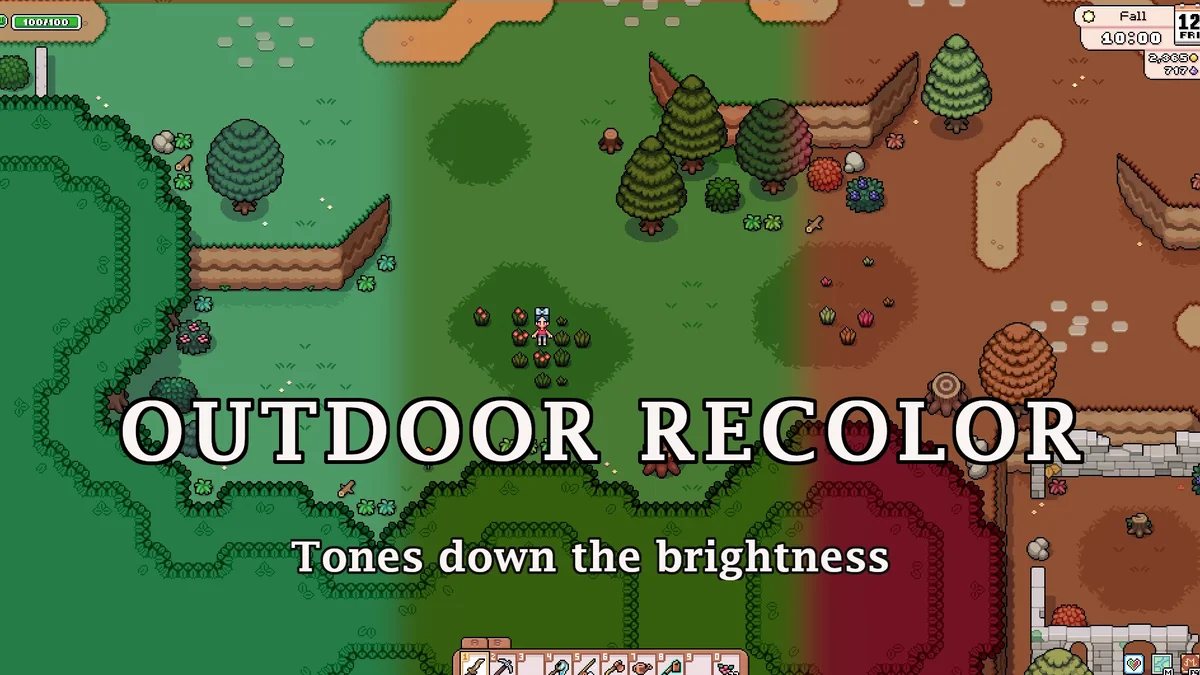
Outdoor Recolor gives most of the outdoors (trees, bushes, grass, water, soil and more) darker, less saturated colors, and tones down the wood on town buildings to match. It is made for anyone who plays on a low-brightness screen. Its page recommends moving it to the top of MOMI’s install order so smaller outdoor mods can overwrite it. Creator: Angie. Needs: MOMI. Download: Outdoor Recolor on Nexus Mods.
67. Silver’s Victorian House
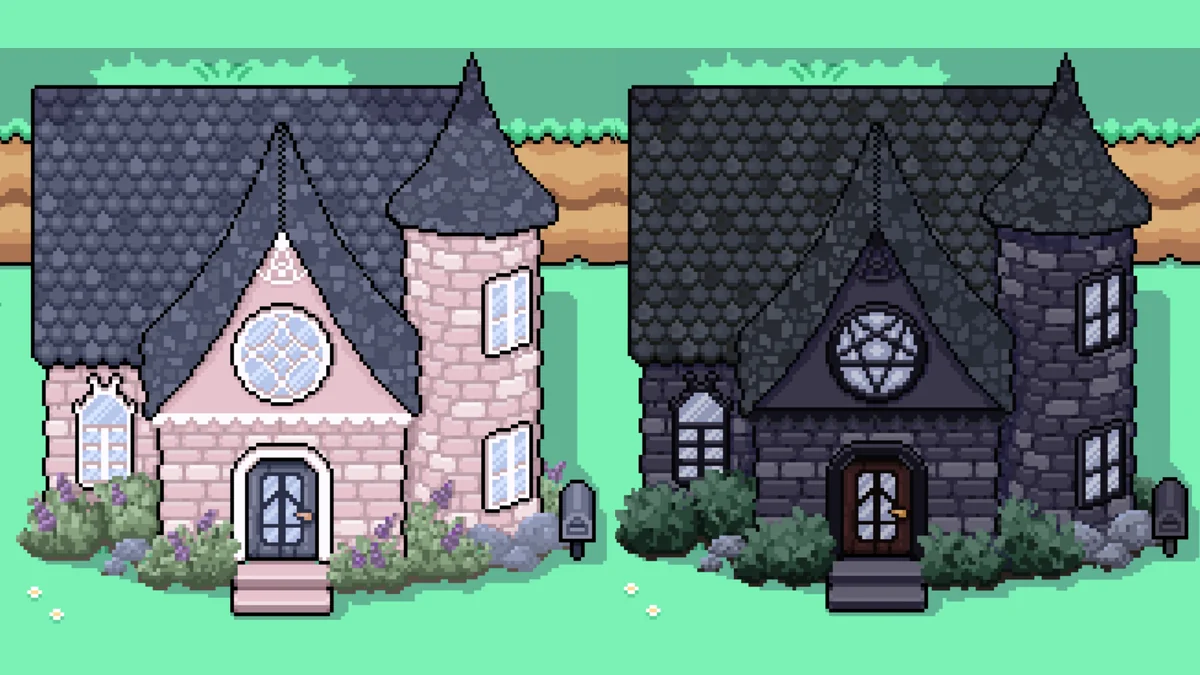
Silver’s Victorian House gives your upgraded house a Victorian look, in a light or dark version, and carries over to the later house upgrades. Its last update was in August 2025, before the new engine, and MOMI’s page says mods that old won’t work, so it will not run on the current game until its creator updates it. It stays on the list as one of the most loved house mods for the game. Creator: Silver. Needs: MOMI. Download: Silver’s Victorian House on Nexus Mods.
68. Witchy Barns and Coops
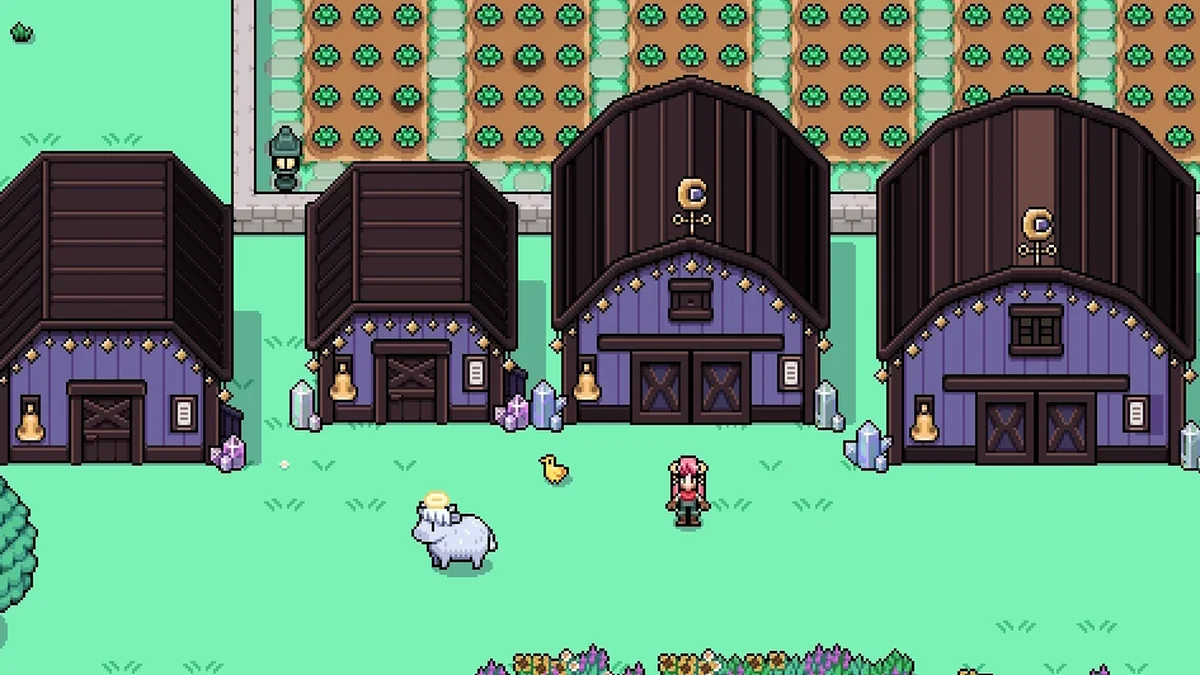
Witchy Barns and Coops recolors all three sizes of the red barns and coops in witchy purple and dark brown, even the large ones before you can buy them. If you want them somewhere else first, see how to move your barn. It was last updated in July 2026, after the engine change. Creator: Shugar. Needs: MOMI. Download: Witchy Barns and Coops on Nexus Mods.
69. Cute Cottagecore Barns and Coops (Updated)
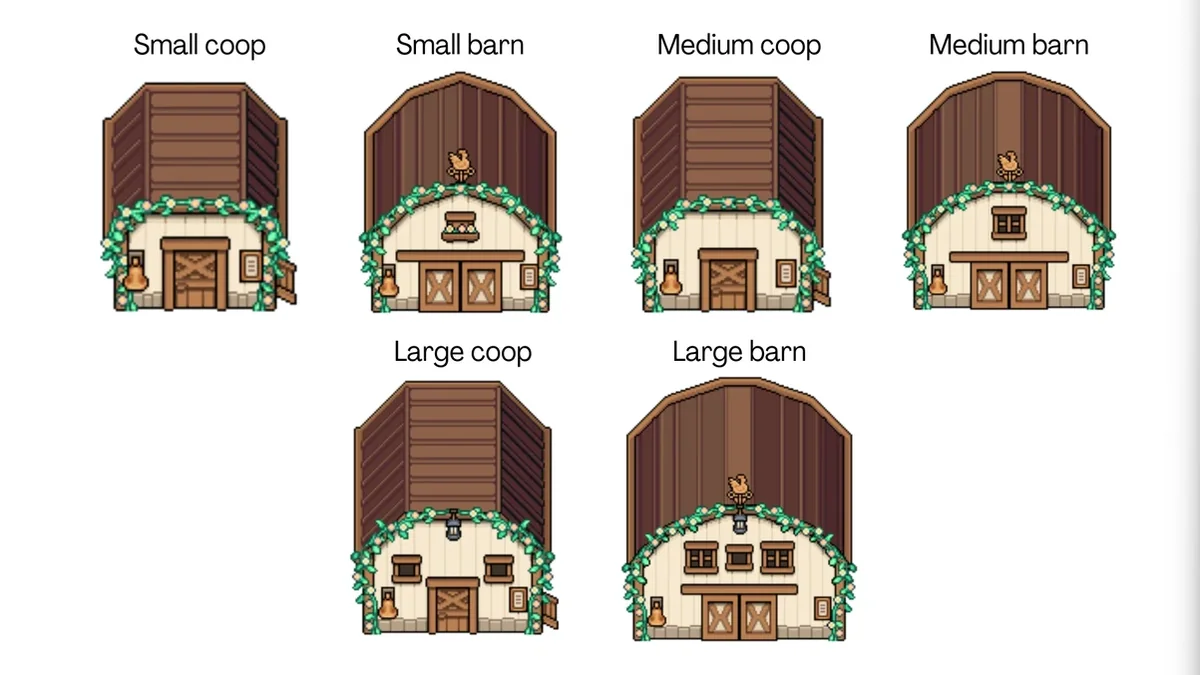
This is Ailuji’s Cute Cottagecore Barns and Coops, made compatible with 1.0 by okiyukiyo with Ailuji’s permission and with the original art unchanged. Its page calls it a temporary update until the original mod is updated. Creator: okiyukiyo (art by Ailuji). Needs: MOMI. Download: Cute Cottagecore Barns and Coops Updated on Nexus Mods.
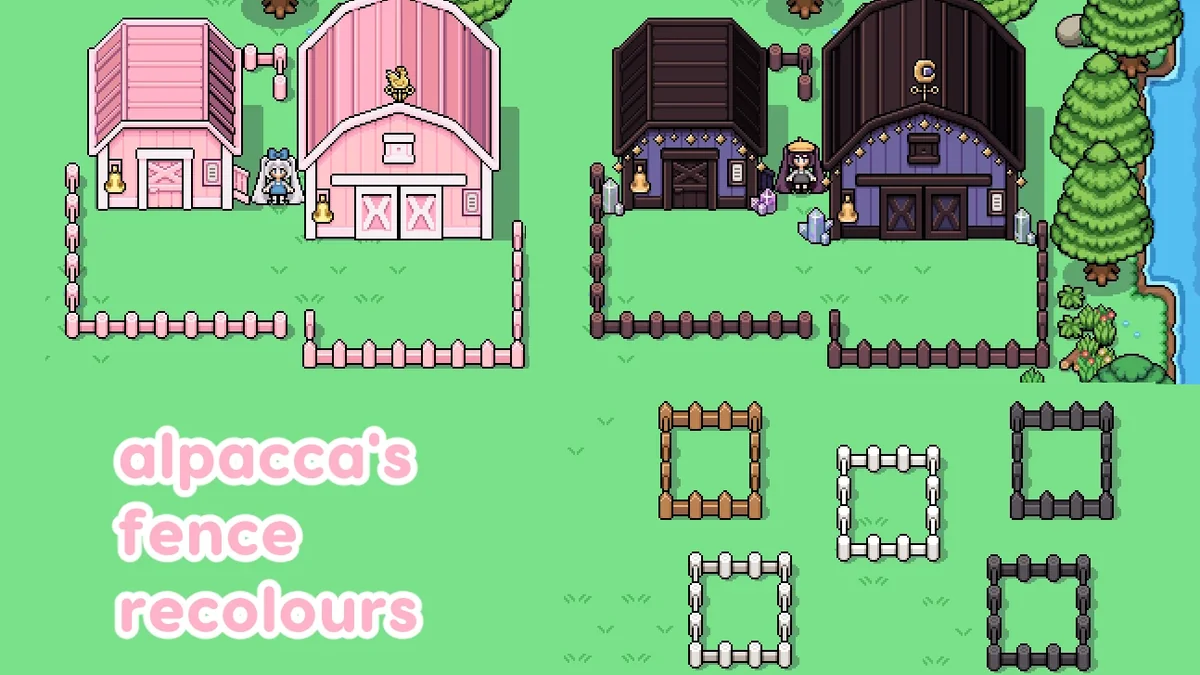
70. alpacca’s Alternate Coloured Fences
New colors for the game’s two default fences, including the ones around town, made to match pink and witchy barn mods. Its page asks you to use one variant of each fence type. Its page says it was updated for the new engine. Creator: alpacca. Needs: MOMI. Download: alpacca’s Alternate Coloured Fences on Nexus Mods.
Player Cosmetics and Outfits

71. Cosmetics – More Colors
Cosmetics – More Colors is the most endorsed content mod for Fields of Mistria. It adds new color palettes to the existing cosmetics, so you can match clothes far more freely than the vanilla colors allow, and its page says it works with 1.0. Creator: Lauryyn and sunberns. Needs: MOMI. Download: Cosmetics – More Colors on Nexus Mods.

72. Layered Wardrobe – Wear It All
You own it, so you should be able to wear it. Layered Wardrobe lets you wear one item from each subcategory at once and set the front and back order of each layer yourself. Its page lists version 1.5 of the mod for game version 1.0.5. Creator: xStraycat. Needs: MOMI. Download: Layered Wardrobe – Wear It All on Nexus Mods.
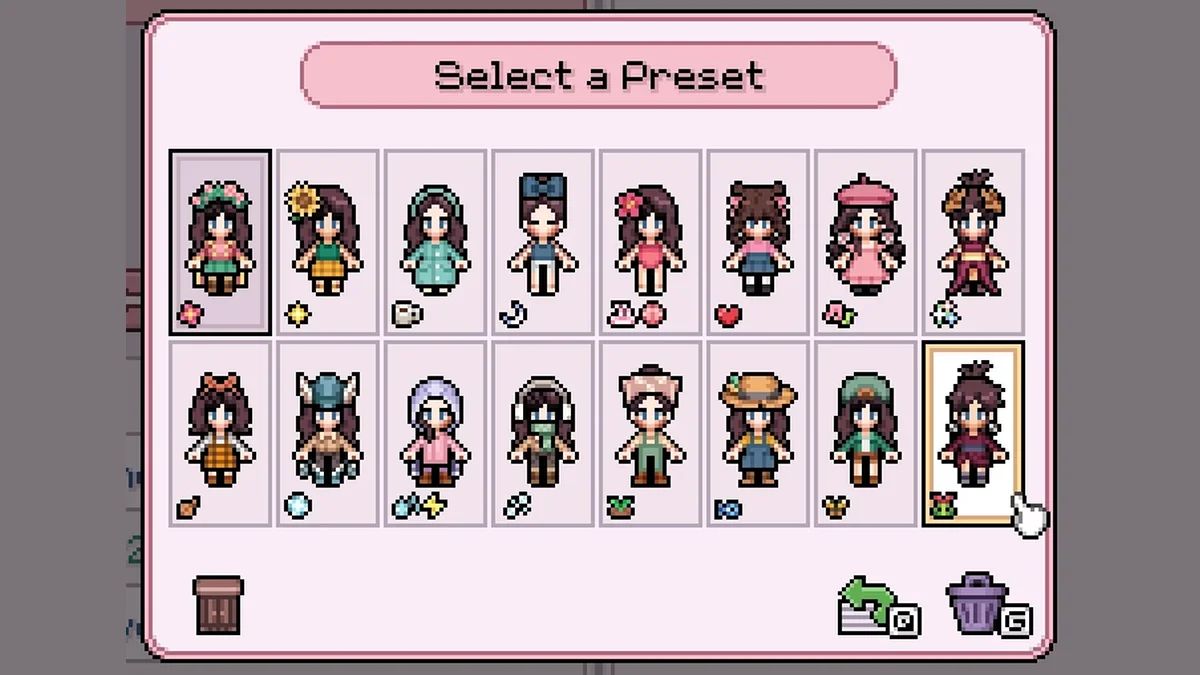
73. Dynamic Cosmetic Presets
Dynamic Cosmetic Presets swaps your outfit by itself. You get 16 preset slots and set the conditions for each: season, weather, being at home, the bathhouse, the beach, a date, a festival, the mines or the tool in your hand. No more showing up to a beach date in your mining gear. Creator: Crys234 and natadenome. Needs: MOMI. Download: Dynamic Cosmetic Presets on Nexus Mods.
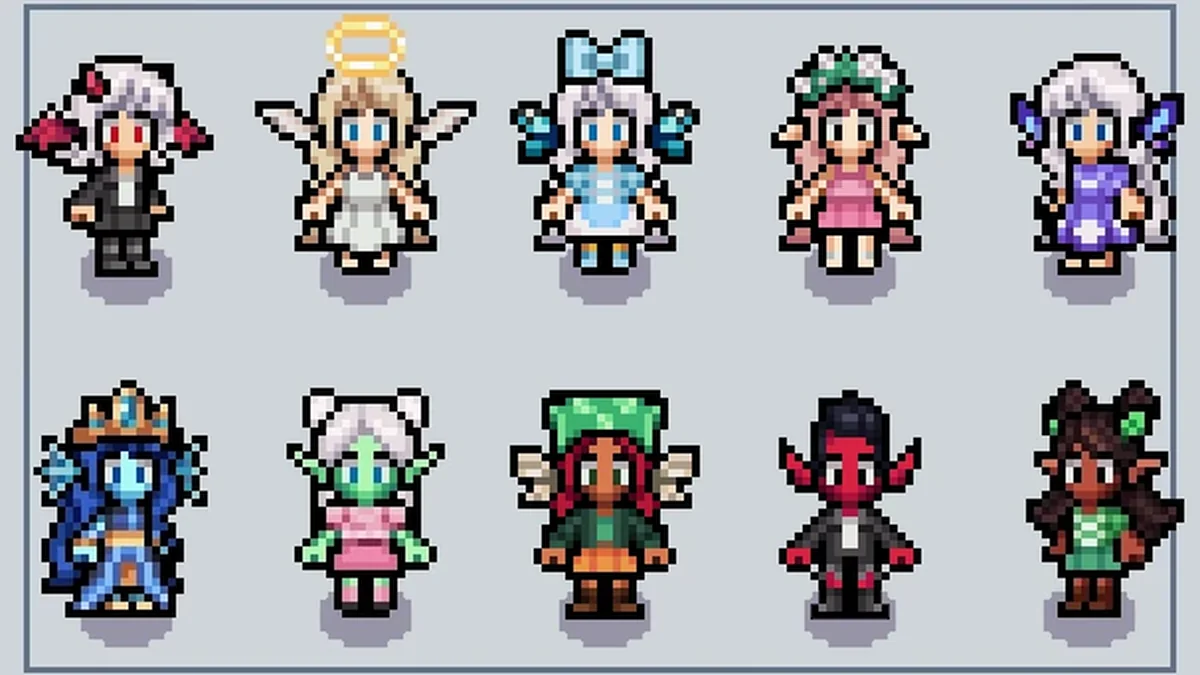
74. Effe’s Ears
Effe’s Ears adds 10 new ear cosmetics in two sets: four kinds of elf ears, angel wing and devil wing ears, fin ears, and butterfly and moth wing ears. They are sold at the General Store, and its page says it was updated for version 1.0.3. Creator: EffeDraws. Needs: MOMI. Download: Effe’s Ears on Nexus Mods.
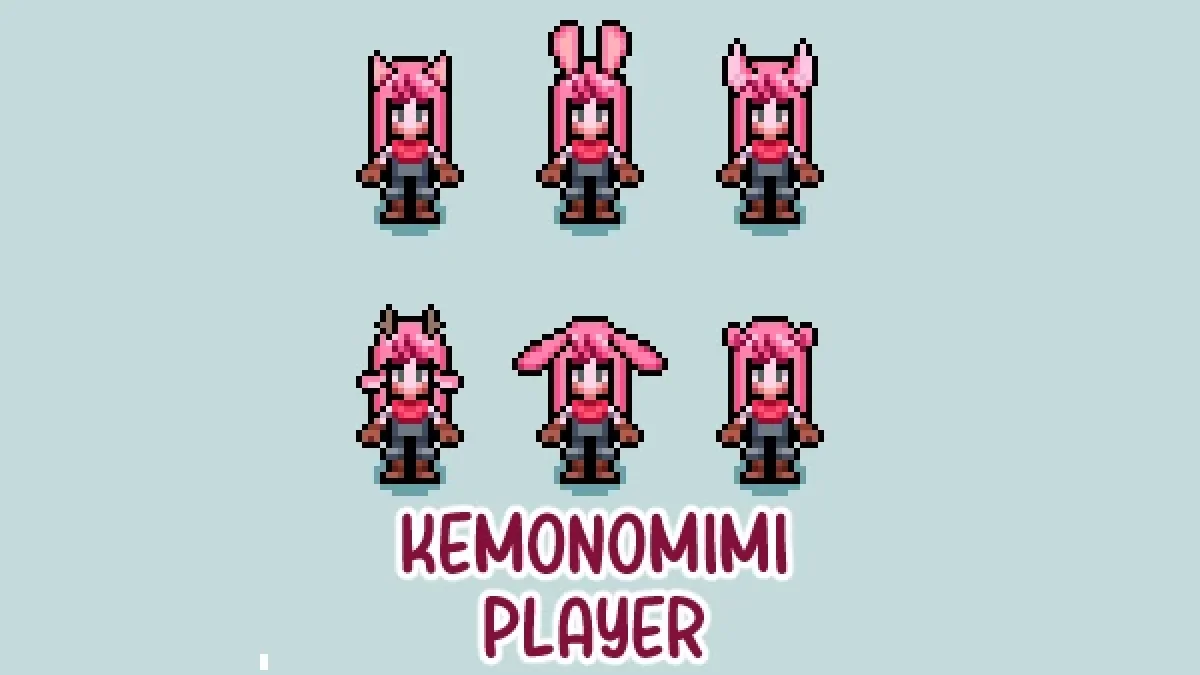
75. Kemonomimi Player
Kemonomimi Player adds animal ears, tails, horns, antlers and wings for your farmer: cat, bunny, deer, fox, bear, wolf, dragon and moth among them. Its latest update added the dragon set, and its creator notes it was made without AI. Creator: Shugar. Needs: MOMI. Download: Kemonomimi Player on Nexus Mods.
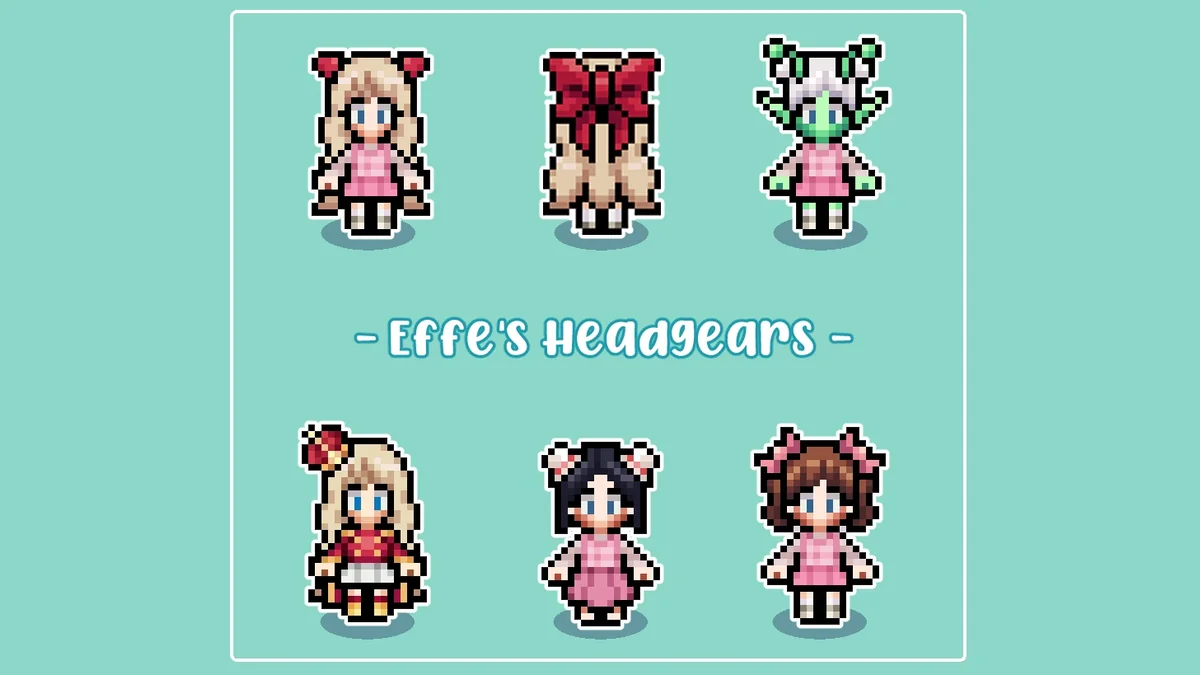
76. Effe’s Headgears
Effe’s Headgears adds six new headgears: a big back ribbon, small twin ribbons, a mini crown, bun covers, alternate cat ears and alien antennae. Its page warns that cosmetic mods cannot simply be deleted later without breaking a save, so decide before you build an outfit around them. Creator: EffeDraws. Needs: MOMI. Download: Effe’s Headgears on Nexus Mods.
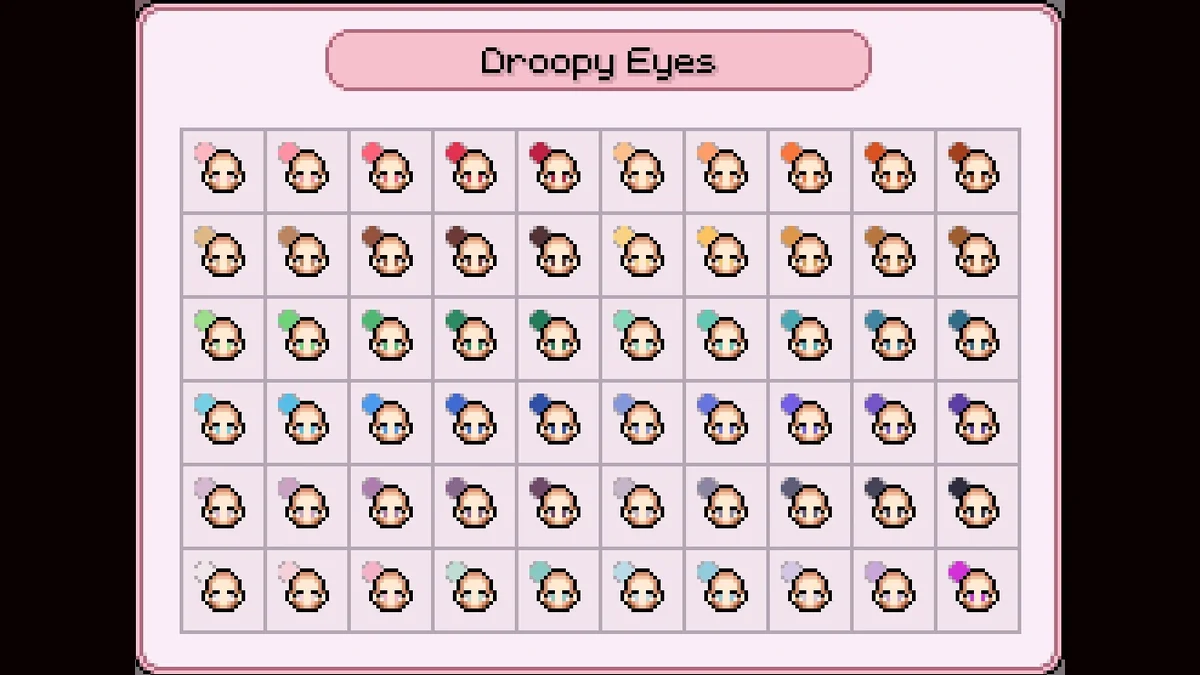
77. More Eye Colour Palettes
More Eye Colour Palettes gives eyes the full palette of hair colors, and adds pastel colors for berets too. Its page says it was updated for the new engine. Creator: alpacca. Needs: MOMI. Download: More Eye Colour Palettes on Nexus Mods.
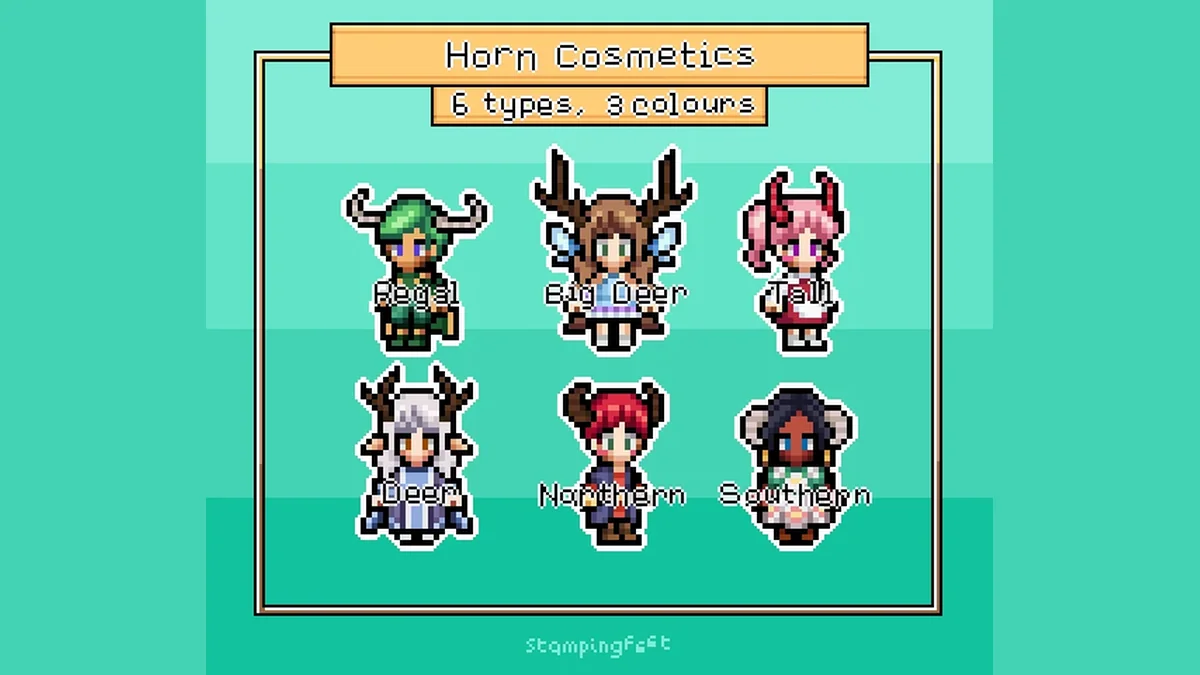
78. Horn Cosmetics
Horn Cosmetics adds six horn types, each in nine colors, for a more fantastical farmer. Creator: stampingfeet. Needs: MOMI. Download: Horn Cosmetics on Nexus Mods.

79. alpacca’s Shortest Skirt
A short skirt that pairs with the default tops to make a short dress, or works as a beachwear skirt. It costs 250 at the General Store, and its page says it was updated for the new engine. Creator: alpacca. Needs: MOMI. Download: alpacca’s Shortest Skirt on Nexus Mods.
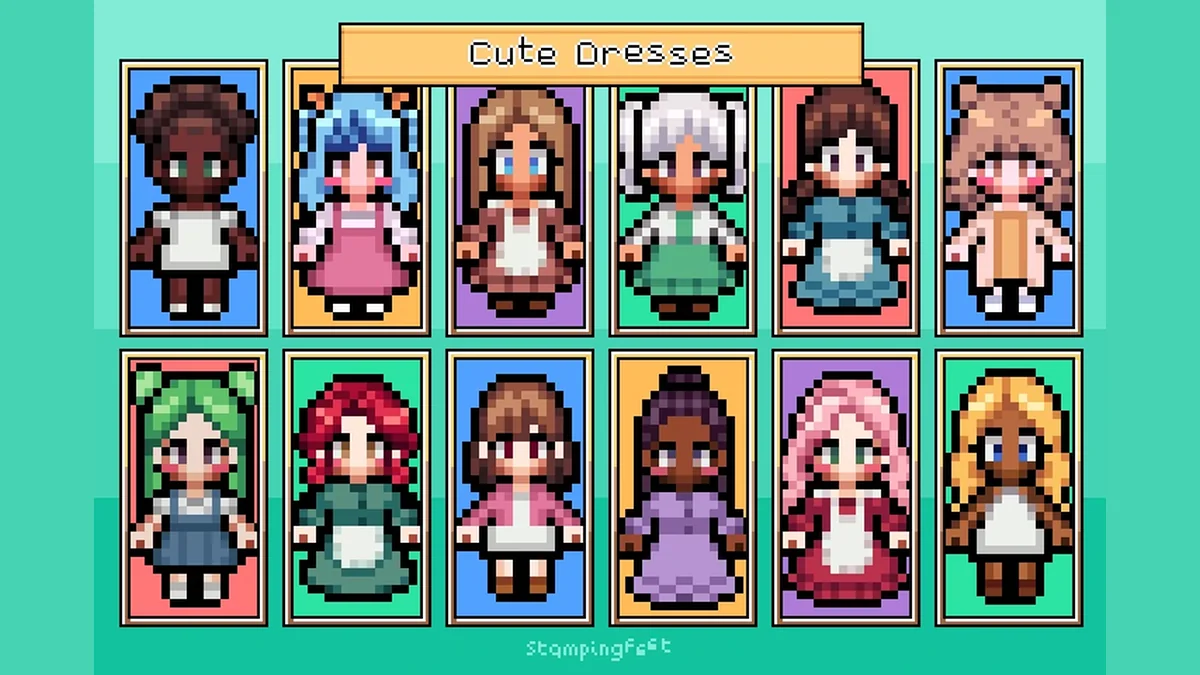
80. Cute Dresses
Cute Dresses adds 23 new dresses for your farmer, and its page was last updated in late October 2026. Creator: stampingfeet. Needs: MOMI. Download: Cute Dresses on Nexus Mods.

81. alpacca’s Socks and Coloured Shoes
Thigh-high socks and colored shoes, made to go with Shortest Skirt and long boots, or as stockings with regular skirts. Its last update was in July 2026, after the engine change. Creator: alpacca. Needs: MOMI. Download: alpacca’s Socks and Coloured Shoes on Nexus Mods.
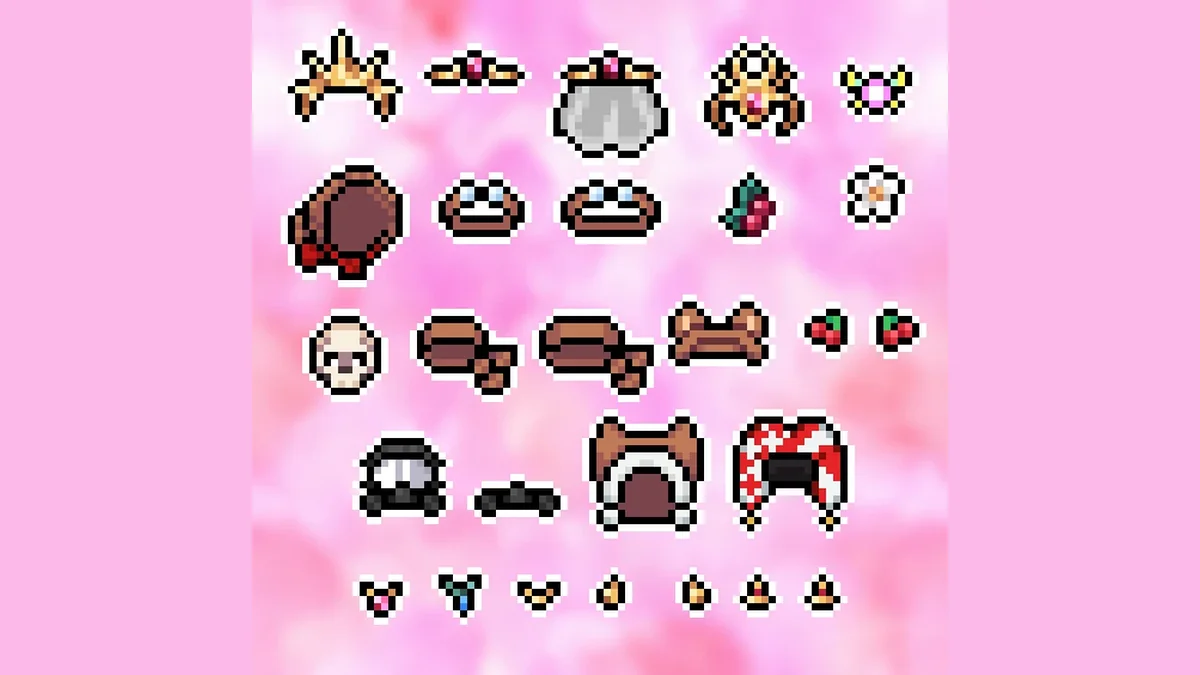
82. Shugar’s Misc Accessories
Shugar’s Misc Accessories adds 25 new accessories to mix and match, sheer veils among them, and its creator notes they were made without AI. Creator: ShugarBomb. Needs: MOMI. Download: Shugar’s Misc Accessories on Nexus Mods.
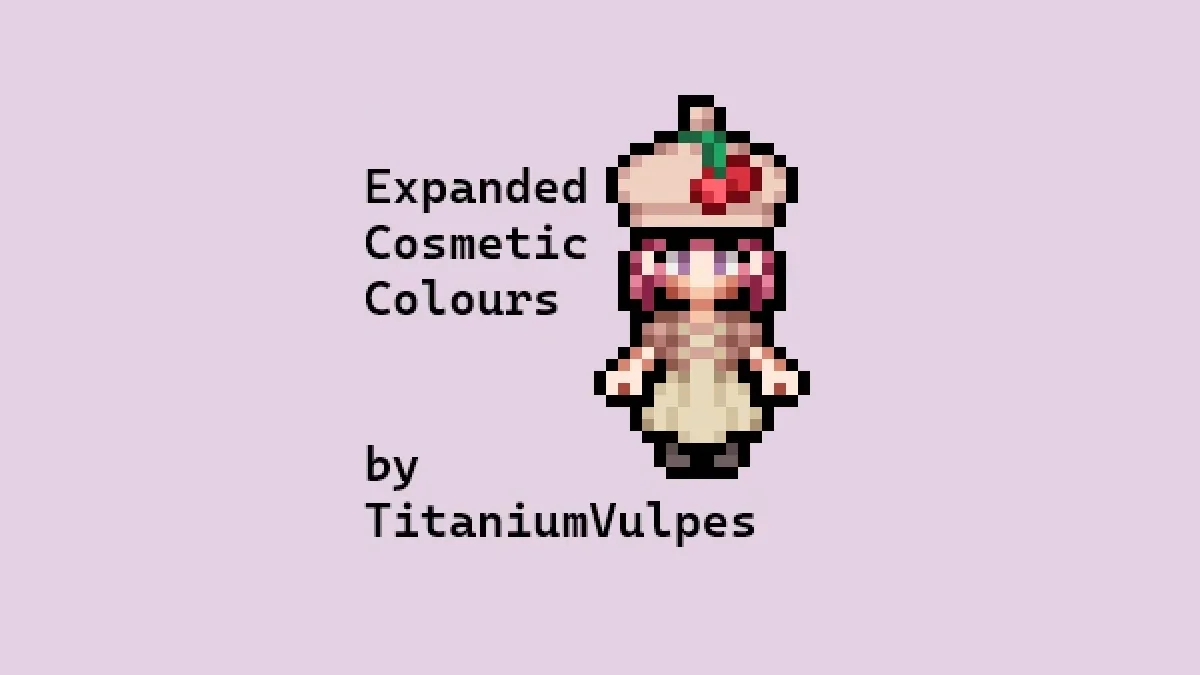
83. TitaniumVulpes Extended Cosmetics Colours
This mod adds more colors to almost every vanilla cosmetic, all from one shared palette so every piece of an outfit can match exactly. Its page says it works alongside Cosmetics – More Colors as of MOMI 0.16, and its creator notes it was made without AI. Creator: TitaniumVulpes. Needs: MOMI. Download: TitaniumVulpes Extended Cosmetics Colours on Nexus Mods.
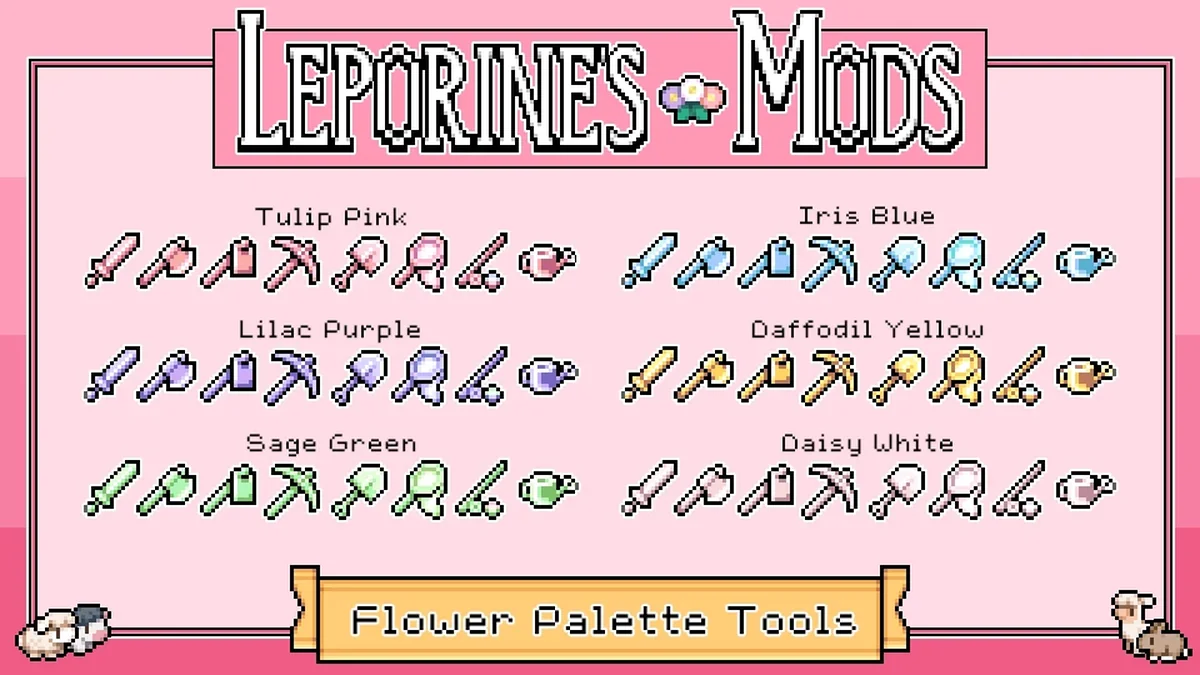
84. Leporine’s Flower Palette Weapons and Tools
Pretty flower-themed recolors for your weapons and tools across all five tiers, picked up through recipes or from the blacksmith. Its page says it was updated for version 1.0.3. Creator: Leporine. Needs: MOMI. Download: Leporine’s Flower Palette Weapons and Tools on Nexus Mods.
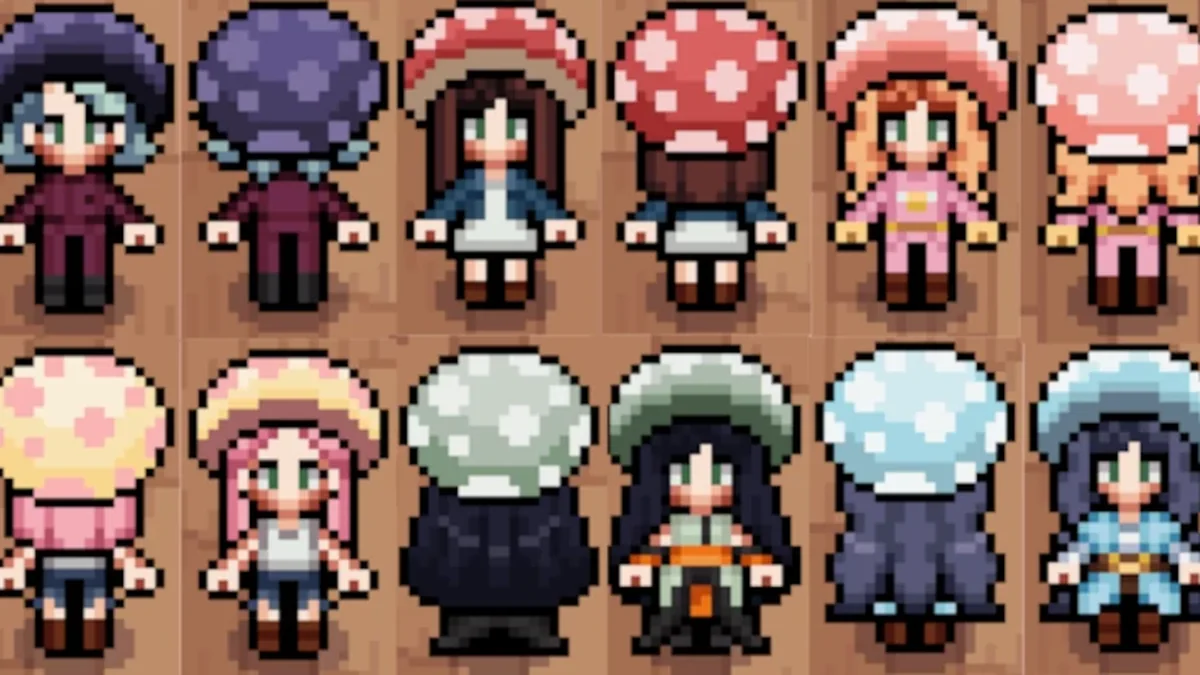
85. Mushroom Cap
A mushroom cap hat for your farmer, sold at the General Store for 500. It was updated for 1.0 by Miquettes. Creator: Silver. Needs: MOMI. Download: Mushroom Cap on Nexus Mods.
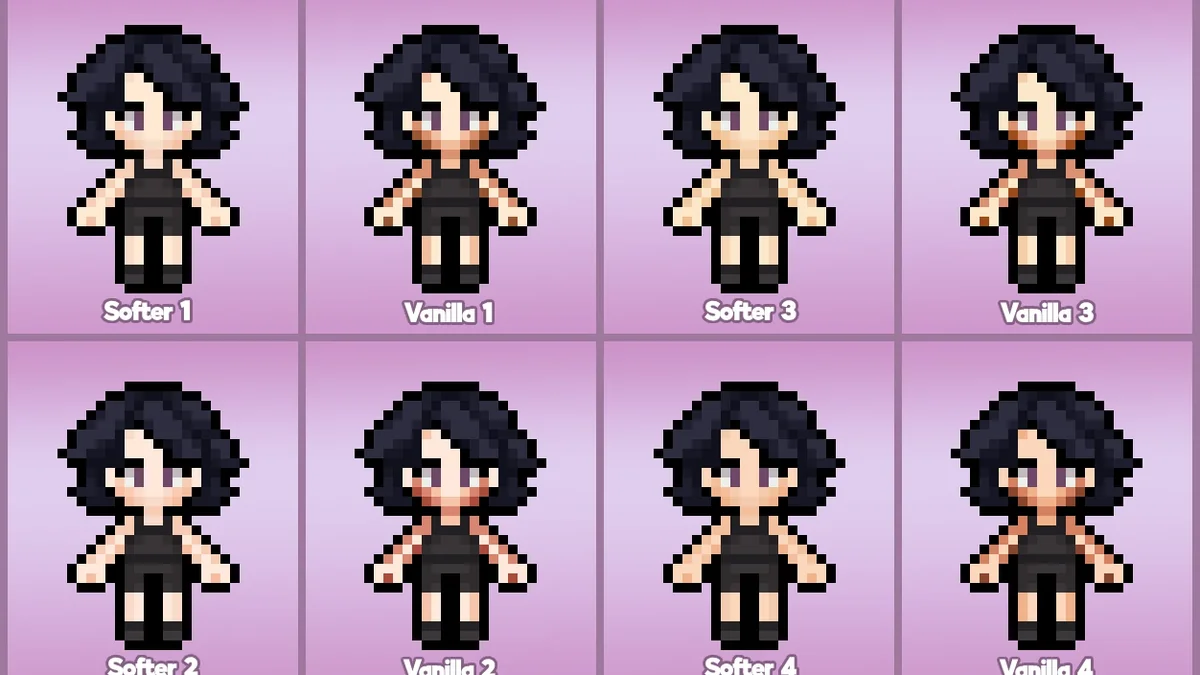
86. Softer Skintones
Softer Skintones overhauls the player’s skin tones with softer shading. Its page says it was updated for the 1.0 release. Creator: sparklingwine. Needs: MOMI. Download: Softer Skintones on Nexus Mods.
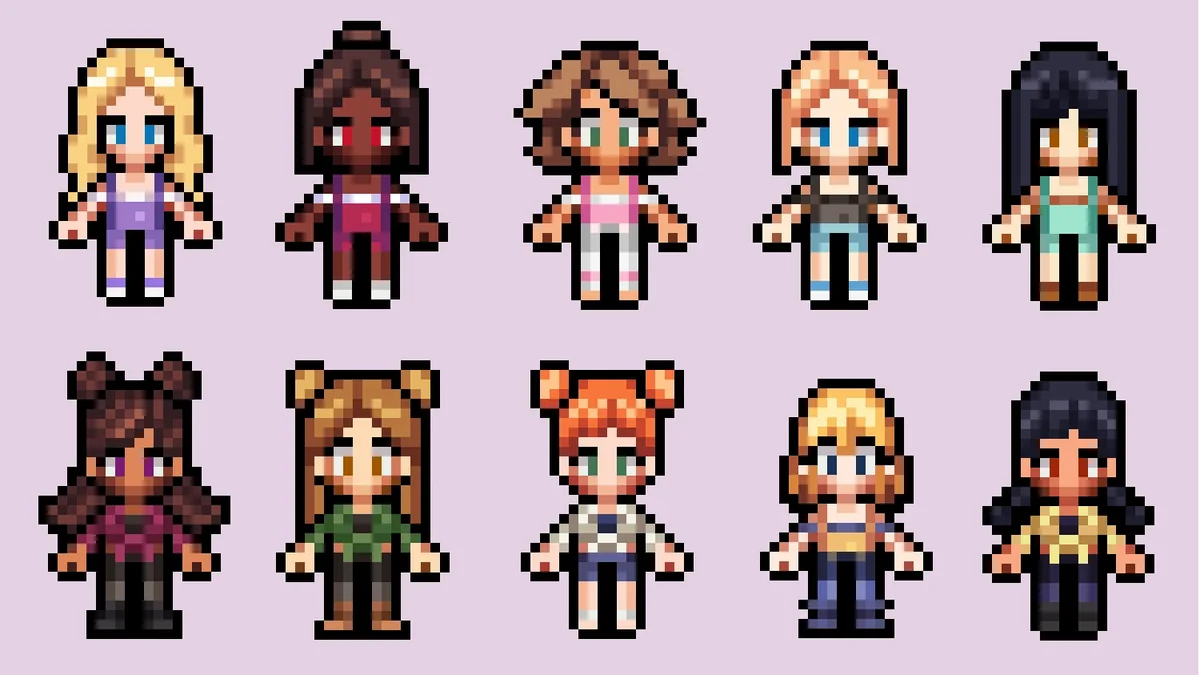
87. NPC Clothes – Reina
Four player cosmetics based on Reina’s summer and autumn outfits, for anyone who wants to dress like their favorite villager. Its page says it was updated for version 0.16.2 and later. Creator: Lauryyn. Needs: MOMI. Download: NPC Clothes – Reina on Nexus Mods.
Hairstyles
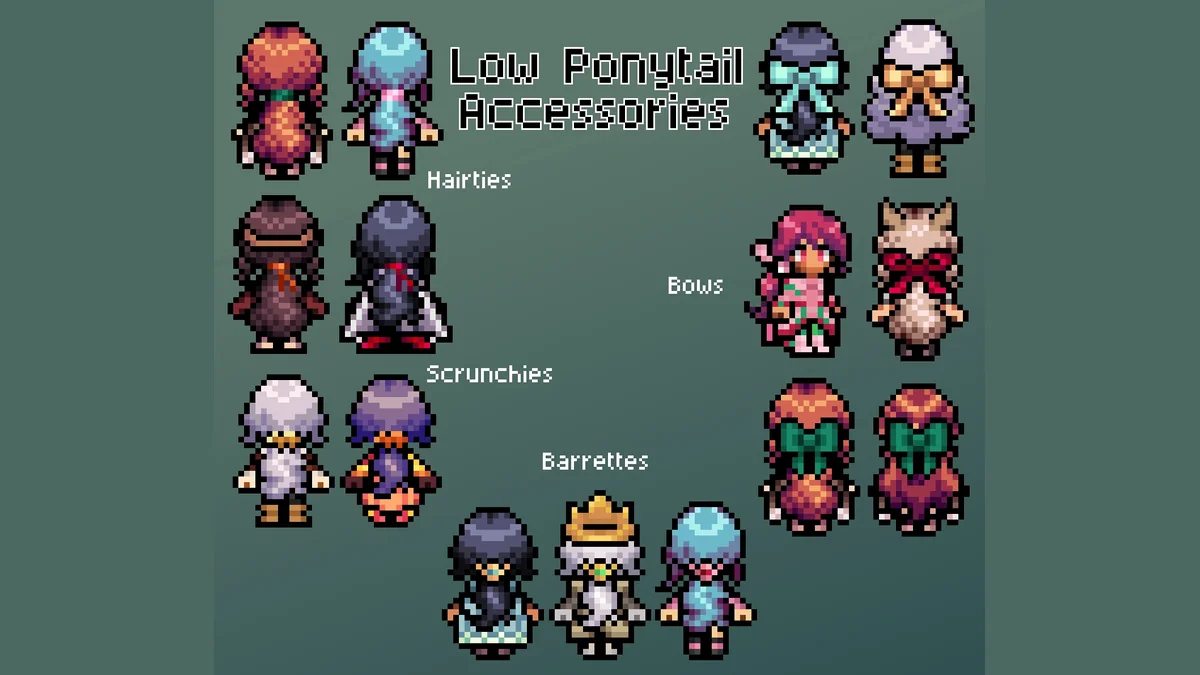
88. Low Ponytails Plus Accessories
The most endorsed hair mod for the game: low ponytails in straight, curly and flowy versions, with matching hair accessories and 86 extra hair colors. Creator: sunberner. Needs: MOMI. Download: Low Ponytails Plus Accessories on Nexus Mods.

89. Flowy Hair
Long, wavy, flowy hair, bought from the General Store. A strandless version drops the strand of hair in front of the body so it works with clothing that covers that spot. Its page suggests that if it does not show up in the store, you uninstall other mods that change the General Store until you have bought it. It was last updated in July 2026, after the engine change. Creator: sunberner. Needs: MOMI. Download: Flowy Hair on Nexus Mods.

90. Long Fringed Hair
Long hair with a full fringe, plus a mixed version. Buy it for 250 in the modded hair section of the General Store. Its page says it was updated for the new engine and needs the latest MOMI release. Creator: nimosarts. Needs: MOMI. Download: Long Fringed Hair on Nexus Mods.

91. Long Braid Hairstyle
A long braid, sold in the General Store in every hair color. Its page credits another modder for updating it for the latest release of the game. Creator: Spoons. Needs: MOMI. Download: Long Braid Hairstyle on Nexus Mods.
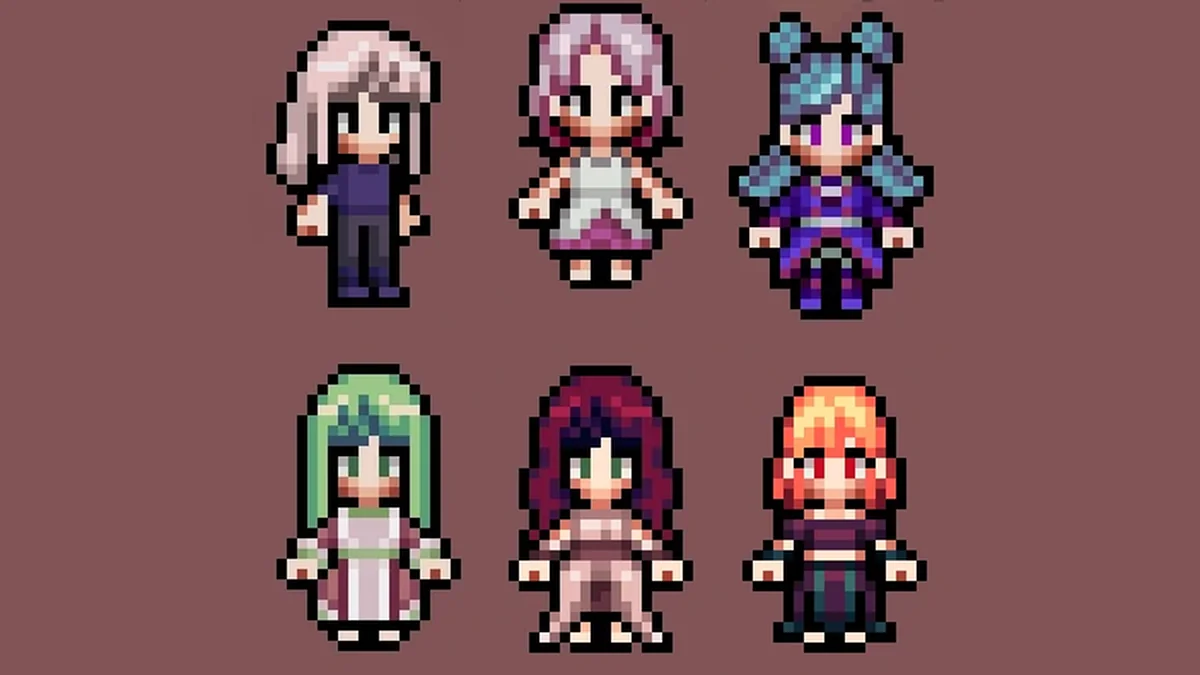
92. Extra Hair Colours for Vanilla Hair
This takes the extra hair colors from its creator’s hair mods and adds them to the vanilla hairstyles. Its page says it works with the new engine. Creator: sunberns. Needs: MOMI. Download: Extra Hair Colours for Vanilla Hair on Nexus Mods.

93. The Braidy Bunch
A braided bun and a braided headband style, in short, medium and long lengths, with straight bangs or curtain bangs. It was last updated in July 2026, after the engine change. Creator: stampingfeet. Needs: MOMI. Download: The Braidy Bunch on Nexus Mods.
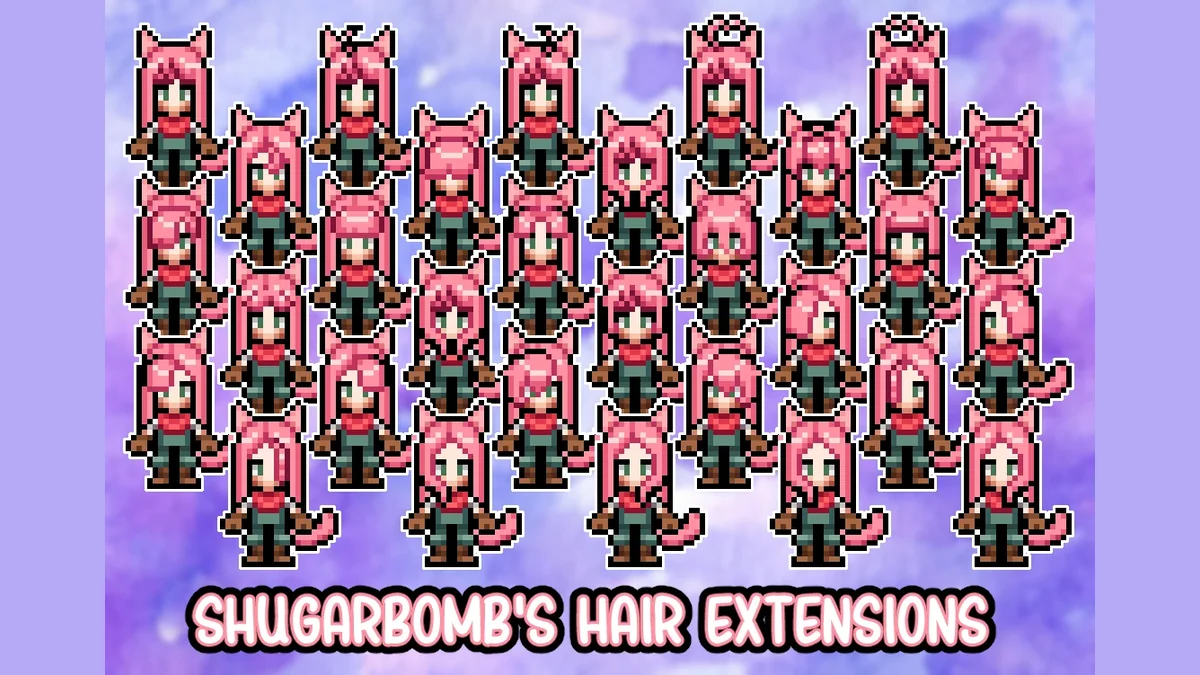
94. Shugar’s Hair Extensions
Shugar’s Hair Extensions adds 29 extensions that go in the face accessory slot, so you can build on any hairstyle. Its page says it was updated for version 0.16.5 and later, and its creator notes it was made without AI. Creator: ShugarBomb. Needs: MOMI. Download: Shugar’s Hair Extensions on Nexus Mods.
Villagers, Portraits and Romance

95. Seasonal Dozy
Seasonal Dozy gives Dozy the dog seasonal outfits, with a cuter set to choose from too. It is a big job for a small mod, with about 245 portrait files. Creator: sleepypeach. Needs: MOMI. Download: Seasonal Dozy on Nexus Mods.
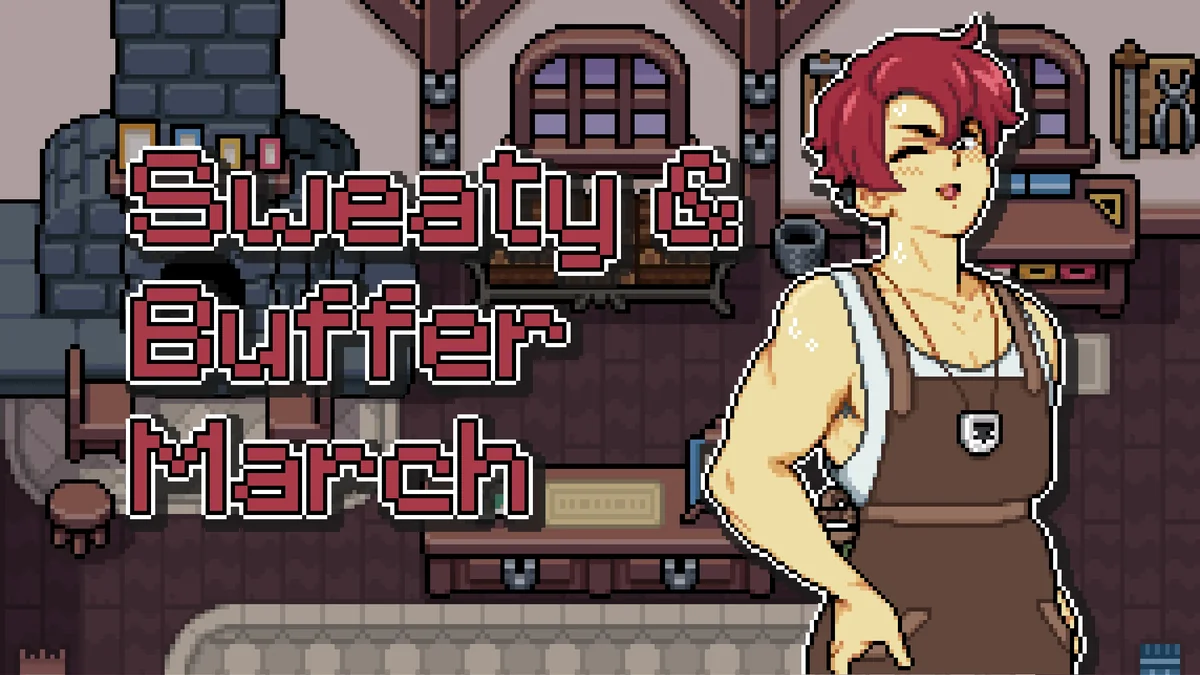
96. Sweaty and Buff March Portraits
March works the forge all day, and this mod makes his portraits show it in Spring and Summer. It comes in several versions and includes portraits of him holding a baby. Creator: caterpixie. Download: Sweaty and Buff March Portraits on Nexus Mods.

97. Seasonal Henrietta
Seasonal Henrietta gives the town’s prize-winning chicken the seasonal wardrobe she deserves: hats, scarves and more. Its page says it was updated for 1.0 and asks you to delete any old folder of it first. Creator: Sleepypeach. Needs: MOMI. Download: Seasonal Henrietta on Nexus Mods.

98. Altered Portraits and Caldarus Replacer
This mod tweaks the portraits of Balor, Eiland, Hayden, Juniper, March, Olric, Ryis and Vera, replaces Caldarus’s portraits, and adds dragon and statue recolors. Creator: ReptilianPoet. Needs: MOMI. Download: Altered Portraits and Caldarus Replacer on Nexus Mods.
99. Stay the Night
Stay the Night lets you sleep over at your partner’s house once you are dating. After 10 PM, press G (the throw key) near your partner, and it works for every romanceable character. Our guide to how to marry in Fields of Mistria covers getting to the dating stage. Creator: caterpixie. Download: Stay the Night on Nexus Mods.
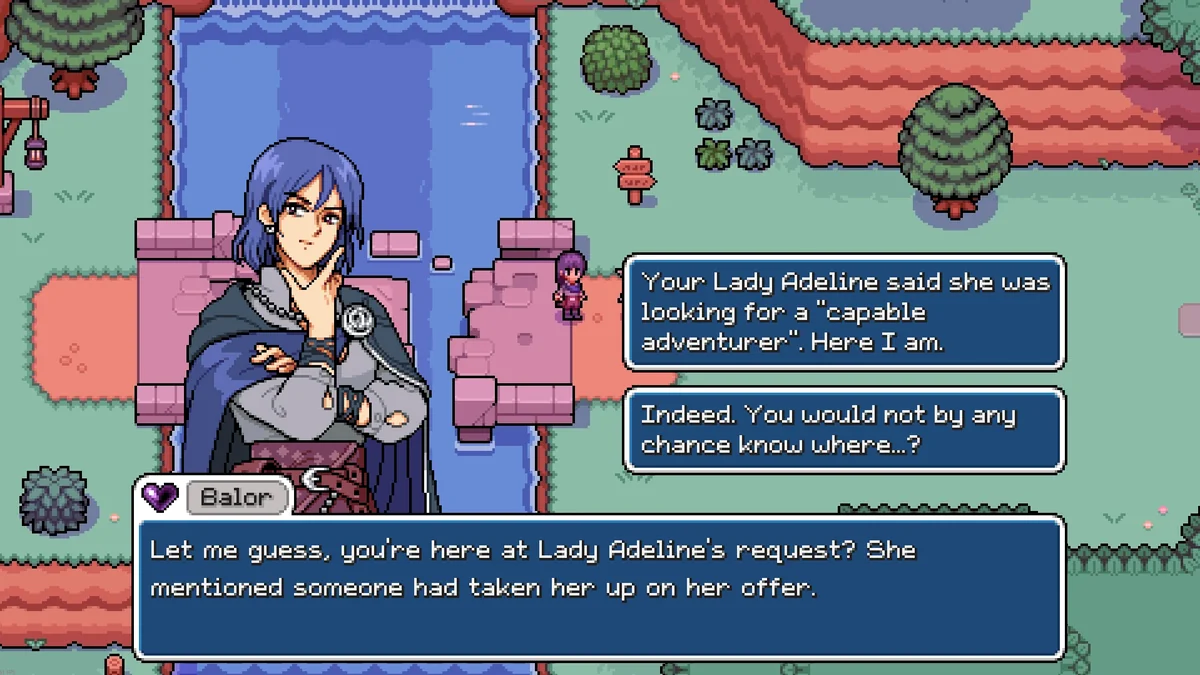
100. Less Exclamatory Farmer
Less Exclamatory Farmer edits the farmer’s dialogue to cut Ari’s excited shouting by about 90 percent, turning them into a calmer ex-adventurer. Creator: QueenKaje. Needs: MOMI. Download: Less Exclamatory Farmer on Nexus Mods.
Install Order
- Mods of Mistria Installer (MOMI). Everything else goes through it.
- MMAPI Mod Configs and Dynamic Object Sprites, when a mod you want lists them.
- Big recolors such as Outdoor Recolor near the top of MOMI’s list. Its page explains that MOMI lets you choose the order mods are installed in, and that when two mods change the same thing, the one installed last wins.
- Everything else, with smaller mods that change the same art lower in the list so their changes show.
How to Install Fields of Mistria Mods
These steps follow MOMI’s own instructions on its GitHub page.
- Create a folder named
modsinside your Fields of Mistria folder, next to FieldsOfMistria.exe. On Steam, right-click the game in your Library, open Properties, then Installed Files, and click Browse. On Steam Deck or Linux, amistria-modsfolder in your home directory works too. - Download each mod from its Nexus Mods page and extract it into the
modsfolder. MOMI cannot install.zipfiles, and each mod folder must sit directly insidemodswith itsmanifest.tomlfile in it, not inside a second folder of the same name. - Download MOMI, run it, and click Install. Your mods should appear in a list.
- Run MOMI again after every game update to reinstall your mods.
If a mod does not show up, check its page’s last update date first: per MOMI’s page, anything last updated before July 2026 won’t work. If the game reports a missing executable or an error after an update, MOMI’s Nexus Mods page says to click Uninstall All in MOMI, verify the game’s files in Steam, install your mods again, and repeat the whole thing once more if it still fails.
How We Chose These Mods
Every mod here comes from the top of Nexus Mods’ own popularity data for Fields of Mistria, its most endorsed and most downloaded mods, and links to its creator’s own page. We kept mods that are free and still downloadable, and we checked each page for the game versions it supports. We set aside adult-flagged mods, translations, mods whose own pages say they are outdated, and near-duplicates of picks already here. Where a loved mod predates the new engine and an updated version exists (Time of Mistria, the original All Cosmetics Unlocked, the first Cute Cottagecore Barns and Coops), the updated one is the pick. Two much-loved mods that have not been updated yet, Cross-Season Crops and Silver’s Victorian House, stay on the list with a clear line saying they will not run until their creators update them, because mod creators update their work all the time. We also kept any single creator from taking over the list, so it covers the widest range of the game’s modders.
Only download from the creator pages linked above. For the vanilla game, our Fields of Mistria guides cover everything from fishing to marriage. If you are modding a similar farm sim, our best Stardew Valley mods list follows the same rules, and our best cozy games of 2026 has more to play.
Frequently Asked Questions
What is the most popular Fields of Mistria mod? Mods of Mistria Installer (MOMI), with more than 3,500 endorsements and about 390,000 downloads on Nexus Mods, because nearly every other mod needs it. Cosmetics – More Colors is the most endorsed content mod, and the Cheats Menu and Just Jane’s QoL Options lead the gameplay mods.
Do Fields of Mistria mods work on the 1.0 version? Mods updated for the new engine do. NPC Studio’s v0.16.2 update on July 7, 2026 moved the game to a new engine, and the studio said mods made for the previous engine would not be compatible. MOMI’s page says anything last updated before July 2026 won’t work. Every mod on this list has been updated since, except the two entries that say otherwise.
How do you install Fields of Mistria mods? Make a mods folder next to FieldsOfMistria.exe, extract each mod into it, then run Mods of Mistria Installer and click Install. The full steps are in How to Install above.
Can you use Fields of Mistria mods on Steam Deck or Linux? Yes. NPC Studio’s v0.16.2 patch notes added Linux and SteamOS support, and MOMI has a Steam Deck and Linux build that also reads mods from a mistria-mods folder in your home directory.
Why did my Fields of Mistria mods stop working after an update? MOMI’s page says to run it again after every game update to reinstall your mods. If you still get an error, MOMI’s page says to click Uninstall All, verify the game’s files in Steam, reinstall your mods, and do all of that twice. Some mods also need their own update after a big patch, so check each creator’s page.
Can you remove Fields of Mistria mods from a save? Most quality-of-life mods come out cleanly, but some do not. Effe’s Headgears says cosmetic mods cannot simply be deleted without breaking a save, Better Storage says it cannot be easily removed, and Cross-Season Crops deletes out-of-season plants if you remove it. Back up your save before adding or removing mods.
Can you get Fields of Mistria mods on console? No. Fields of Mistria is a PC game, and NPC Studio’s Post 1.0 Dev Blog says ports are something it is exploring, with no platforms confirmed. Mods are PC only.
Are Fields of Mistria mods free? Yes, all 100 on this list are free on Nexus Mods.
Are Fields of Mistria mods safe? Mods from their creators’ own Nexus Mods pages are the safest option. MOMI’s page notes that some antivirus tools flag a couple of the tools it uses by mistake, and its code is open source on GitHub for anyone to read.