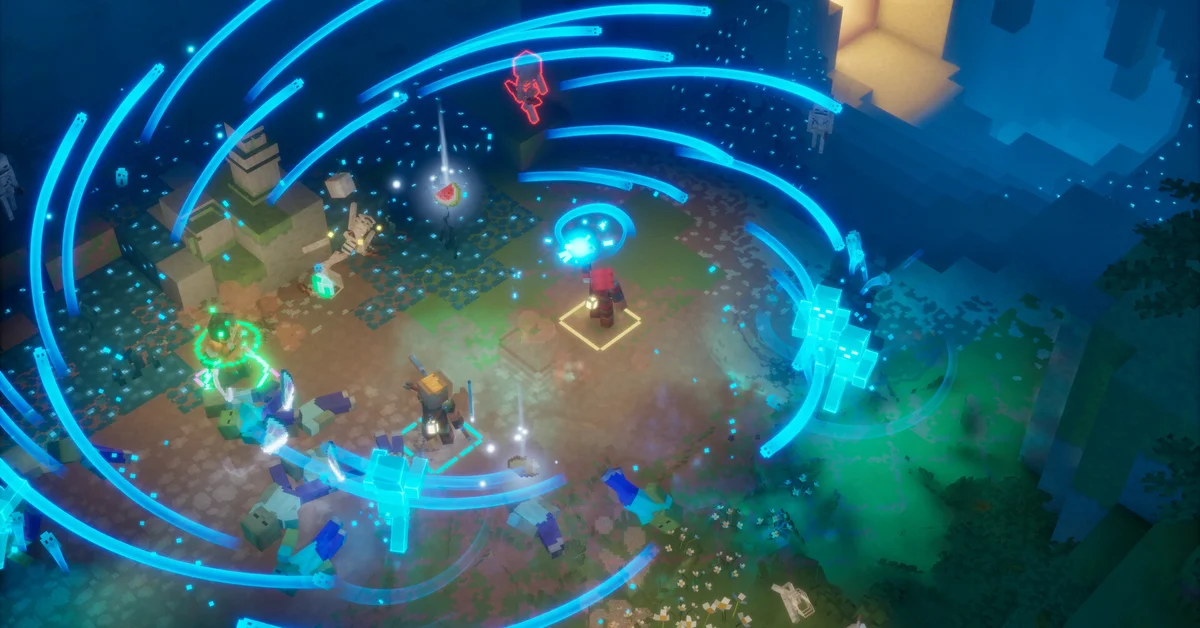
Yes, Minecraft Dungeons II is cross-platform: online co-op works across PC, Xbox Series X|S, PS5, Switch and Switch 2, and Mojang says friends can join “regardless of which platform anyone is using.” Parties hold up to four players online, in couch co-op on one system, or a mix of both, but the choice that decides who you can play with happens at character creation: reviewers report that a hero made as “offline” can never go online, and an online hero cannot be switched to offline.
Below we cover every co-op mode, what each platform requires, how to find a party, how couch co-op handles guests, and how cross-progression works. This guide was written for the launch version (September 29, 2026), verified against Mojang’s gameplay systems article, Xbox Wire and the official store pages.
Is Minecraft Dungeons II Cross-Platform?
Crossplay is confirmed by every official source. Mojang calls online play “cross-play,” the Xbox Store lists cross-platform multiplayer and co-op, Nintendo tags the game with cross-platform play, and Steam lists Cross-Platform Multiplayer. Technical director Stefan Annell told Mojang’s launch-day co-op deep dive that the team’s motto was “one-click crossplay,” meaning “a player can boot up the game for the first time and it just works,” with no extra steps “even if it means they’re on another platform.” Mojang design director Laura De Llorens put it simply on the Official Xbox Podcast: “no matter where you were or in what platform you played, you could play together.”
Online sessions now run on dedicated servers rather than on the party leader’s machine, and Annell says the game picks the best server for the party “based on each player’s ping,” which is meant to keep mixed-platform sessions stable across regions.
Cross-progression is confirmed too. The same article says hero data is stored online, “so your progression isn’t tied to one specific device,” and that linking your platform accounts to the same Microsoft account lets you keep playing the same hero on another platform. You can even sign in on a friend’s device and carry on with your own hero, “if the platform supports it.” Xbox Play Anywhere also covers Xbox consoles and Windows PCs with one purchase. The exception is offline heroes, which stay offline. Our cross save guide walks through it.
Every Co-op Mode at a Glance
Mojang’s gameplay systems article says the game supports “local play through couch co-op and teaming up online through cross-play,” plus “mixed co-op, which allows two or more players on the same console or PC to fight alongside additional players online.” The party cap is four in every mode.
| Mode | Players | What it needs |
|---|---|---|
| Couch co-op | Up to 4 on one system | One controller per player |
| Online co-op | Up to 4 | An online hero, plus a subscription on console |
| Mixed co-op | Up to 4 in total | Couch players and online players in one party |
| Matchmaking | Up to 4 | An online hero |
Mixed co-op is new to the series. De Llorens said on the Official Xbox Podcast that “you can now mix couch co-op and online play,” something the first game did not have.
What Each Platform Needs for Online Play
- Xbox Series X|S: the Xbox Store says online console multiplayer requires Game Pass Essential, Premium or Ultimate.
- PS5: the PlayStation listing says “PS Plus required for online play” and supports up to four online players.
- Switch and Switch 2: Nintendo requires a Nintendo Switch Online membership and a Nintendo Account for online features.
- PC (Steam or the Xbox app): no subscription is listed, but the Steam page requires a Microsoft account, which can be linked to your Steam account. Since an October 1 update, Mojang says the game “should now be playable on Steam Deck,” with some issues such as missing on-screen keyboard support still to fix.
Online or Offline: The Choice That Locks You In
Mojang’s co-op deep dive confirms that the game “can be played both online and offline, with both modes supporting couch co-op,” and Annell explains why the two are kept apart: “Keeping online and offline as separate modes also gives us more control over what happens online. It makes it easier for us to prevent cheating.”
Reviewers describe what that means for your heroes: characters created as offline cannot go online, and vice versa. One review says an offline hero is limited to “single player and couch co-op,” while an online hero can use crossplay, group with friends or strangers, and still use couch co-op.
The trade-off, per that review, is that an online hero depends on your connection even when you play alone; its reviewer blamed a run of late-game deaths on a lagging connection. Based on those reports, make your main hero online if there is any chance you will play with friends remotely, and keep offline heroes for strictly solo or couch saves.
How to Find a Party
Mojang lists these ways to team up:
- Party codes: the simplest way to get a specific friend into your session. Annell describes the code as “an eight-character code made up of letters and numbers, unique to your current party.” Your friends type it into the “join by party code” dialog and join you directly, in the lobby or mid-game, whatever platform they are on.
- The friends list: players of the first game will recognize the in-game friends list, which is still there.
- Matchmaking: new to the series, it lets you find heroes looking for a party and “jump into their session and right into action,” or fill the empty spots in your own party. Annell says it scores matches on “core quest progress, region, and power level,” and can drop you into a session that is already under way.
- Teleporting: once you share a world, the world map lets you “teleport to a nearby friend.”
Drop-in play is built in. De Llorens said that when someone joins mid-session, “the session would adapt to us being two people,” and it scales back when they leave. Reviewers add that currency is split 50/50 and loot drops for each player separately, so a new player cannot grab a veteran’s high-level gear, and friends far apart in level can still play together.
There are no classes to coordinate: roles come from gear, as our guide to Minecraft Dungeons II classes and builds explains, and enchantments are where builds really split apart.
Couch Co-op on One Screen
Couch co-op works on every platform, including PC, where Steam lists Shared/Split Screen Co-op and Remote Play Together (Steam’s feature for sharing a local session over the internet). Nintendo’s listing supports one to four players on a single system in TV, tabletop and handheld modes, and notes that “multiplayer requires one compatible controller per player.”
Three details make couch sessions smoother:
- Guests need no account. One review reports that couch players “can hop in as a guest with ease” and can even copy the main player’s build and level when joining mid-playthrough.
- Inventories do not stall the group. Xbox Wire’s gamescom preview explains that pressing up on the D-pad opens the full inventory, while holding it opens a mini menu on screen, so every player can swap gear at the same time.
- Account rewards follow the account. The Hero Cape counts couch play only for the Microsoft account that is signed in; our capes guide has the details.
More Co-op Help
To check console support, see whether it is on Switch 1 and PS4. Our how long to beat guide collects reviewer playtimes, and our launch coverage and Minecraft Dungeons II hub have the rest. For more games to play as a group, see the best Switch 2 co-op games of 2026 and best PC co-op games of 2026.
Frequently Asked Questions
How many players can play Minecraft Dungeons II together? Four. Mojang confirms a party of up to four whether you play online, on one couch, or mixed.
Is Minecraft Dungeons II cross-platform? Yes. Online co-op works across PC, Xbox Series X|S, PS5, Switch and Switch 2, per Mojang and the store listings, and party codes work whatever platform each player is on.
Do I need to turn crossplay on? Mojang designed it as “one-click crossplay” that works the first time you boot the game. The one thing to get right is making your hero an online hero, since offline heroes cannot join online sessions.
Is the original Minecraft Dungeons cross-platform? Yes. Microsoft added cross-platform play to the first game in a free update on November 17, 2020, covering Windows, Xbox, Nintendo Switch and PlayStation, per the Windows Experience Blog. Its couch co-op was offline only, which Dungeons II changes.
How do you play two players on one console? Use couch co-op: each player needs their own controller, and a second player can join as a guest or, where the platform supports it, sign in with their own account to bring their own hero. Couch co-op needs no subscription and works with offline and online heroes.
Can you play Minecraft Dungeons II offline? Yes. Mojang says the game can be played online and offline; offline heroes play solo or in couch co-op, but reviewers report they cannot later be moved online.
Is Minecraft Dungeons II split-screen? Xbox Wire describes couch teams sharing a single screen, and Mojang has not mentioned a separate split-screen view.
Can I switch an offline character to online? Reviewers report that you cannot: offline characters cannot go online, and vice versa. Create an online hero if you plan to play remotely.
Do I need Game Pass, PS Plus or Nintendo Switch Online for co-op? Only for online play on consoles. Couch co-op needs no subscription, and the PC versions list none for online play.